






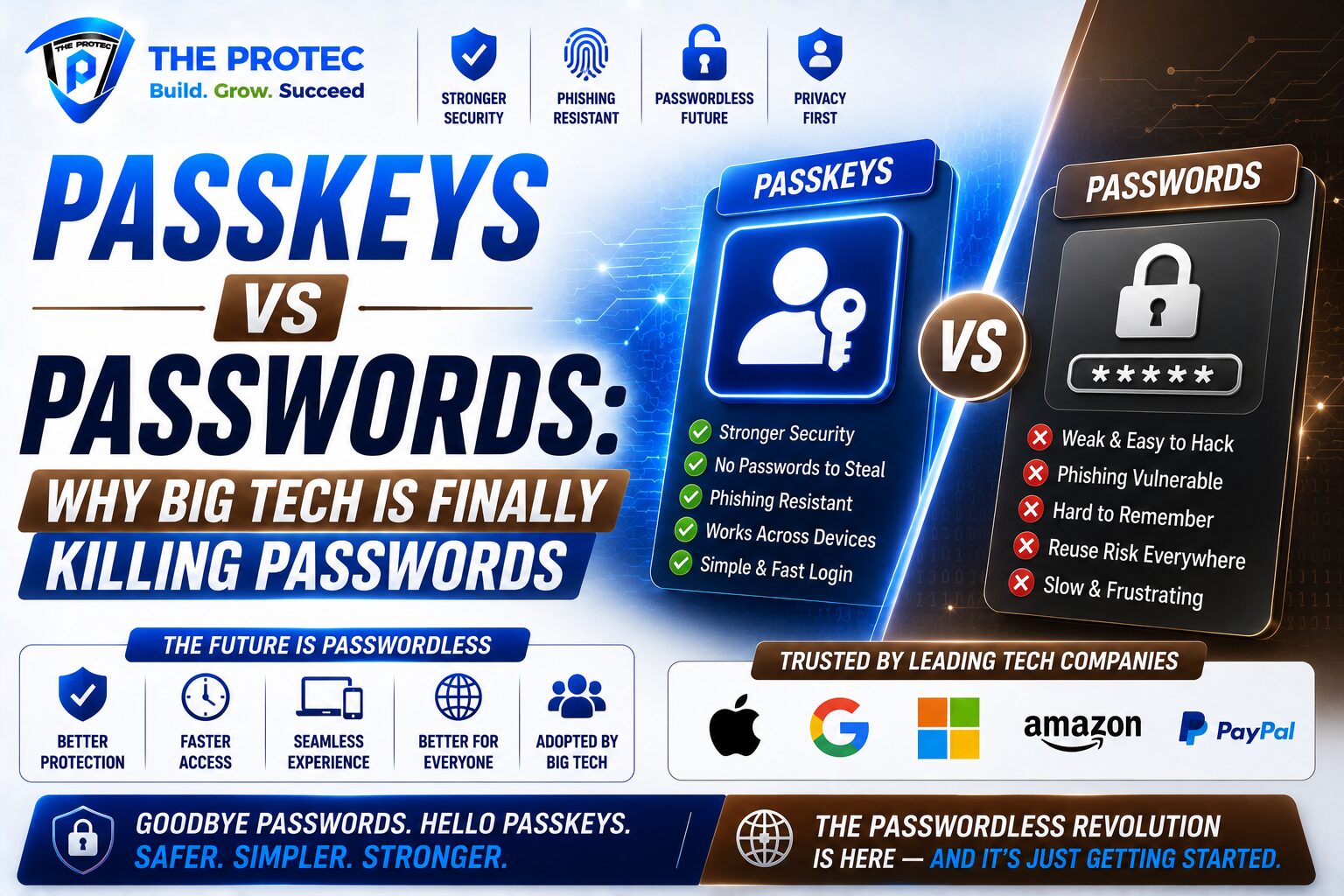
Passkeys vs Passwords: Why Big Tech Is Finally Killing the Password
Passwords have had a long run, but their time is running out. In the middle of 2026, the shift toward passkey authentication is no longer a niche security trend reserved for early adopters and privacy enthusiasts. Apple, Google, and Microsoft have spent the last several years building the plumbing for passwordless login into phones, laptops, browsers, and operating systems. The result is a real turning point: for millions of users, passkeys are now easier to use than passwords, and for businesses, they are becoming easier to deploy at scale.
This change matters because the old password model has become too expensive to defend. People reuse passwords, attackers automate credential stuffing, phishing kits are more convincing than ever, and support teams spend huge amounts of time resetting access. Passkeys vs passwords is not just a feature comparison. It is a battle between a system built around human memory and a system built around cryptographic trust. In that battle, passwords are increasingly the weak link.
If you are wondering whether it is finally time to switch, the short answer is yes for most people. But the deeper answer depends on how you sign in, what devices you use, and whether your accounts support modern recovery and cross-device syncing. Let’s break down why big tech is accelerating the move, how passkey authentication works, and what you should know before you go passwordless.
What passkeys are and how passkey authentication works
A passkey is a modern credential that replaces the password with a cryptographic key pair. Instead of typing a secret that a website stores and verifies, your device creates a unique private key that stays on your phone, laptop, or security key, and a public key that the service stores. When you sign in, your device proves it has the private key without ever revealing it. That means there is no password for an attacker to steal, guess, or reuse.
Passkey authentication typically uses biometric confirmation such as Face ID, Touch ID, Windows Hello, or a device PIN. The biometric is not the passkey itself; it simply unlocks the private key on your device. That distinction matters because it keeps your actual credential protected even if a biometric template is compromised elsewhere.
The underlying standard comes from the FIDO Alliance and the W3C WebAuthn framework, which major platforms have now embraced. If you want to see the technical foundation, the FIDO Alliance provides a clear overview of passkeys and their role in modern authentication: https://fidoalliance.org/passkeys/.
Why Apple, Google, and Microsoft are pushing passwordless login now
The reason passkeys are finally gaining traction is simple: the biggest platform companies have aligned around them. That alignment matters because authentication only becomes convenient when it works across devices and services people already use every day.
Apple’s role in normalizing passkeys
Apple helped bring passkeys into mainstream conversation by integrating them deeply into iPhone, iPad, and Mac sign-in flows. With iCloud Keychain syncing and device-level biometric prompts, Apple made passwordless login feel familiar rather than experimental. For many users, the first passkey experience happened during a website or app login that simply asked for Face ID instead of a password. That frictionless experience matters more than any marketing campaign.
Apple’s ecosystem approach also helped solve one of the biggest barriers to adoption: convenience. If a passkey can move between your iPhone and Mac without manual copying or one-time codes, users stop seeing it as a security burden and start seeing it as an upgrade.
Google’s role in scaling passkey adoption
Google has been equally important, especially on Android and Chrome. Google account sign-ins, browser support, and Android device integration have made passkeys accessible to a huge global audience. Google’s push has also made passkey authentication more visible inside consumer products people already use, from Gmail to Google Workspace.
Google has also emphasized cross-device sign-in and multi-device passkey support, reducing the fear that users will be locked into one device forever. That interoperability is critical. Users are more willing to adopt passwordless login when they know they can move between a phone, tablet, and laptop without getting stranded.
Microsoft’s role in enterprise adoption
Microsoft may be the most important player for business adoption. Windows Hello, Microsoft account support, Entra ID, and passkey-capable authentication flows have made it far easier for organizations to imagine a world with fewer passwords and fewer help desk tickets. In enterprise environments, the appeal is obvious: fewer phishing incidents, less password reset overhead, and stronger identity assurance for remote work and cloud applications.
Microsoft’s influence is especially powerful because businesses often follow the default authentication patterns of the operating system and identity platform they already rely on. If passkey authentication is built into the login experience employees already know, rollout becomes much less painful.
Passkeys vs passwords: the security comparison that matters
Passkeys vs passwords is not a close fight when it comes to core security. Passwords can be stolen in phishing attacks, leaked in data breaches, guessed through brute force, or harvested from credential stuffing campaigns after users reuse them on multiple sites. Even strong passwords can be defeated if the user is tricked into handing them over to a fake login page.
Passkeys are designed to eliminate those common failure modes. Because the private key never leaves the device and is not typed into a form, there is nothing useful for a phishing site to capture. Even if a malicious website looks identical to the real one, the passkey cannot be replayed on another domain. That domain binding is one of the biggest advantages of passkey authentication.
Here is the practical difference:
- Passwords depend on secrecy, memory, and user discipline.
- Passkeys depend on cryptography, device ownership, and local verification.
- Passwords are reusable across sites unless users behave perfectly.
- Passkeys are unique to each service by design.
- Passwords can be phished, guessed, or leaked.
- Passkeys are far harder to phish and cannot be copied as plain secrets.
That does not mean passkeys are magic. They shift the risk from password theft to device security and account recovery. If your device is unlocked by a weak PIN, if your cloud account recovery is poorly protected, or if you lose access to all your trusted devices, the experience can still become frustrating. But compared with the everyday risk profile of passwords, passkeys are a major improvement.
Why passwords are struggling in the real world
Many people assume password problems are mostly about choosing bad passwords. In reality, the system itself is broken. Humans are asked to create dozens or hundreds of unique secrets, remember them, update them regularly, and never reuse them. That is unrealistic, so users compromise. They repeat passwords, make slight variations, store them insecurely, or rely entirely on password managers to keep up.
At the same time, attackers have industrialized credential attacks. Phishing pages are generated faster than ever, breach dumps are recycled automatically, and compromised credentials are tested against banks, email providers, social networks, and SaaS applications at machine speed. Password-based security is fighting a modern threat landscape with a decades-old design.
Even the traditional “strong password plus MFA” model has limitations. SMS codes can be intercepted, push prompts can be fatiguing, and users still need to manage the password itself. Passkeys reduce that burden by combining something you have with something you are or know, without forcing users to memorize a secret.
What makes passwordless login better for everyday users
Security gets most of the attention, but usability is why passwordless login is spreading. The best authentication method is the one people will actually use consistently. Passkeys shorten sign-in time, reduce friction, and lower the chance that users abandon a purchase or fail to access an account because they cannot remember credentials.
For everyday users, the benefits are clear:
- Faster sign-in: biometric confirmation is quicker than typing long passwords.
- Less password fatigue: no need to remember dozens of unique logins.
- Lower phishing risk: passkeys are not easily entered into fake sites.
- Better syncing: modern ecosystems can sync passkeys across approved devices.
- Cleaner recovery: account recovery can be tied to trusted hardware and cloud identity systems.
There is also a psychological benefit. People trust the sign-in process more when it feels familiar and low-effort. A Face ID prompt is easier to understand than a password field, a forgotten-password link, and a second-factor code that may or may not arrive on time.
Are passkeys perfect? Not quite
Passkeys solve many of the biggest password problems, but they introduce new questions. Device loss remains important, especially for users who have not enabled account recovery options or do not keep multiple trusted devices. Cross-platform access is also still uneven in some ecosystems, although it has improved a great deal as browser and operating system support has matured.
There is also the matter of migration. Many services now support passkey authentication alongside passwords, which is useful, but it can create confusion for users who are not sure which method to use. Some websites still hide passkey enrollment too deeply in settings, and some app teams have not fully simplified the recovery journey.
For people who travel frequently, use shared devices, or work across multiple ecosystems, a password manager may still play a role during the transition. In other words, passkeys are the future, but the transition period will not be perfectly uniform across every account and device.
Should you switch to passkeys now?
For most people, yes. If your bank, email provider, social platform, or primary work account supports passkeys, enabling them is a smart move. The key question is not whether passwords will disappear overnight; they will not. The question is whether you want to keep relying on a credential type that is increasingly exposed to phishing and reuse attacks when a safer alternative is already available.
You should especially consider switching if you:
- Use the same password across multiple sites, even partially.
- Have ever been affected by a phishing attempt or credential leak.
- Use Apple, Google, or Microsoft devices regularly.
- Want faster sign-in on mobile and desktop.
- Manage business accounts where phishing risk is high.
If you are heavily invested in one ecosystem, the switch is even easier. If you use mixed devices, look for services that support cross-device passkey syncing or hardware security keys as a backup. The goal is not to abandon resilience; it is to replace weak shared secrets with a more robust and more user-friendly model.
How to make the transition without getting locked out
The smartest way to adopt passwordless login is gradually. Start with your most important accounts and make sure your recovery options are strong before you remove passwords entirely.
- Enable passkeys on your primary email account first.
- Set up passkeys on your main phone and laptop.
- Keep a trusted backup device or security key if the service supports it.
- Review account recovery settings and update backup emails and phone numbers.
- Use a password manager during the transition for accounts that do not yet support passkeys.
It is also worth checking whether your devices are protected with strong local authentication. A passkey on a phone with a weak lock screen PIN is better than a password, but it is not ideal. Your device lock, cloud identity, and recovery process all need to work together.
The business case: why companies are moving now
Businesses are adopting passkeys because the economics make sense. Password resets are expensive. Help desk tickets eat time. Phishing remains one of the easiest ways into corporate systems. When organizations replace passwords with passkey authentication, they can reduce support load and improve identity assurance at the same time.
There is also a strategic driver. As more consumer accounts move to passwordless login, employees and customers begin to expect the same experience from work systems, banking apps, and retail platforms. Companies that delay may find themselves supporting an authentication method users increasingly see as outdated.
That pressure is likely to intensify as more platforms default to passkey enrollment during account creation and sign-in. Big tech is not just adding support; it is shaping user expectations. Once people get used to signing in with Face ID, Touch ID, or Windows Hello, typing passwords starts to feel like a workaround rather than a standard.
FAQ: Passkeys vs passwords
Are passkeys safer than passwords?
Yes, in most practical scenarios. Passkeys are far less vulnerable to phishing, credential stuffing, and password reuse because the secret never gets typed into a website or shared in plain text.
Do I still need a password manager if I use passkeys?
Often, yes during the transition. Some accounts will still rely on passwords, and a password manager remains useful for older services, recovery codes, and mixed-device workflows.
What happens if I lose my phone or laptop?
That depends on the account and ecosystem. If passkeys are synced through Apple, Google, or Microsoft and you have recovery options enabled, you can usually restore access. For critical accounts, keep backup methods in place.
Can passkeys be used across different devices and platforms?
Yes. Cross-device support has improved significantly, and major platforms now support passkey sync and transfer in more flexible ways. Still, check whether the service you use supports the device combinations you rely on.
Will passwords disappear completely?
Not immediately. Some legacy systems will keep them around for years. But the direction is clear: passwords are becoming a fallback, while passkeys are becoming the preferred default.
Final thoughts: is it time to leave passwords behind?
The answer is increasingly yes. Passkeys vs passwords is no longer an abstract future debate. Apple, Google, and Microsoft have already changed the landscape by making passkey authentication accessible, practical, and familiar. Passwordless login is now a real option for everyday users and a serious strategy for businesses that want stronger security with less friction.
If your most important accounts support passkeys, there is little reason to wait. Start with email, cloud storage, banking, and work accounts. Keep your recovery settings strong, protect your devices, and use passwords only where you still have to. The password is not gone yet, but its replacement is finally here—and this time, the replacement is better in almost every way that matters.