





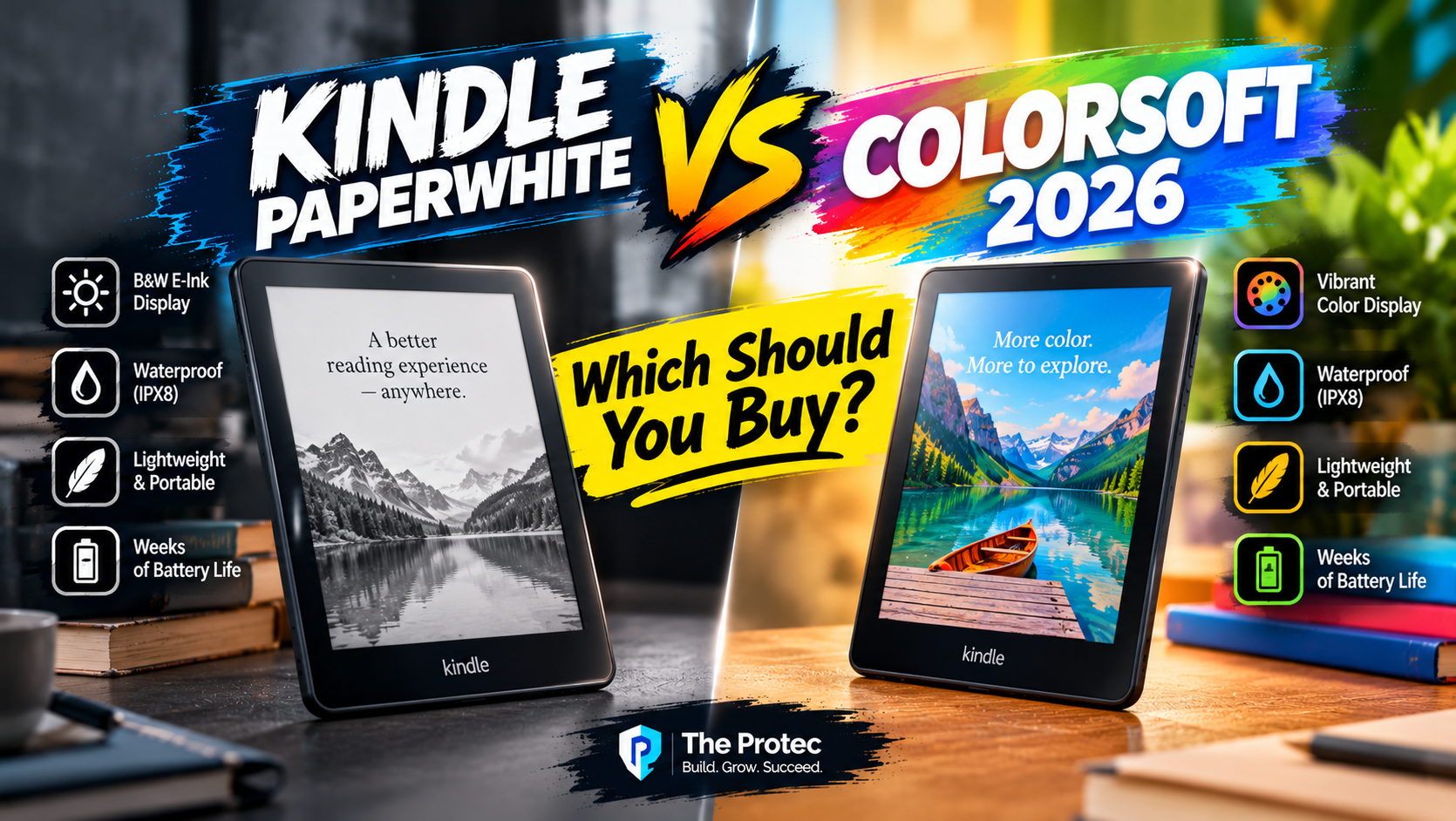
Choosing between Amazon’s leading 7-inch e-readers now comes down to one deceptively simple question: how much is color worth to you? This Kindle Paperwhite vs Colorsoft 2026 buying guide compares the current models, features and U.S. list prices so you can pay for benefits you will actually use. The short answer is that the Paperwhite remains the better-value device for text-heavy reading, while the Colorsoft earns its premium for comics, illustrated books and readers who rely on color-coded highlights.
Amazon has not introduced a separate 2026 generation under either name. The current Paperwhite family originated with the 12th-generation release in October 2024, while the Colorsoft Signature Edition arrived later that month and the less expensive 16GB Colorsoft joined the range in 2025. Those are the models sold as part of the Amazon Kindle 2026 lineup at the time of publication.
Kindle Paperwhite vs Colorsoft 2026: Key differences
Both families use a flush-front, glare-resistant 7-inch display, adjustable warm lighting, USB-C charging and IPX8 waterproofing. Neither has physical page-turn buttons. Their defining difference is display technology: the new Kindle Paperwhite uses a crisp monochrome E Ink screen, whereas the Colorsoft can show muted, paper-like color as well as black-and-white text.
| Feature | Kindle Paperwhite | Kindle Colorsoft |
|---|---|---|
| Display | 7-inch monochrome E Ink | 7-inch color E Ink |
| Resolution | 300 ppi | 300 ppi in black and white; 150 ppi in color |
| Standard model | 16GB; $159.99 U.S. list price | 16GB; $249.99 U.S. list price |
| Signature Edition | 32GB; $199.99 | 32GB; $279.99 |
| Claimed battery life | Up to 12 weeks | Up to 8 weeks |
| Water resistance | IPX8 | IPX8 |
| Wireless charging | Signature Edition only | Signature Edition only |
| Automatic front-light adjustment | Signature Edition only | Signature Edition only |
| Approximate size | 7 x 5 x 0.3 inches | 7 x 5 x 0.3 inches |
| Approximate weight | 7.4 ounces; Signature slightly heavier | About 7.7 ounces |
| Page-turn buttons | None | None |
These are U.S. list prices checked for comparable storage tiers rather than temporary sale prices. Amazon frequently discounts Kindle hardware, and lock-screen-ad configurations, taxes and bundles can alter the checkout total. Prices and model availability in the U.K., Canada, Australia and other markets do not follow a direct currency conversion, so buyers outside the United States should consult the regional Amazon Kindle store.
Paperwhite display: Better for conventional ebooks
The Paperwhite’s 300-pixel-per-inch monochrome panel is the stronger screen for novels, biographies and other text-first books. Letters look dark and clean, and the background generally appears brighter than the Colorsoft’s because there is no color-filter layer above the E Ink panel. That contrast difference is most noticeable in daylight or when the front light is low.
Amazon describes the current Paperwhite as its fastest Paperwhite and says page turns are 25% faster than on the preceding generation. That percentage is a manufacturer comparison, not a guarantee that every action will feel 25% quicker. Independent hands-on reviews nevertheless report responsive navigation and fast page turns for an E Ink device.
The 7-inch screen provides more text per page than older 6-inch Kindles without making the reader difficult to carry. Its slightly wider body may be less comfortable than an older basic Kindle for people with small hands, but the slim profile, modest weight and textured rear make long reading sessions practical. Font size, margins and line spacing can also be adjusted to reduce page turns.
Colorsoft display: Useful color with compromises
The Colorsoft displays black-and-white content at 300 ppi and color elements at 150 ppi. Color is deliberately subtler than on a tablet: expect the restrained appearance of printed newsprint or watercolor rather than the saturation of an iPad or OLED phone. It remains readable outdoors and avoids the constant glow of a conventional LCD.
Color makes book covers, maps, diagrams, children’s books and illustrations more informative. It is especially helpful when reading comics, graphic novels and magazines, although the 7-inch panel can still feel small for pages designed around a larger printed format. Pinching and zooming work, but repeated zooming is less fluid on E Ink than on a tablet.
The Colorsoft also supports color highlights. Readers can use different colors to separate quotations, questions and research themes, then review those markings later. That is a meaningful organizational benefit, but it does not transform ordinary black-and-white novels. If nearly everything in your library is prose, you will spend most of your time using the Colorsoft like a more expensive Paperwhite.
Early Colorsoft Signature Edition units attracted reports of uneven color near the bottom of the display. Amazon said it made adjustments and provided replacements for affected customers. Anyone buying now should still inspect a new unit under even lighting during the return period rather than assuming a historical review describes every current device.
Battery life, speed and everyday comfort
Amazon rates the Paperwhite for up to 12 weeks per charge and the Colorsoft for up to eight weeks. Those claims assume roughly 30 minutes of reading per day with wireless disabled and a moderate light setting. In practice, Wi-Fi use, brightness, audiobook playback, frequent library browsing and comic zooming can shorten either result. The important comparison is that the monochrome Paperwhite has the higher manufacturer rating.
Both readers are responsive enough for books, but color pages may require more visible refresh behavior than plain text. E Ink is designed around low power consumption and readability, not tablet-like animation. Readers switching from a phone should expect menus, image rendering and web-based features to feel more deliberate.
Both devices carry an IPX8 rating. Amazon says they can withstand immersion in up to two meters of fresh water for as long as 60 minutes under laboratory conditions. That provides reassurance beside a bath or pool, but it is not an invitation to expose the Kindle routinely to salt water, soap or high-pressure jets.
Standard models versus Kindle Signature Edition
Standard Paperwhite and Colorsoft
The standard Paperwhite and Colorsoft each provide 16GB of storage. That is ample for thousands of conventional ebooks, although image-heavy comics and Audible downloads consume space much faster. Both include an adjustable warm front light, waterproof construction and USB-C charging.
At U.S. list prices of $159.99 and $249.99, respectively, the standard configurations create the widely quoted $90 price difference. This is the cleanest like-for-like comparison because both have 16GB of storage. It does not apply to every configuration, sale or country.
Paperwhite Signature Edition and Colorsoft Signature Edition
The two Signature Edition models increase storage to 32GB and add an automatically adjusting front light plus Qi wireless charging. Automatic adjustment changes illumination according to surrounding light, which is convenient for readers who move between daylight, public transport and a dark bedroom.
The Paperwhite Signature Edition lists for $199.99 in the United States, while the Colorsoft Signature Edition lists for $279.99. That makes the Signature gap $80—not $90. The Colorsoft Signature is therefore easier to justify against its direct Paperwhite equivalent than the standard Colorsoft is, particularly for someone who already wants 32GB, automatic lighting and wireless charging.
Amazon sells fitted Fabric, Plant-Based Leather and Premium Leather Covers for the current 7-inch Paperwhite generation, with listings that identify compatible Paperwhite, Paperwhite Signature Edition and Colorsoft models. Prices vary by material and promotion; the Premium Leather Cover has carried a U.S. list price around $79.99, while fabric and plant-based leather versions cost less. Confirm the listed generation before ordering because cases for older Paperwhites may not fit.
Signature owners can also use Amazon’s Made for Amazon Wireless Charging Dock, commonly listed at about $39.99. It charges compatible Signature Edition models in portrait orientation but does not add storage, faster page turns or other reading features.
Most importantly, neither Kindle includes physical Kindle page-turn buttons. Amazon does not advertise an official Bluetooth page-turn remote as a built-in or included feature for these models. Third-party clip-on page turners can simulate a tap by attaching a receiver to the screen, but compatibility, charging and case fit vary. Treat one as a separate accessory—not a native Kindle control—and verify that it will not obstruct text or damage the display.
Pros and cons
Kindle Paperwhite
- Pros: Strong monochrome contrast, 300-ppi text, longer claimed battery life and a substantially lower price.
- Cons: No color for illustrations or highlights, no physical buttons, and Signature features require a $40 upgrade.
Kindle Colorsoft
- Pros: Color covers, artwork and highlights; outdoor-friendly E Ink; waterproofing; 32GB Signature option.
- Cons: Color is limited to 150 ppi, the display is less bright than the Paperwhite’s, battery rating is shorter and pricing is considerably higher.
Which Kindle offers the best value?
Budget-conscious readers should buy the Paperwhite. Its $159.99 list price buys the same screen size, waterproofing and core Kindle library experience. Color alone is unlikely to return $90 of value for someone who reads mostly novels.
Frequent travelers should favor the Paperwhite for its longer claimed battery life and slightly lower weight. Choose its Signature Edition if automatic lighting and cable-free charging matter; otherwise, the standard model is sufficient. Travelers carrying many audiobooks or image-heavy files may appreciate 32GB.
Comic, graphic-novel and illustrated-book readers should consider the Colorsoft. Its color panel preserves visual information that disappears on a monochrome display. Buyers who read full-page comics frequently should first decide whether a 7-inch E Ink screen is large and fast enough; a tablet may remain better for highly saturated artwork and rapid zooming.
Owners of older Kindles have a conditional upgrade case. A 6-inch, non-waterproof model can gain a larger display, warm lighting, USB-C and IPX8 protection by moving to either device. Owners of a recent Paperwhite should upgrade only for a specific feature, especially color, because normal battery aging and device condition matter more than broad generational claims.
Overall, the Paperwhite wins this Kindle e-reader comparison for most people. The Colorsoft’s premium is justified when color content forms a regular part of your library or color-coded annotation improves your workflow. For text-focused reading, the Paperwhite offers better contrast, a longer battery claim and more convincing value.
Frequently asked questions
Is the Colorsoft $90 more than the Paperwhite?
Yes, when comparing the standard 16GB U.S. models at their $249.99 and $159.99 list prices. The two 32GB Signature Editions are $80 apart at $279.99 and $199.99. Sales, lock-screen-ad choices and regional pricing can change those differences.
Does the Kindle Colorsoft show normal text as sharply as the Paperwhite?
Amazon specifies 300 ppi for black-and-white content on both. However, the Colorsoft’s color layer can make its background appear darker or less contrasty. The Paperwhite is generally the more comfortable choice when maximum text contrast is the priority.
No. Pages are turned by tapping or swiping the touchscreen. Clip-on third-party remotes are separate accessories and should not be confused with integrated buttons or an official included controller.
Is the Kindle Colorsoft good for comics?
It is better than a monochrome Kindle for color artwork and outdoor reading. Its limitations are the 7-inch size, 150-ppi color resolution and slower E Ink zooming. Readers who prioritize large, vivid artwork may prefer a tablet.
Is the Signature Edition worth buying?
It is worthwhile if you need 32GB, automatic front-light adjustment or Qi wireless charging. Those features do not improve the underlying text resolution, so the standard edition remains the more economical choice for ordinary ebooks.