








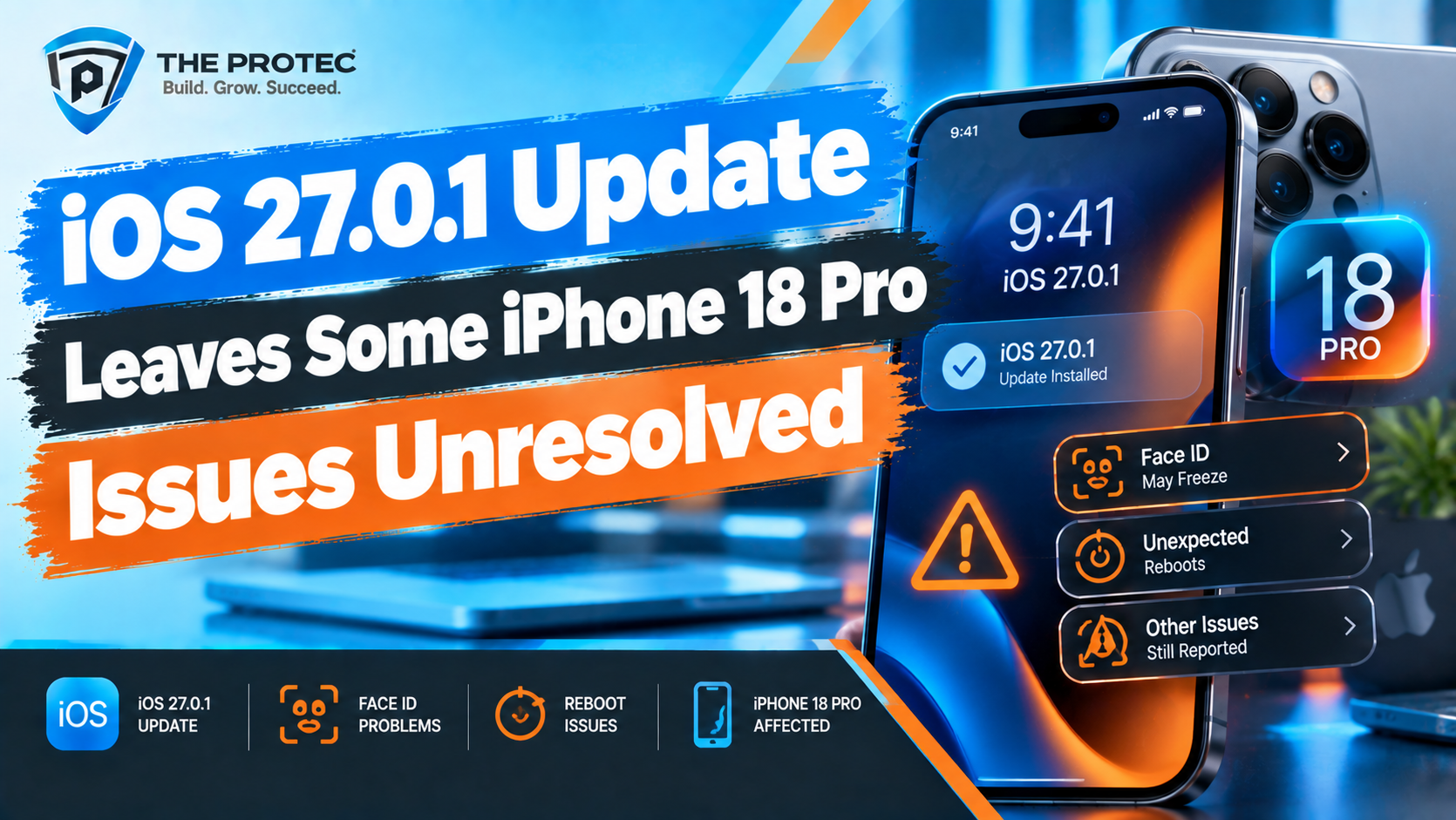
Apple released iOS 27.0.1 as an early corrective update for iOS 27, giving iPhone 18 Pro owners a patch intended to improve the experience after the major operating system launch. However, the update has not ended every complaint. Some users continue to report display behavior, camera inconsistencies, excessive heat, battery drain, connectivity trouble, and uneven performance after installing the new version.
That does not mean every iPhone 18 Pro has these problems—or that each complaint represents a confirmed Apple software bug. Reports posted online can reflect isolated hardware faults, app compatibility problems, background processing, settings carried over from an older device, or defects that only appear under specific conditions. Apple’s public release information also does not always identify every change included in a minor update.
Here is what can reasonably be said about the iOS 27.0.1 update, the iPhone 18 Pro issues reportedly left unresolved, and the practical choices available to owners deciding whether to install it.
What Does the iOS 27.0.1 Update Actually Fix?
Apple positions minor point releases such as iOS 27.0.1 as maintenance updates. Their primary purpose is to address bugs, security weaknesses, installation failures, and stability problems discovered after a major release reaches millions of devices.
The important distinction is that Apple’s documented release notes are the authoritative source for confirmed fixes. If an issue is not named in those notes, users should not assume it has been fixed—even if the behavior appears to improve after updating. Conversely, an undocumented change may still be present because Apple frequently bundles under-the-hood corrections into a release without providing an exhaustive technical change log.
For iOS 27.0.1, Apple’s public-facing description emphasizes bug fixes and security improvements rather than a long list of device-specific repairs. That confirms the update contains corrective work, but it does not establish that every reported iPhone 18 Pro bug has been addressed. Apple may publish additional vulnerability details on its security releases page after an update becomes widely available.
Unless Apple explicitly identifies a repaired camera, display, thermal, battery, or connectivity defect, claims that iOS 27.0.1 fixes one of those specific problems should be treated as observations rather than official confirmation. A user noticing better battery life is useful anecdotal evidence, but it is not proof of an Apple-wide fix.
Why Apple Releases a Point Update So Soon
A major Apple iOS update introduces far more code changes than a routine patch. It may alter system frameworks, visual elements, power management, camera processing, wireless behavior, privacy controls, and the tools used by third-party applications. Even extensive beta testing cannot reproduce every combination of device configuration, carrier, accessory, app, account, and usage pattern.
Once the software reaches the public, Apple receives diagnostic data from a much larger population. Engineers can then prioritize failures with a significant effect on reliability, security, setup, or core functions. A version ending in .0.1 is generally narrower in scope than a release such as iOS 27.1. It is designed to reduce immediate risk rather than introduce a large collection of new features.
- Major releases deliver substantial features, interface changes, APIs, and platform updates.
- Early point releases focus on urgent bugs, security patches, crashes, and deployment problems.
- Larger follow-up updates can combine additional fixes with feature refinements and broader compatibility work.
This staged approach explains why iOS 27.0.1 may improve the operating system without resolving every iPhone 18 Pro software issue. Problems that require extensive testing, firmware coordination, app changes, or carrier validation may need a later update.
iPhone 18 Pro Issues Reportedly Still Unresolved
Post-update discussions continue to include several categories of iPhone 18 Pro problems. These reports deserve attention, but their frequency cannot be determined from forum posts alone. Online discussions tend to overrepresent people experiencing trouble, and similar symptoms can have different causes.
Display Behavior and Touch Response
Some owners report inconsistent display behavior after updating, including brief visual stutters, delayed touch input, irregular animation smoothness, or brightness changes that do not appear to match ambient conditions. Other discussions describe the always-on display or lock screen taking longer than expected to respond.
These iPhone 18 Pro display issues have not been shown to affect all units. Refresh-rate transitions, accessibility settings, low power mode, thermal limits, and individual apps can influence perceived smoothness. A repeatable problem across Apple’s own interfaces is more suggestive of an iOS issue than stuttering isolated to one third-party app.
Users should also separate software symptoms from hardware warning signs. Persistent lines, discolored areas, flickering that appears during startup, or touch failure in the same physical region may require hardware inspection rather than another iOS patch.
Camera Delays and Image-Processing Complaints
Reported iPhone 18 Pro camera bugs include slow launching, a momentary black preview, delayed switching between lenses, or processing that produces an unexpected final image. In some cases, users say the photo visible in the gallery looks different from the preview shown when the shutter was pressed.
Modern iPhone photography relies heavily on computational processing. Exposure blending, noise reduction, subject recognition, stabilization, and lens transitions all occur in software, making camera behavior sensitive to operating-system changes. Third-party camera and social media apps add another variable because they may need updates for the latest Apple frameworks.
Apple has not necessarily acknowledged each described camera behavior as a universal defect. Owners should test the built-in Camera app, restart the phone, confirm adequate storage is available, and compare results across multiple lighting conditions before concluding that iOS 27.0.1 introduced a camera-wide failure.
Performance, Heat, and Temporary Slowdowns
Some iPhone 18 Pro performance issues involve lag, app reloads, keyboard delays, or an unusually warm device. Reports of iPhone 18 Pro overheating are particularly difficult to evaluate immediately after an update because iOS may be indexing files, analyzing photos, restoring cloud content, and refreshing application data in the background.
Temporary warmth during installation, charging, gaming, navigation, camera use, or post-update indexing is not automatically evidence of a defect. Concern is more justified when the phone remains hot during light use, repeatedly displays a temperature warning, stops charging because of heat, or experiences severe performance throttling after background tasks should have finished.
Owners should allow at least a full day of normal charging and use before making a battery or performance comparison. If heat persists, checking battery activity can reveal whether a particular app is running excessively. An updated app may solve the problem even when no new Apple bug fix is available.
Battery Drain After iOS 27.0.1
Battery life remains one of the most discussed iOS 27.0.1 update problems. Some users report faster discharge, increased overnight loss, or more background activity after installing the patch. Others see no meaningful change or notice an improvement, illustrating how much results can vary by device and workload.
Battery health, cellular signal strength, screen brightness, widgets, location access, push email, background refresh, and app versions all affect endurance. Update-related indexing can also distort early results. A few hours of heavier drain is not enough to establish an iOS 27 bug.
A more useful test is to compare several complete days under similar conditions. The Battery section in Settings can identify apps consuming unusual amounts of power or remaining active in the background. If idle drain continues with no obvious app responsible, restarting the device and installing pending app updates are reasonable first steps.
Wi-Fi, Bluetooth, and Cellular Connectivity
Connectivity complaints associated with iPhone 18 Pro iOS 27 include intermittent Wi-Fi, accessories that take longer to reconnect, unreliable Bluetooth audio, or temporary cellular data interruptions. These symptoms may involve iOS, but they can also originate with routers, carrier provisioning, VPN software, private relay services, network extensions, or accessory firmware.
Testing another Wi-Fi network or Bluetooth accessory helps narrow the cause. Users should also check whether a carrier settings update is available. Resetting network settings can resolve corrupted configuration data, although doing so removes saved Wi-Fi networks and related connection settings.
Confirmed Apple Fixes vs. Community Reports
The clearest way to assess iOS 27.0.1 bugs is to separate evidence into levels. Apple release notes and security documentation confirm what the company publicly says it changed. Reproducible testing by experienced reviewers can provide strong third-party evidence. Repeated user reports can identify a pattern worth investigating, but they do not prove the scope or root cause of a problem.
- Confirmed: A fix or defect explicitly documented by Apple.
- Strongly observed: A reproducible result found across multiple devices or controlled tests.
- Reported: Similar experiences described by users without enough evidence to establish prevalence.
- Unverified: A single claim, screenshot, or isolated result with no repeatable test.
This distinction matters because phrases such as “Apple fixed the camera” or “iOS 27.0.1 causes overheating” imply certainty that may not exist. The more accurate conclusion is that the update contains documented maintenance work while some owners continue to report issues that have not been publicly confirmed as universal defects.
Should iPhone 18 Pro Owners Install iOS 27.0.1?
For most users already running iOS 27, installing iOS 27.0.1 is the sensible choice. Early point releases commonly contain security and reliability improvements, and remaining on the initial major version can leave a device exposed to problems already corrected in the patch.
Owners who depend on a critical app, managed workplace system, specialist accessory, or production workflow may want to verify compatibility first. Delaying briefly can also provide time for app developers and accessory manufacturers to publish updates, but indefinite postponement carries its own security and stability risks.
Before installing, back up the iPhone, connect to reliable Wi-Fi, ensure sufficient free storage, and charge the battery. Apple provides official instructions for updating an iPhone or iPad. Users already experiencing serious hardware-like symptoms should document them before updating so they can determine whether the software changes anything.
Practical iOS 27 Troubleshooting Steps
If an iPhone 18 Pro problem remains after the latest update, start with low-risk troubleshooting rather than immediately erasing the device.
- Restart the iPhone after the installation completes.
- Install all pending App Store updates.
- Allow background indexing and cloud synchronization to finish.
- Check Battery settings for abnormal background activity.
- Confirm that adequate device storage remains available.
- Test camera, display, and connectivity behavior in Apple’s built-in apps.
- Temporarily disable VPN or network-filtering software when diagnosing connectivity.
- Record repeatable steps, screenshots, temperature warnings, and crash details.
If the issue persists, contact Apple Support and provide a precise reproduction sequence. Clear diagnostic reports are more useful than broad descriptions such as “the update broke my phone.” A factory reset should generally be a later step because it is disruptive and may not resolve an underlying hardware problem.
What to Expect After iOS 27.0.1
Apple is likely to continue refining iOS 27 through additional updates. The next release could address more iPhone 18 Pro bugs, but no specific fix should be considered guaranteed until Apple documents it or reliable testing confirms the change.
The most important takeaway is that iOS 27.0.1 is a maintenance patch, not a comprehensive reset of the platform. It can contain valuable Apple bug fixes while leaving less common, device-specific, or difficult-to-reproduce problems unresolved. Owners should install updates with a backup, evaluate behavior over several days, and distinguish persistent faults from normal post-update activity.
Frequently Asked Questions
Does iOS 27.0.1 fix every iPhone 18 Pro issue?
No. The iOS 27.0.1 update includes maintenance and security work, but Apple’s public notes do not establish that every reported display, camera, battery, thermal, performance, or connectivity issue has been fixed. Some complaints may also have app, configuration, network, or hardware causes.
Is iPhone 18 Pro overheating normal after the update?
Temporary warmth can occur while iOS indexes content, restores data, updates apps, or analyzes photos. Persistent heat during light use, repeated temperature warnings, or charging interruptions should be investigated. Check battery activity, update apps, restart the device, and contact Apple if the behavior continues.
Why is battery life worse after installing iOS 27.0.1?
Background processing can increase power use during the first day after an update. Signal quality, app activity, battery health, screen use, and location services also affect results. Compare several normal days and review per-app battery usage before attributing the drain solely to iOS.
Can users downgrade if iOS 27.0.1 causes problems?
Downgrading is only possible while Apple continues signing an earlier compatible version, and availability can change without notice. The process can also cause data loss or backup compatibility problems. Troubleshooting and contacting Apple Support are usually safer first steps.
How can users tell whether an issue is an Apple-wide bug?
Look for an explicit Apple acknowledgment, a documented fix, or repeatable testing across multiple devices. Similar forum posts can indicate a possible pattern, but they do not reveal how widespread a problem is or prove that iOS is the cause.