







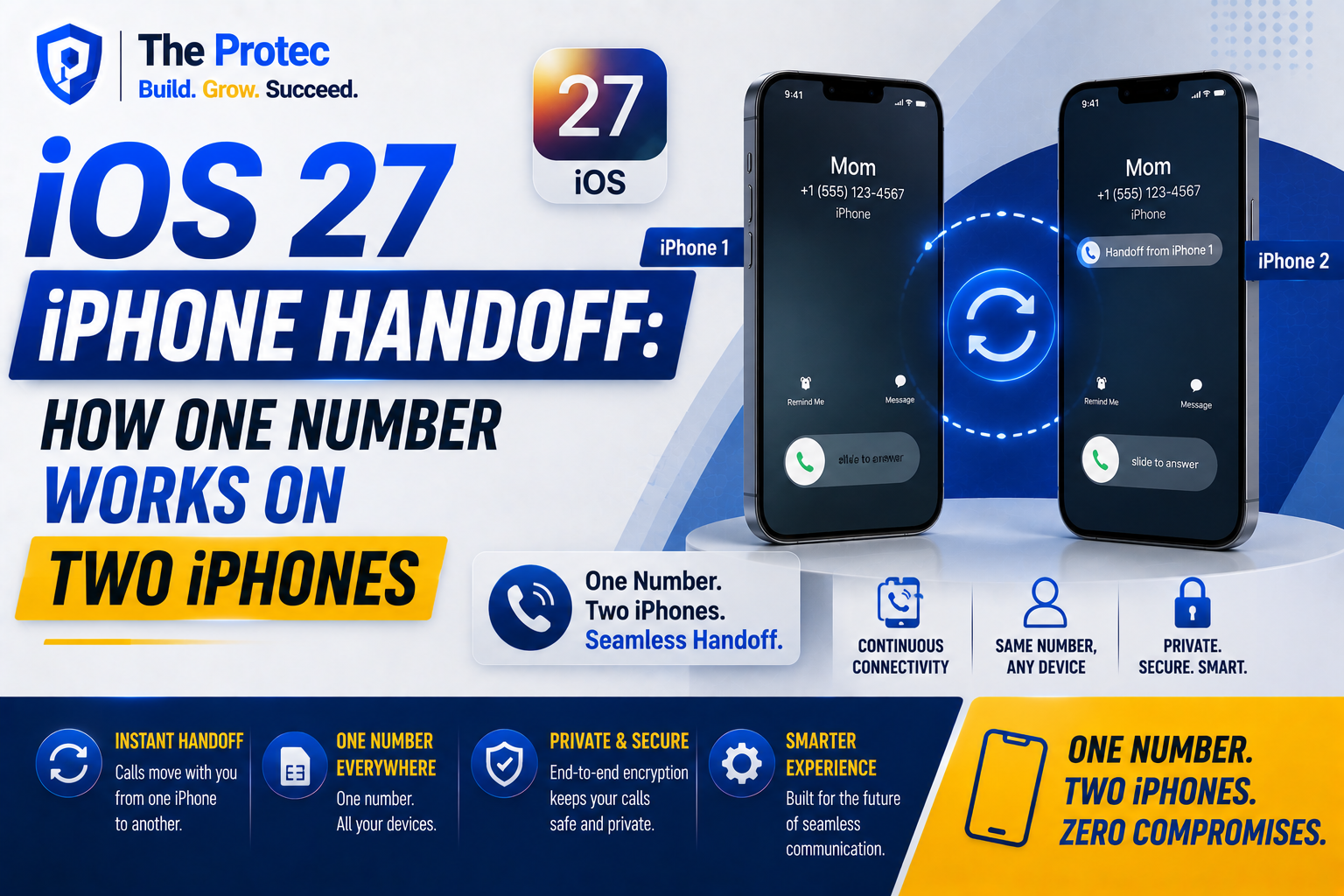
Carrying two iPhones usually means accepting an awkward compromise: maintain two cellular plans, swap an eSIM between devices, or keep one phone dependent on Wi-Fi. The Apple iOS 27 iPhone Handoff feature is designed to address that problem. It could allow a second iPhone to operate as a companion device while retaining access to the primary iPhone’s phone number and cellular identity.
In practical terms, Apple iOS 27 iPhone Handoff could make it possible to leave home with a smaller iPhone, use a specialized work device during the day, or switch to a backup phone without manually moving a SIM. Calls, messages, and supported cellular services could follow the user to whichever iPhone is active.
That sounds simple, but making two iPhones work with one phone number requires coordination among iOS, eSIM infrastructure, Apple Account security, and mobile carriers. It is also fundamentally different from the Apple Handoff features already used to move activities between an iPhone, iPad, and Mac.
What Is the iOS 27 iPhone Handoff Feature?
iPhone Handoff in iOS 27 is a companion-device concept intended to let a trusted secondary iPhone use the cellular identity associated with a primary iPhone. Rather than treating both phones as entirely separate mobile lines, Apple can present them as devices belonging to one user and one carrier account.
The exact experience may depend on the carrier. One implementation could let users designate an active iPhone and securely move service between devices. Another could use carrier-backed number sharing so both phones can receive calls while only one has the primary eSIM profile. Apple may support a combination of these approaches.
As of September 2026, some operational details and carrier requirements remain subject to software updates, regional testing, and network approval. Coverage of the MacRumors iPhone Handoff reports has helped draw attention to the feature, but users should distinguish reported capabilities from the options ultimately enabled by their carrier.
How Two iPhones Could Use One Phone Number
A phone number and an eSIM are related, but they are not the same thing. The number is assigned through the carrier account. The eSIM contains a secure subscription profile that allows a device to authenticate with the mobile network. Simply copying an iPhone eSIM would create security and billing problems, so Apple cannot treat Handoff like transferring a photo or password.
Instead, the two iPhones one phone number experience is likely to rely on three coordinated layers:
- Apple verifies that both iPhones belong to the same user and are approved as trusted devices.
- iOS manages which phone is primary, which is the companion, and which services are available on each.
- The carrier authorizes number sharing, rapid eSIM reprovisioning, or another network-level companion service.
This architecture is similar in principle to how some cellular watches share an iPhone number, although a second iPhone requires more extensive controls. Smartphones can place emergency calls, use high volumes of data, receive authentication messages, and change account settings. Carriers therefore need precise rules for which phone is currently authorized to use voice, SMS, data, roaming, and account-management functions.
The Role of iPhone eSIM Technology
eSIM is the foundation that makes iPhone Handoff iOS 27 technically realistic. A removable SIM card is tied to whichever device physically holds it. An eSIM profile can be downloaded, activated, deactivated, or transferred through secure software processes, giving Apple and carriers more flexibility.
Current iPhones already support digital SIM setup and eSIM transfer between compatible devices. Apple explains the underlying setup options in its official iPhone eSIM documentation. The new iPhone handoff feature could build on that foundation by making a second phone a persistent, approved companion rather than treating every switch as a new-device migration.
That distinction matters. A traditional eSIM transfer usually removes or disables service on the old phone. Companion-device functionality could remember both devices, preserve their settings, and reduce the number of carrier activation steps. Depending on network support, the transition might happen through an iOS control, proximity confirmation, or an automatic rule selected by the user.
What Switching Between Two iPhones May Look Like
Apple has not confirmed that every carrier will offer the same workflow, but the expected setup is straightforward. A user would sign in to both iPhones with the same Apple Account, enable two-factor authentication, and place the devices near each other. iOS could then display an option to register the second phone as an iPhone companion device.
The primary phone would approve the relationship using Face ID, its passcode, or both. Carrier authentication might occur in the background or require confirmation through an app, text message, or account PIN. Once approved, users could choose which iPhone should handle cellular service.
A well-designed system should also show an unmistakable status indicator. Users need to know whether the companion can use mobile data, whether both devices will ring, and which phone will receive carrier SMS messages. Transparency will be essential because a silent or ambiguous switch could cause missed calls and verification codes.
Practical Uses for an iPhone Companion Device
The most obvious audience is anyone who regularly carries multiple iPhones. The feature is not only for technology enthusiasts; it could solve several common problems.
- Work and personal hardware: A user could carry a rugged or company-approved iPhone at work while retaining the same personal number, subject to employer policies.
- Travel: A secondary iPhone could become the travel device while the expensive primary phone stays secured. A local travel eSIM might operate alongside the companion connection.
- Outdoor activities: Runners, cyclists, and hikers could take a smaller or older iPhone without moving their main eSIM before every trip.
- Backup access: If the primary phone needs repair or has a failing battery, an already approved companion could reduce downtime.
- Testing and development: App developers could move between test hardware while keeping access to essential calls and supported messages.
- Accessibility: People may use different iPhone sizes or accessories for different environments while maintaining a consistent contact number.
The value comes from continuity. Contacts do not need to remember a second number, and the user does not have to forward calls manually whenever the preferred device changes.
How iPhone Handoff Differs From Existing Apple Handoff
Apple Handoff already lets users begin an activity on one device and continue it on another. A Safari page can move from an iPhone to a Mac, an email draft can open on an iPad, and Universal Clipboard can pass copied content among nearby Apple devices.
Those features transfer application context. They use technologies such as Bluetooth, Wi-Fi, iCloud, and Apple Account authentication, but they do not move a cellular subscription. An iPad or Mac can relay calls through an iPhone, yet the iPhone normally remains the network anchor.
iOS 27’s iPhone Handoff goes deeper because it concerns carrier identity. The companion iPhone may be capable of connecting directly to a mobile network under the shared number, rather than merely relaying a call over Wi-Fi. That requires carrier authorization and stronger safeguards than opening the same document on another screen.
The familiar Handoff name therefore describes the experience more than the underlying technology. Both systems promote continuity, but only the new implementation deals with eSIM credentials, phone-number routing, and cellular billing.
Limitations and Carrier Restrictions to Expect
The feature’s biggest limitation will likely be carrier availability. Apple can build the iOS interface, but a network must support the required activation and number-sharing systems. Smaller carriers and mobile virtual network operators may need additional time to participate.
Users should also expect some combination of the following restrictions:
- A monthly companion-device fee or an eligible postpaid plan may be required.
- Only compatible iPhone models may qualify, even if an older device can install iOS 27.
- International roaming may work on only the primary device or incur separate charges.
- Carrier SMS, voicemail, Wi-Fi Calling, and emergency-location behavior may vary.
- Business-managed lines may require administrator approval or block the feature entirely.
- Dual-SIM configurations could have special rules about which line can be shared.
- Only one iPhone may be allowed to use mobile data or place cellular calls at a time.
Battery state and connectivity could affect switching as well. If Apple requires direct approval from the primary phone, a lost or damaged device might force the user through carrier account recovery. Apple and carriers will need a secure fallback that does not make legitimate recovery unnecessarily difficult.
Security, Privacy, and the Risk of Number Theft
Any feature that extends a phone number to another device creates a potential target for account takeover. Criminals already use SIM-swap attacks to intercept calls and one-time passcodes. An insecure companion process could create a similar opening.
Apple is likely to protect iPhone same phone number enrollment with device proximity, end-to-end account authentication, Face ID or Touch ID, and notifications sent to existing trusted devices. Users should also be able to review and revoke companion access from Settings or their carrier account.
These protections are especially important if both phones can receive SMS verification codes. Financial institutions increasingly recommend app-based authentication or passkeys because text messages can be intercepted. iPhone Handoff does not change that advice: users should continue using stronger authentication methods whenever they are available.
What Users Should Do Before Enabling iPhone Handoff
Before pairing two phones, update both devices, verify that two-factor authentication is enabled, and confirm that each iPhone appears in the trusted-device list. Users should also review their carrier plan, especially any limits involving roaming, hotspot data, or companion hardware.
It is wise to decide which phone will be the primary recovery device. Both iPhones should have strong passcodes, Find My enabled, and current backups. Anyone using a work-issued phone should obtain permission before linking a personal number, since mobile-device management software may give an employer control over connectivity and data.
Frequently Asked Questions About iPhone Handoff
Can two iPhones have the same phone number with iOS 27?
That is the central goal of the iOS 27 iPhone Handoff feature, but the meaning of “same number” may vary. Some carriers may route calls to both phones, while others may let users quickly designate one active device. Support will depend on the plan, region, carrier, and compatible hardware.
Will iPhone Handoff copy the eSIM to both phones?
Probably not in the literal sense. eSIM profiles use secure credentials and generally cannot be freely duplicated. Apple is more likely to use carrier-authorized number sharing, managed secondary credentials, or rapid switching between preapproved devices.
Do both iPhones need to be near each other?
Proximity may be required during initial pairing and sensitive account changes. Once the companion relationship is established, the secondary phone may be able to connect independently. The exact requirement will depend on whether a carrier supports simultaneous number sharing or only active-device switching.
Will both iPhones ring at the same time?
They may, but this is not guaranteed. Simultaneous ringing is easier when both devices have internet access and call relay is enabled. True cellular ringing on both phones requires carrier-level routing. Apple may offer controls that let users choose between simultaneous access and a single active phone.
Is this the same as using Calls on Other Devices?
No. Calls on Other Devices generally relays an iPhone’s calls to an iPad, Mac, or another signed-in device through Apple’s continuity services. The iPhone handoff feature aims to give a companion iPhone a more direct relationship with the cellular line and eSIM-based carrier identity.
A Major Step Toward Flexible iPhone Ownership
iOS 27 new features may include more visible design and intelligence upgrades, but iPhone Handoff could be one of the most practical changes for multi-device users. By combining eSIM flexibility, trusted-device security, and carrier-backed companion functionality, Apple can make two iPhones feel like interchangeable endpoints for one mobile identity.
The quality of the experience will depend on carrier participation, transparent controls, and strong protection against unauthorized enrollment. If Apple gets those pieces right, moving between two iPhones could become as routine as handing off a Safari page between an iPhone and a Mac—without changing the number people use to reach you.