








Contents
- 1 ARM vs x86: The PC industry is changing fast
- 2 What ARM and x86 actually mean
- 3 Why ARM is gaining ground in laptops
- 4 Apple proved ARM could redefine the PC
- 5 Qualcomm is building the strongest Windows ARM challenge yet
- 6 Microsoft’s role: making Windows on ARM feel normal
- 7 ARM vs x86: the hardware trade-offs that matter
- 8 Why future PC processors are becoming more specialized
- 9 Will ARM replace x86?
- 10 What buyers should look for in ARM laptops
- 11 How the PC industry is likely to evolve next
- 12 Frequently asked questions
ARM vs x86: The PC industry is changing fast
For decades, the personal computer market has been shaped by one dominant assumption: if you wanted a fast, compatible Windows PC, you chose x86. That usually meant Intel or AMD, with performance measured in clock speeds, core counts, and power envelopes that grew slowly over time. But the balance of power is shifting. ARM processors, once associated mainly with smartphones and tablets, are now at the center of the PC conversation.
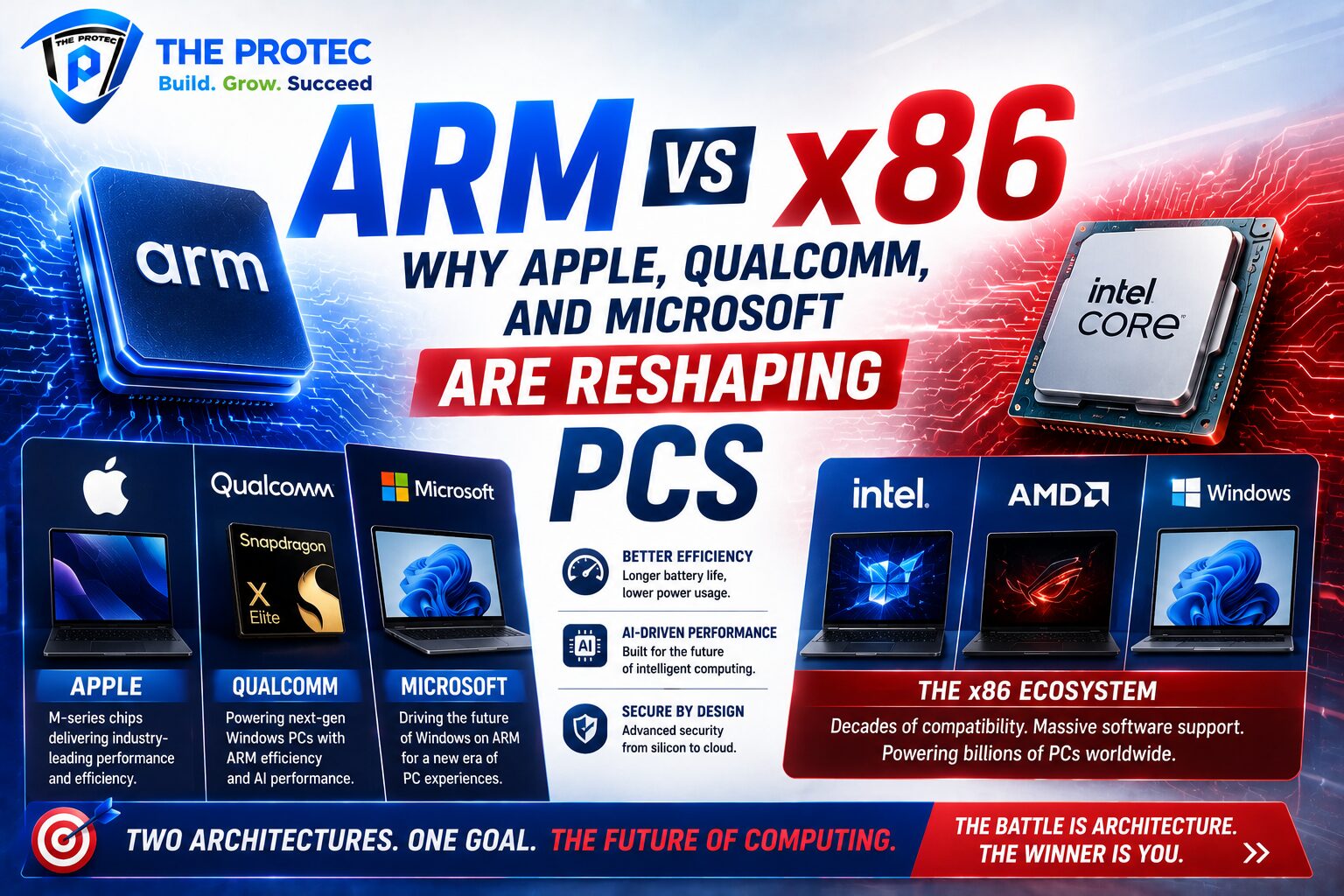
Apple’s transition to Apple Silicon proved that a laptop built on ARM can deliver premium performance, excellent battery life, and real-world responsiveness without the compromises that used to define non-x86 systems. Qualcomm has followed with a new generation of PC chips built around efficiency and AI acceleration. Microsoft, meanwhile, is investing heavily in Windows on ARM, changing software expectations and pushing OEMs to rethink what future PC processors should look like.
This is not a temporary trend or a marketing experiment. It is a hardware-level shift in how computers are designed, powered, and optimized. The result is a more competitive market where ARM laptops are becoming serious alternatives to traditional Intel- and AMD-based machines for many users.
What ARM and x86 actually mean
ARM and x86 are not brands. They are processor instruction set architectures, or ISAs. In simple terms, the ISA defines the language a processor understands. x86 has been the foundation of the modern PC era for decades, while ARM rose first in mobile devices and embedded systems before moving into higher-performance computing.
The key distinction is design philosophy. x86 chips traditionally rely on complex instruction handling and a long history of backward compatibility. That has been an advantage for software support, but it also creates design overhead. ARM chips are built around a different model that prioritizes efficiency and simpler instruction handling, allowing silicon designers to balance performance and power in new ways.
That difference matters more than ever in laptops and thin-and-light PCs, where battery life, thermals, and always-connected use cases are now just as important as raw benchmark performance.
Why ARM is gaining ground in laptops
The rise of ARM laptops is not only about the architecture itself. It is about how the entire PC market has evolved. Users now expect lighter devices, quieter fans, longer unplugged usage, instant wake, and better AI features. Traditional x86 chips have improved dramatically, but ARM has been engineered from the start with efficiency as a core advantage.
Several hardware trends are working in ARM’s favor:
- Better performance per watt: ARM chips can deliver strong everyday performance while drawing less power, which directly improves battery life and thermal behavior.
- Integrated SoC design: Many ARM PCs combine CPU, GPU, neural processing, media engines, and connectivity in a tightly integrated package.
- Always-on connectivity: Mobile-inspired features like cellular support, instant wake, and low-power standby are easier to implement efficiently.
- AI acceleration: New ARM-based laptop platforms increasingly include dedicated NPUs for local AI workloads.
- Thermal efficiency: Lower heat output allows slimmer chassis and quieter systems without sacrificing usability.
For many people, these advantages matter more than a small lead in peak benchmark numbers. A laptop that stays fast, cool, and unplugged all day feels better in daily use than one that only wins synthetic tests.
Apple proved ARM could redefine the PC
Apple’s move away from Intel was the most important validation of ARM in the PC industry. With Apple Silicon, Apple showed that a vertically integrated hardware and software stack could unlock exceptional real-world performance. The company controlled the silicon, the operating system, the scheduler, its own apps, and a growing portion of the developer ecosystem. That allowed it to extract much more from ARM than earlier attempts in the Windows world ever could.
Apple’s M-series chips established a new expectation for laptops: fast app launches, high sustained performance, strong battery life, and low noise all at once. The transition also highlighted something many PC buyers had not fully considered before: architecture is not just about compatibility, but about efficiency, thermals, media handling, and system design.
Apple’s success matters beyond MacBooks. It forced the rest of the industry to ask whether traditional x86 laptops were being designed around old assumptions. In many categories, the answer is increasingly no. Users want portable machines that behave more like modern mobile devices while still offering desktop-class productivity. ARM made that feel achievable.
Qualcomm is building the strongest Windows ARM challenge yet
If Apple showed what ARM could do in a tightly controlled ecosystem, Qualcomm is trying to do the harder job: bring that same kind of efficiency and responsiveness to the broader Windows PC market. That is a much more difficult challenge because Windows must support a massive library of legacy applications, drivers, peripherals, and enterprise tools.
Qualcomm’s latest PC platforms are important because they are designed specifically for premium Windows laptops. Instead of treating ARM as a compromise, the company is positioning it as the default architecture for thin-and-light, always-connected PCs. The focus is not just on CPU performance, but on total system architecture: integrated graphics, neural processing, modem connectivity, media engines, and advanced power management.
This matters because the Windows laptop market has long depended on incremental improvements in x86 chips. Qualcomm is introducing a different kind of competition. Rather than asking how to make a faster chip within the same power budget, it is asking how to redesign the laptop around efficiency first. That is a major strategic change for future PC processors.
For consumers, the practical appeal is straightforward: better battery life, less fan noise, faster wake, and more on-device AI capability. For OEMs, ARM offers differentiation in a crowded market that often feels dominated by similar Intel and AMD designs.
Microsoft’s role: making Windows on ARM feel normal
Microsoft is the hinge that determines whether ARM becomes a mainstream PC architecture or remains a premium niche. The company has spent years improving Windows on ARM, and the latest wave of devices reflects a more serious commitment. This effort includes better emulation, more native applications, stronger developer support, and deeper integration of AI features that benefit from dedicated silicon.
The biggest obstacle for Windows on ARM has always been compatibility. Users need their apps to run, their peripherals to work, and their business software to behave predictably. Microsoft has made major progress on all three fronts. Emulation is better than it used to be, native ARM64 software is growing, and developers now have more reasons to target ARM directly.
Microsoft’s broader product strategy also helps ARM. As Windows increasingly emphasizes local AI, power efficiency, and cloud-connected workflows, the benefits of ARM become easier to market. A device that can run AI features on-device without draining the battery is a better fit for this new software model.
In practical terms, Microsoft is helping remove the biggest psychological barrier: the idea that ARM on Windows is experimental. The more users see polished, well-supported ARM laptops in stores and enterprise fleets, the faster that perception changes.
ARM vs x86: the hardware trade-offs that matter
To understand why the PC industry is moving, it helps to look at the hardware trade-offs directly. Neither architecture is universally “better.” Each has strengths, and the right answer depends on the workload.
1. Power efficiency
ARM’s biggest advantage is efficiency. Because the architecture is often paired with highly integrated SoCs and tuned for low-power operation, it excels in battery-centric laptops and mobile workstations. x86 has improved significantly, but ARM still has a clear reputation advantage in this area.
2. Peak compatibility
x86 remains the compatibility king. Decades of software support make it the safest choice for specialized tools, older applications, and hardware-dependent workflows. Enterprises with legacy software stacks still rely heavily on x86.
3. Platform integration
ARM vendors often design the whole platform together: CPU, GPU, NPU, modem, and media engines. This makes it easier to optimize for specific use cases. x86 systems are increasingly integrated too, but the ecosystem has historically been more fragmented.
4. Thermal behavior
ARM laptops often run cooler and quieter because they can deliver strong everyday performance at lower wattage. That improves comfort and helps manufacturers build thinner devices.
5. Software maturity
x86 still wins on legacy support, but ARM’s software ecosystem is improving rapidly. Native apps are more common, and developers are increasingly building with cross-platform toolchains that make architecture less of a barrier.
Why future PC processors are becoming more specialized
The real story is not just ARM versus x86. It is the rise of specialized computing inside the PC itself. Future PC processors are no longer simple CPU-centric chips. They are becoming complete compute platforms with dedicated blocks for AI, video, imaging, security, and connectivity.
This transformation is one reason ARM has gained momentum. Its ecosystem has long embraced system-on-chip design, which makes it easier to bundle the functions modern users expect. AI is a perfect example. Instead of relying entirely on CPU or GPU resources, new laptops increasingly use an NPU to handle local machine learning tasks efficiently. That reduces power draw and improves responsiveness.
As AI features become standard in productivity software, operating systems, and creative tools, the processor landscape will favor designs that can distribute workloads intelligently. ARM-based systems are well positioned for that model, but x86 vendors are also responding with more integrated AI-capable chips. The competition is pushing innovation on both sides.
Will ARM replace x86?
Probably not in the near term. x86 is too deeply embedded in enterprise IT, gaming, workstation software, and specialized applications to disappear. Intel and AMD still have enormous advantages in compatibility and mature platform support. High-end desktop users, developers with legacy toolchains, and many enterprise buyers will continue to depend on x86 for years.
But the more interesting question is whether x86 will remain the default choice for mainstream laptops. That assumption is already under pressure. If a buyer values battery life, quiet operation, instant responsiveness, and built-in AI features, ARM is increasingly competitive. For many everyday workloads, it is no longer a second-best option.
The market is likely to split into clearer segments:
- ARM laptops for mobility, battery life, AI-assisted productivity, and always-connected computing
- x86 systems for legacy compatibility, gaming breadth, workstation software, and specialized business tools
- Hybrid competition where both architectures target the same premium laptop categories with different strengths
That segmentation is healthy for consumers. It creates real choice instead of forcing every laptop to chase the same performance metrics.
What buyers should look for in ARM laptops
If you are considering an ARM laptop, the most important question is not only raw processor speed. It is how well the entire device is built around the architecture. A good ARM PC should deliver native app support, strong standby efficiency, excellent battery life, and enough compatibility for the software you actually use.
- Check whether your critical apps have native ARM versions.
- Look for strong battery-life claims backed by realistic reviews.
- Verify peripheral and docking support, especially in business environments.
- Consider whether AI features are useful to your workflow or just marketing.
- Pay attention to sustained performance, not just short bursts.
For many users, ARM laptops are already the smarter purchase. For others, especially those with heavy legacy software needs, x86 remains the safer option. The key is choosing based on workload, not brand loyalty.
How the PC industry is likely to evolve next
The next phase of the PC market will be defined by three pressures: efficiency, AI, and platform integration. ARM is well aligned with all three. Apple has already shown what a mature ARM ecosystem can look like. Qualcomm is pushing that model into Windows. Microsoft is making sure the software layer keeps up. Meanwhile, Intel and AMD are being forced to respond with faster, more efficient, and more AI-aware x86 designs.
That competition should benefit everyone. The old idea that a PC processor only needed to be “fast enough” is fading. Now the best chip is the one that balances performance, battery life, thermals, compatibility, and local intelligence in a way that fits how people actually use their laptops.
ARM has become a serious competitor because it addresses the modern PC problem from a different angle. Instead of trying to brute-force performance, it rethinks the device around efficiency and integration. That is why Apple, Qualcomm, and Microsoft matter so much in this story. Together, they are changing not just the chips inside laptops, but the definition of what a PC should be.
Frequently asked questions
Is ARM better than x86 for laptops?
ARM is often better for battery life, thermals, and always-connected use. x86 still has the edge in compatibility and legacy software support. The better choice depends on your workload.
Are ARM laptops good for everyday use?
Yes. For web browsing, productivity apps, video calls, streaming, and many AI-assisted tasks, ARM laptops can be excellent. The main thing to check is whether your required apps are available in native ARM versions.
Why is Microsoft supporting ARM more seriously now?
Microsoft sees the shift toward efficient, AI-capable PCs as a long-term market change. Better emulation, native app support, and improved hardware from partners make Windows on ARM more practical than before.
Will Intel and AMD lose the PC market?
No. x86 remains deeply important, especially for gaming, enterprise software, and professional workflows. But ARM is becoming a much stronger competitor in mainstream and premium mobile PCs.
What makes future PC processors different from older ones?
Future PC processors are more integrated and specialized. They increasingly include dedicated AI engines, better graphics, stronger media blocks, and advanced power management to support modern computing habits.