




Why AI Automation Platforms Matter for Small Businesses
Small businesses are under more pressure than ever to do more with less. Teams are expected to answer customers quickly, keep data organized, follow up on leads, manage invoices, and run marketing campaigns without the headcount that larger companies rely on. That is why AI automation tools have become such an important part of modern operations. They do not just save time; they help small teams stay consistent, reduce errors, and create a more professional customer experience.
In 2026, the best business automation software is no longer limited to simple if-this-then-that workflows. The newest AI workflow tools can summarize messages, route requests, draft replies, extract data from documents, trigger actions across apps, and even operate as AI agents that complete multi-step tasks with minimal supervision. For small businesses, that means less time spent on repetitive admin work and more time focused on sales, service, and growth.
Choosing the right platform matters. Some tools are ideal for no-code automations across popular apps. Others are better for document processing, customer support, sales operations, or internal productivity. The right choice depends on the tasks you want to automate, the apps you already use, and how much control you need over the workflow.
What to Look for in AI Automation Tools
Before comparing platforms, it helps to understand the features that matter most for small business use. A tool can be impressive on paper, but if it is hard to maintain or too expensive to scale, it may not be the right fit.
- Ease of setup: Small teams usually need no-code or low-code tools that are fast to deploy.
- App integrations: The platform should connect with your CRM, email, forms, payment tools, spreadsheets, and support desk.
- AI capabilities: Look for summarization, data extraction, classification, draft generation, and decision support.
- Reliability: Automation should run consistently without constant manual fixes.
- Human oversight: The best systems support approval steps for sensitive actions.
- Security and permissions: Role-based access and audit trails are essential, especially when automating customer or financial data.
- Cost structure: Pricing should match your volume of tasks and expected growth.
With those criteria in mind, let us compare the platforms that stand out for small businesses right now.
Best AI Automation Platforms for Small Businesses
1. Zapier
Zapier remains one of the most practical AI automation tools for small businesses because it combines a huge app ecosystem with increasingly capable AI features. It is especially useful for teams that already rely on tools like Google Workspace, Slack, HubSpot, Airtable, Typeform, and many others. If your business needs to connect apps quickly without hiring a developer, Zapier is often the first platform worth considering.
What makes Zapier strong in 2026 is how it has expanded beyond basic trigger-and-action workflows. Its AI-powered features can help draft text, summarize content, route information, and make workflow decisions based on context. That is useful for lead handling, support ticket triage, content operations, and internal admin tasks.
Best for: Cross-app automation, lead routing, admin workflows, and teams that want broad compatibility.
Why it works for small businesses: It is flexible, familiar, and easy to scale from simple automations to more advanced workflows.
Limitations: Costs can rise as task volume increases, and complex workflows may require careful testing.
Learn more at zapier.com.
2. Make
Make is one of the strongest AI workflow tools for businesses that want more visual control over automations. Its scenario builder is especially appealing to teams that need multi-step logic, branching paths, and data transformations. Compared with simpler tools, Make offers more flexibility for building complex workflows without jumping straight into custom development.
Small businesses often choose Make when they need more than a basic connection between two apps. For example, it can collect leads from a form, enrich the data, score the lead with AI, send it to the CRM, notify the sales team, and create a follow-up task. The visual interface makes it easier to understand how data moves through the workflow, which is useful when several people need to maintain it.
Best for: Advanced no-code automation, structured workflows, and teams comfortable with a visual builder.
Why it works for small businesses: It offers more power than many entry-level automation tools without requiring full engineering resources.
Limitations: It can feel more technical than simpler platforms, so there is a learning curve.
3. Microsoft Power Automate
For businesses already working in Microsoft 365, Power Automate is a strong choice. It is tightly connected to Outlook, Teams, SharePoint, Excel, and the broader Microsoft ecosystem, making it particularly valuable for companies that run their daily operations inside Microsoft tools. It also benefits from Microsoft’s ongoing investment in AI capabilities and enterprise automation.
Power Automate is a smart option for small businesses that want to automate approvals, document handling, notifications, and recurring office tasks. It is especially effective when workflows involve internal processes such as expense approvals, file organization, or form submissions. If your team lives in Teams and Outlook, the platform can reduce a surprising amount of manual admin work.
Best for: Microsoft-centric businesses, internal operations, and document-heavy workflows.
Why it works for small businesses: It fits naturally into existing Microsoft subscriptions and daily workflows.
Limitations: It is less appealing for businesses that do not use Microsoft products heavily.
4. HubSpot Workflows and AI Features
HubSpot is more than a CRM; it is a business automation software platform that can support marketing, sales, and service operations in one place. Its workflow tools are especially useful for small businesses that want to automate follow-ups, lead nurturing, pipeline updates, ticket routing, and customer communications. The addition of AI features makes it even more useful for teams that need faster content generation, task creation, and customer insights.
The biggest advantage of HubSpot is that your automation lives close to your customer data. That means the system can trigger actions based on lifecycle stage, form fills, email engagement, deal status, or support activity. For a small business, this reduces the need to stitch together multiple tools just to manage basic revenue operations.
Best for: Sales, marketing, and service automation in one platform.
Why it works for small businesses: It keeps customer data, automation, and reporting in one system.
Limitations: It can become expensive as you add advanced features and contacts.
5. n8n
n8n has become a favorite among technical teams and power users who want control, flexibility, and more customization than typical no-code tools allow. It is one of the most capable AI automation tools for small businesses that have someone comfortable working with APIs, webhooks, and more advanced logic. It can be self-hosted, which appeals to businesses that want greater control over data and infrastructure.
The platform is especially useful for businesses building internal AI workflows, custom integrations, and agent-like automations. For example, a small agency could use n8n to pull in leads, enrich records through multiple services, apply AI classification, and route the result into a CRM and project tool. Because it is open and extensible, it can grow with more demanding use cases.
Best for: Custom automations, technical teams, and data-sensitive workflows.
Why it works for small businesses: It provides enterprise-style flexibility without locking you into rigid workflows.
Limitations: It is not the easiest option for non-technical users.
6. Monday.com Work Management with AI
Monday.com has evolved into more than a project management platform. Its automation features and AI capabilities make it a useful choice for small businesses that need to coordinate tasks across teams. If your operations involve client onboarding, content production, event planning, or service delivery, Monday.com can help turn scattered work into repeatable processes.
Its strength lies in visibility. Small businesses can use it to automate task creation, status updates, reminders, approvals, and handoffs while keeping everyone aligned in a shared workspace. The AI features support faster drafting, summarization, and workflow assistance, which makes it easier to reduce repetitive coordination work.
Best for: Team coordination, task automation, and operational visibility.
Why it works for small businesses: It keeps project management and automation in one familiar environment.
Limitations: It is better for process management than deep cross-app automation.
7. Airtable Automations and AI
Airtable is a strong option for small businesses that manage structured data but do not want to live inside a traditional database. It is popular for content calendars, inventory tracking, client operations, lightweight CRMs, and custom business systems. Its automation features, combined with AI assistance, make it one of the most useful AI workflow tools for businesses that need a flexible information hub.
What makes Airtable stand out is how easily it turns spreadsheets into workflow systems. You can automate status changes, create records, notify team members, and use AI to summarize or transform data. For small businesses that are outgrowing spreadsheets but do not want a full custom app, Airtable can be the right bridge.
Best for: Custom operational systems, structured data, and content or inventory workflows.
Why it works for small businesses: It is easy to model workflows around real business data.
Limitations: It is not a complete automation suite by itself and often works best alongside other tools.
8. Zoho Flow and Zoho One
Zoho remains an underrated option for small businesses that want an integrated business platform at a relatively approachable cost. Zoho Flow connects apps and automates workflows, while the broader Zoho ecosystem includes CRM, desk support, accounting, projects, and more. This makes it appealing for businesses that want one vendor across multiple functions.
The main value of Zoho is consolidation. Instead of buying separate tools for support, sales, accounting, and automation, a small business can build a more unified stack. That can reduce tool sprawl and simplify administration. For businesses that are cost-conscious, that consolidation can matter as much as the automation itself.
Best for: Budget-conscious businesses seeking an integrated suite.
Why it works for small businesses: It combines automation with a broad business software stack.
Limitations: The user experience can feel less polished than some premium competitors.
How to Choose the Right Platform for Your Business
The best AI automation platform is not the one with the most features. It is the one that removes the most painful manual work from your business with the least friction. A local service company, for example, may need lead routing and appointment follow-up. A boutique agency may need content production workflows and client onboarding automation. A retailer may care more about order updates, inventory notifications, and customer service triage.
A good way to choose is to map your repetitive tasks by frequency, time cost, and business impact. Focus first on work that happens every day or every week, especially if it involves copying and pasting between apps, checking inboxes, moving data, or sending follow-ups. These are usually the fastest wins for AI automation tools.
- Choose Zapier if you want the broadest app support and fast setup.
- Choose Make if you want more control over complex workflows.
- Choose Power Automate if your business runs on Microsoft 365.
- Choose HubSpot if your automation centers on CRM, sales, and marketing.
- Choose n8n if you need technical flexibility and custom logic.
- Choose Monday.com if you want automation tied to team workflows and project management.
- Choose Airtable if your workflows revolve around structured data and custom operations.
- Choose Zoho Flow if you want an integrated and cost-efficient suite.
Practical Use Cases That Save Time Immediately
Many small businesses see the biggest return when they automate a few high-friction tasks first. These are some of the most common and valuable use cases:
- Lead capture and routing: Send form submissions to the right salesperson, enrich contact data, and create a follow-up task.
- Customer support triage: Classify incoming tickets, summarize the issue, and route urgent cases to the right person.
- Invoice and payment workflows: Trigger reminders, update records, and notify accounting when payments are due.
- Content operations: Generate drafts, assign review tasks, schedule publication, and update status boards.
- Internal approvals: Automate purchase requests, vacation approvals, and document sign-off steps.
- Data cleanup: Extract information from emails or PDFs and standardize it in a CRM or database.
These workflows do not require a full transformation project. Even one or two well-designed automations can save hours each week and dramatically improve consistency.
Best Practices for Using AI Workflow Tools Safely
AI automation is powerful, but small businesses should implement it carefully. The goal is to reduce manual effort without creating new risks or confusion. Start with workflows that are repetitive and low-risk, then expand into more sensitive areas once the team trusts the system.
- Keep humans in the loop: Use approvals for financial, legal, or customer-facing actions when needed.
- Document each workflow: Make it clear what triggers the automation and what happens next.
- Test with real examples: Run multiple scenarios before launching broadly.
- Limit access: Only give users the permissions they need.
- Review outputs regularly: AI-generated summaries and classifications should be checked for accuracy.
- Start small: Automate one workflow at a time so issues are easy to diagnose.
For businesses that want to understand the broader impact of automation and AI on work, the McKinsey technology insights page is a useful external resource for tracking how AI adoption is changing operations across industries.
Final Verdict: Which AI Automation Platform Is Best?
There is no single best platform for every small business, but there are clear winners by use case. Zapier is often the most accessible starting point. Make offers deeper workflow control. Power Automate is ideal for Microsoft users. HubSpot shines when customer data and revenue operations are central. n8n is the best choice for technical flexibility. Monday.com and Airtable are strong when work management or structured data drive the process. Zoho is attractive for businesses that want an integrated, cost-conscious suite.
The real advantage of modern AI automation tools is not just speed. It is focus. When a small business removes repetitive manual tasks, the team can spend more energy on customers, strategy, and growth. That is why business automation software has moved from a nice-to-have to a practical necessity.
If your business is still handling everything manually, now is the time to identify your most repetitive tasks and match them to the right AI workflow tools. The best platform is the one that fits your workflow today and can grow with you tomorrow.
FAQ
What are the best AI automation tools for small businesses?
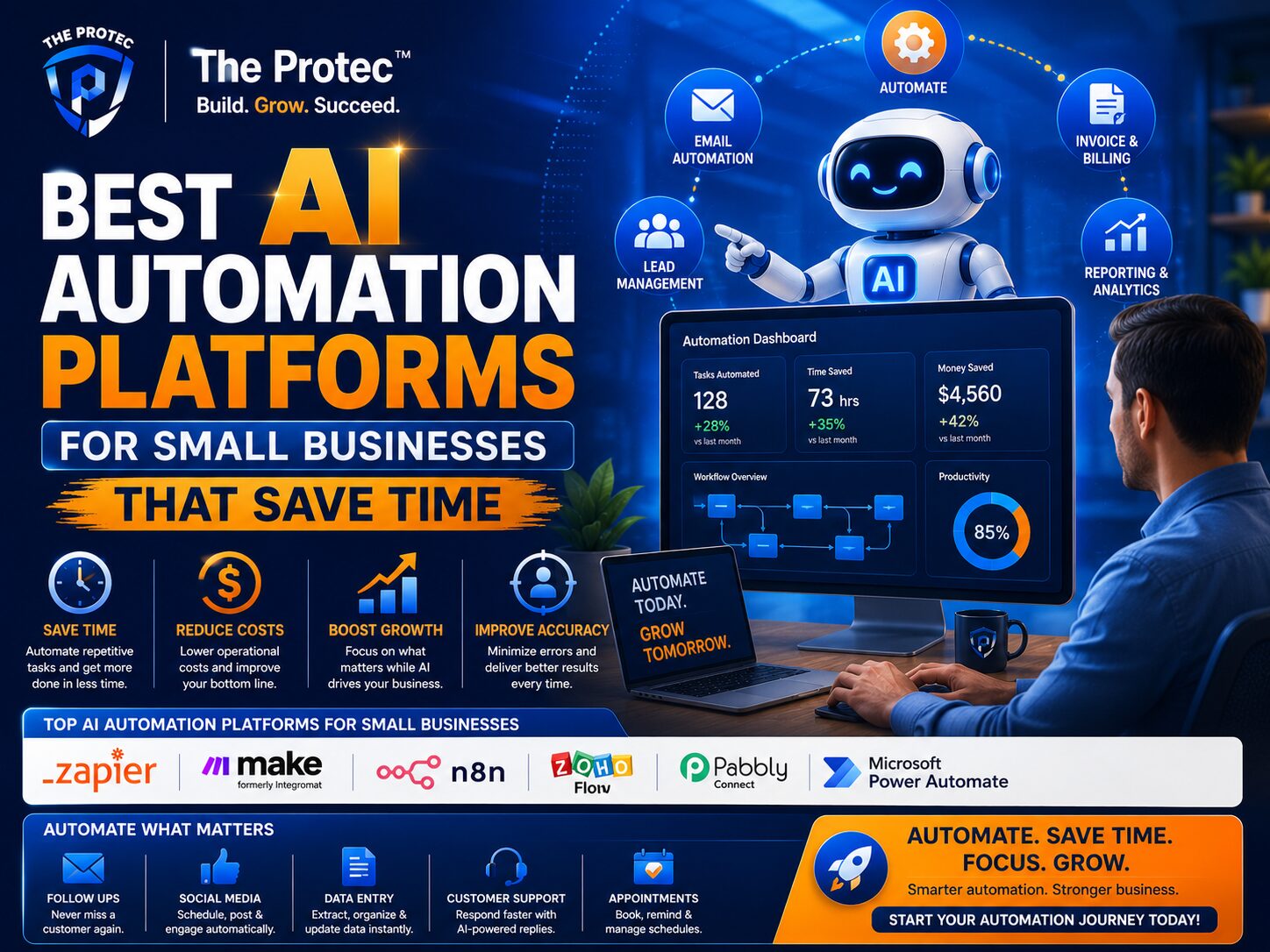
The best AI automation tools for small businesses include Zapier, Make, Microsoft Power Automate, HubSpot, n8n, Monday.com, Airtable, and Zoho Flow. Each one serves a different type of workflow, from simple app connections to advanced AI-driven processes.
How do AI workflow tools help small businesses?
AI workflow tools help small businesses reduce repetitive work by automating tasks like lead routing, support triage, follow-ups, document processing, reporting, and internal approvals. They can also summarize information, classify data, and trigger actions across apps.
Is business automation software hard to set up?
Not necessarily. Many modern business automation software platforms are designed for non-technical users and offer no-code setup. Tools like Zapier, Monday.com, and Airtable are especially approachable, while n8n and some advanced setups may require more technical comfort.
Which automation platform is best for CRM and sales?
HubSpot is one of the best choices for CRM and sales automation because it keeps customer data, workflow logic, and reporting in one place. It is especially useful for lead nurturing, pipeline updates, and follow-up automation.
Can small businesses use AI automation safely?
Yes, as long as they use clear permissions, test workflows carefully, and keep humans in the loop for sensitive actions. Starting with low-risk automations is the best way to build trust and reduce errors.