








Contents
Introduction
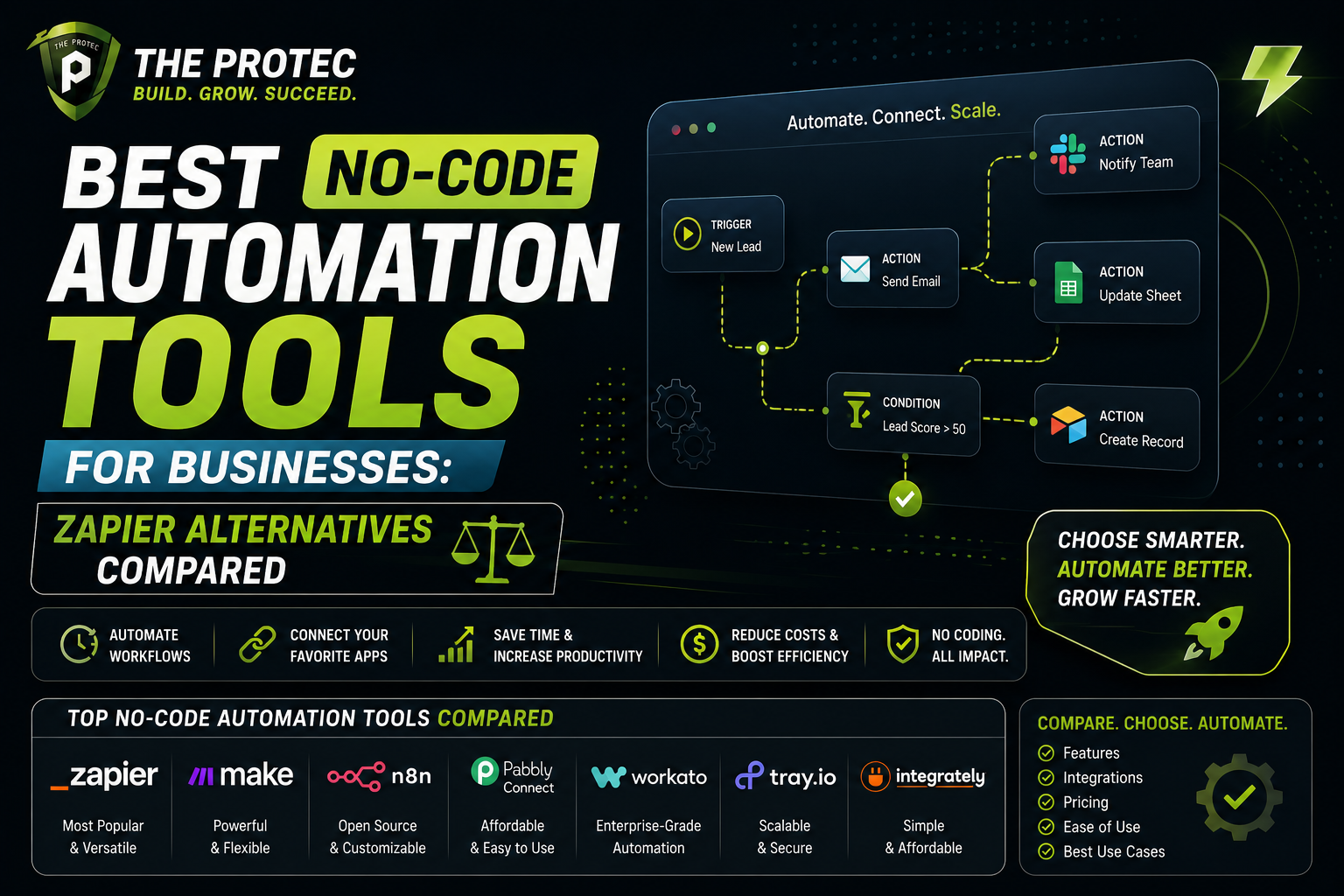
Automation has become an essential component of modern business operations, enabling teams to streamline workflows, reduce manual tasks, and increase overall efficiency. While Zapier has long been a dominant player in the no-code automation space, the landscape has rapidly expanded with new, innovative tools offering unique features, better pricing, and specialized capabilities tailored for different business needs. This article dives deep into the best no-code automation tools available today, providing a detailed comparison of Zapier alternatives that can transform how your business automates routine tasks.
What Are No-Code Automation Tools and Why They Matter
No-code automation tools empower businesses to create complex integrations and automated workflows without any programming knowledge. These platforms use visual editors, drag-and-drop interfaces, and pre-built connectors to enable users to link apps, trigger actions, and create multi-step processes easily. Compared to traditional custom-coded automation, no-code tools accelerate deployment, reduce costs, and increase accessibility for non-technical users across marketing, sales, operations, and IT.
Choosing the right no-code workflow automation software is critical because it impacts how efficiently your teams operate and scale. With many Zapier alternatives now offering enhanced features, competitive pricing, and scalability options, businesses have more freedom to pick tools that best align with their unique workflows and growth goals.
Top Zapier Alternatives: An Overview
Here’s an overview of some of the leading no-code automation platforms currently making waves in the market:
- Make (formerly Integromat)
- n8n
- Automate.io
- Tray.io
- Workato
- Microsoft Power Automate
Detailed Feature Comparison
1. Make (Integromat)
Features: Make is a visual automation platform known for its highly flexible scenario builder that supports complex, multi-step workflows with conditional logic and branching. It enables users to integrate a vast array of apps and services, including custom HTTP and JSON modules for advanced API interactions.
Unique Offering: Extensive visualization tools allow you to monitor how data moves through a workflow in real time, making debugging and optimization straightforward.
2. n8n
Features: n8n is an open-source automation tool that offers complete control and customizability. It supports over 200 integrations, with the flexibility to self-host for enhanced data security and privacy.
Unique Offering: For businesses concerned with data sovereignty, n8n’s self-hosting feature and open API enable full ownership and customization without vendor lock-in.
3. Automate.io
Features: Designed with marketing and CRM teams in mind, Automate.io offers user-friendly drag-and-drop workflow creation, multi-action bots, and seamless integration with more than 200 apps. It also supports data formatting and conditional workflows.
Unique Offering: The platform is praised for its straightforward interface and specific templates tailored for customer engagement workflows.
4. Tray.io
Features: Tray.io provides an enterprise-grade low-code platform focusing on complex process automation. It supports sophisticated connectors, extensive API integrations, and real-time data processing, making it suitable for high-volume automation needs.
Unique Offering: Its powerful data mapping and transformation capabilities allow businesses to orchestrate deeply integrated applications with precision.
5. Workato
Features: Workato is an intelligent automation platform that leverages AI-driven capabilities, advanced workflows, and enterprise-level security. It excels in integrating cloud and on-premise systems with robust error handling and version control.
Unique Offering: The platform offers automation recipe marketplace and AI-powered suggestions, enhancing speed and accuracy in workflow design.
6. Microsoft Power Automate
Features: Part of the Microsoft Power Platform, Power Automate connects hundreds of apps and services, integrating deeply with Microsoft 365 and Azure. It supports robotic process automation (RPA) for legacy systems alongside no-code workflows.
Unique Offering: Strong advantage for businesses already embedded in the Microsoft ecosystem seeking seamless automation across their infrastructure.
Pricing Analysis
Pricing remains one of the most crucial factors when selecting automation tools. Here’s a breakdown to help you gauge what fits your budget and scale:
| Tool | Free Tier | Starting Paid Plan | Additional Notes |
|---|---|---|---|
| Make (Integromat) | Yes — 1,000 operations/month | Approx. $9/month for 10,000 operations | Scales up based on operations and transfer volume |
| n8n | Open-source self-hosted — Free | Cloud-hosted plans start around $20/month | Self-hosting eliminates subscription costs but needs infrastructure |
| Automate.io | Yes — 250 actions/month | Starting at $9.99/month | Focus on SMBs with manageable task volumes |
| Tray.io | No | Custom pricing — typically enterprise plans | Pricing reflects tailored enterprise requirements |
| Workato | No | Custom pricing, typically $499+/month | Premium tool aimed at large organizations |
| Microsoft Power Automate | Limited free use with Microsoft 365 subscription | $15/user/month for per-user plan | Best for Microsoft-centric IT environments |
Choosing the Right Workflow Automation Software for Your Business
When selecting a Zapier alternative or any no-code automation tool, consider these key factors:
- Integration Needs: Identify the apps and services you need to connect. Some platforms specialize in specific ecosystems, such as Microsoft Power Automate for Microsoft products.
- Complexity of Workflows: For multi-step, branching processes with conditional logic, Make, Tray.io, or Workato may be better suited.
- Budget Constraints: Balancing features against pricing is vital. Open-source options like n8n offer cost savings but may require more setup.
- Scalability: Consider how your automation needs will grow. Enterprise-grade tools provide better scalability and advanced security features.
- User Skill Level: Simpler interfaces may be desired for non-technical teams, making Automate.io or Make appealing choices.
Frequently Asked Questions (FAQ)
Q1: Are no-code automation tools secure for handling sensitive business data?
Most reputable no-code platforms implement robust security measures including data encryption, compliance with standards like GDPR, and regular audits. However, businesses with critical data should review security features closely and consider self-hosted solutions like n8n for full control.
Q2: Can these tools integrate with internal or legacy systems?
Many platforms provide API connectors and support for legacy system integration via robotic process automation (RPA), especially Microsoft Power Automate and Tray.io. The capability depends on the specific systems in use and may require some configuration.
Q3: How do no-code tools compare to custom-coded automation in terms of flexibility?
No-code tools prioritize ease of use and speed but may have limitations with extremely specialized workflows. For most businesses, no-code platforms offer sufficient flexibility, but advanced users can still extend capabilities via APIs or built-in scripting where supported.
Conclusion
The rise of no-code automation tools has democratized workflow automation, making it accessible to businesses of all sizes and technical expertise. While Zapier remains a solid option, exploring alternatives like Make, n8n, Automate.io, Tray.io, Workato, and Microsoft Power Automate uncovers a variety of powerful platforms that may better align with your business goals, budget, and technical requirements.
Whether you prioritize ease of use, advanced workflow complexity, integration breadth, or cost-effectiveness, the evolving no-code ecosystem ensures there’s a fitting automation tool for your unique needs. To get started, evaluate the feature sets and pricing plans in depth, and consider trialing top candidates to see which tool streamlines your workflows most effectively.
For more insights on how workflow automation software can transform your business, refer to industry benchmarks and user reviews on trusted external sources like G2 Workflow Automation Reviews.