







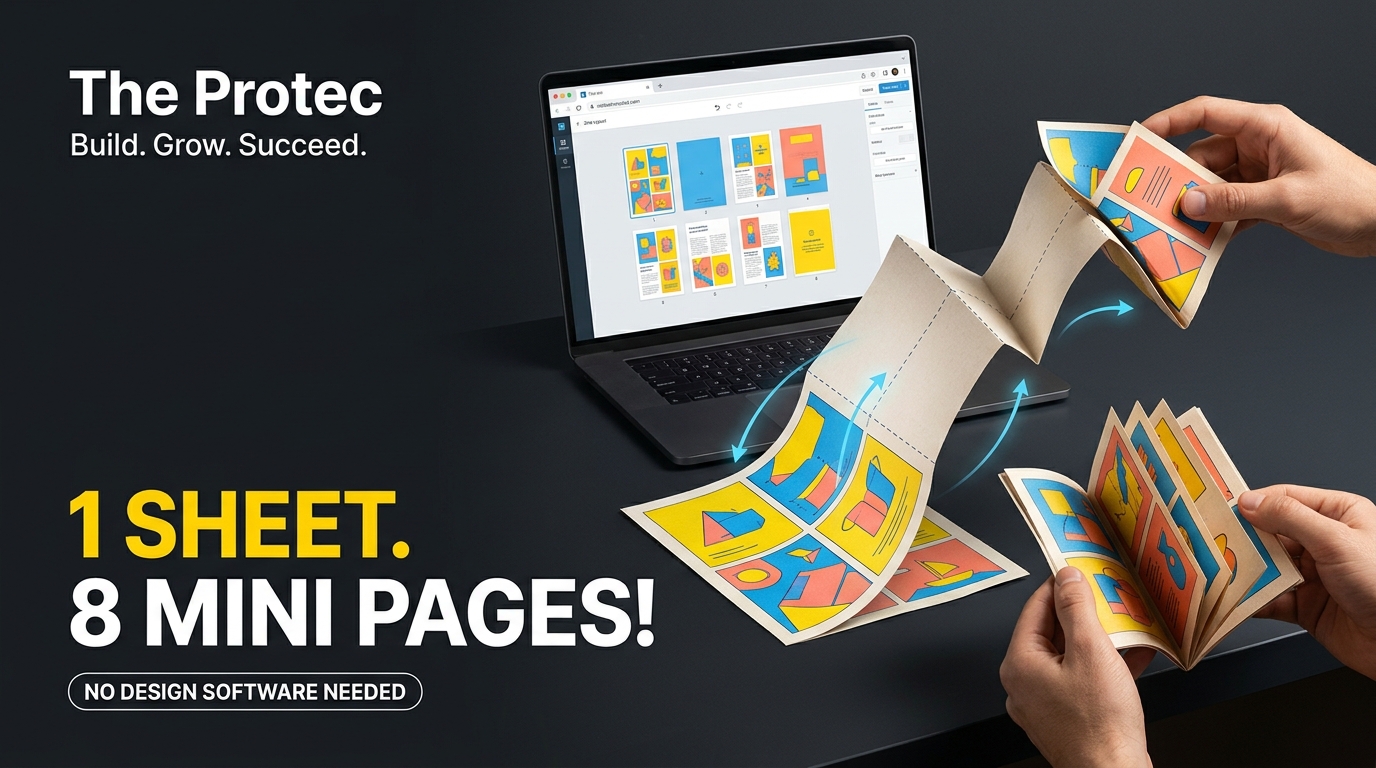
Turning a single piece of paper into a miniature publication is easy once it is folded, but preparing the artwork is surprisingly awkward. If you want to make an 8-page zine from one A4 sheet, the pages cannot simply be placed in reading order. Some must be moved, inverted and rotated so that everything appears correctly after one cut and several folds. fanzines.app handles that imposition work in the browser, providing a focused route from eight images to a 300 DPI print-ready PDF without Photoshop or a server-side upload.
The app is not trying to replace a full publishing suite. Its appeal lies in solving one small but persistent production problem: arranging the panels of a one-sheet mini zine correctly. That makes it useful both as a creative tool and as an approachable example of thoughtful browser-based software development.
What fanzines.app does
Fanzines.app is an 8-page zine maker built around a specific physical format. A single A4 sheet is divided into eight equal panels, printed on one side, cut through the middle and folded into a booklet. The finished object has a front cover, six interior pages and a back cover.
Instead of asking users to calculate the imposed layout, the app presents pages in a more intuitive editing sequence. You add and position content for the individual pages; the zine layout tool then translates those pages into the unusual arrangement required on the flat sheet. It also rotates the relevant panels before producing the final PDF.
According to the developer’s explanation of the project and its paper-folding logic, the tool exports at 300 DPI and keeps imported images in the browser. The documented approach is examined in more detail in the developer’s account of the folds and fanzines.app. As of November 2026, its defining proposition remains deliberately narrow: make a printable mini zine without manually building the imposed sheet.
Why the printed page order looks wrong
Open an ordinary document and page one is followed by page two. That sequence works because a printer or binding process places separate pages together. An A4 paper zine behaves differently: every page begins as one region of the same physical sheet.
When the paper is folded, panels that were far apart become neighbours. Other panels turn upside down relative to the sheet’s original orientation. The front and back covers also need to land on the correct outside faces. Consequently, a valid print layout appears scrambled when viewed flat. Several pages are upside down, and the numerical order does not run neatly from left to right.
This transformation is called page imposition. Commercial printing uses imposition to arrange many publication pages on larger press sheets. Fanzines.app applies the same basic idea to a much smaller object. It maps each logical page to a physical panel and assigns the rotation needed for that panel to read upright after folding.
That automated mapping is more valuable than it may first appear. A hand-built template is easy to misread, particularly when images contain no obvious top or bottom. One incorrect rotation may only become visible after printing, cutting and folding the test copy.
How to fold and cut the eight-page booklet
The standard structure requires folds that divide the A4 sheet into eight equal rectangles, plus a slit through the central fold. Instructions can use different fold orders, but the resulting geometry is the same.
- Print the PDF on one side of A4 paper. Use actual size or 100% scale rather than a setting that automatically shrinks the document.
- Fold the sheet in half lengthwise. Crease it firmly, then unfold it.
- Create four columns. Fold the sheet across its width, then bring the outer edges toward the central crosswise fold. Unfold the paper so all eight panel boundaries are visible.
- Cut the central slit. Fold the sheet across its width if needed and cut along the middle lengthwise crease through the two central sections only. Do not cut to the paper’s outer edges.
- Collapse the structure. Fold lengthwise, hold the two short ends and push them toward one another. The slit opens into a diamond shape.
- Form the booklet. Continue pushing until the panels meet, then fold the pages around one another and place the front cover on top.
Firm creases make the final foldable booklet neater. A ruler, bone folder or the back of a spoon can help, although ordinary hand creasing is sufficient for prototypes. Scissors work for the slit; a craft knife and cutting mat can produce a cleaner line when used safely.
How to make a zine with fanzines.app
The practical workflow is intentionally short:
- Open fanzines.app in a compatible modern browser.
- Add artwork or photographs to each of the eight page positions, including the front and back covers.
- Use the available image controls to frame and place each asset within its panel.
- Review every page for orientation, cropping and content near the edges.
- Generate and download the imposed 300 DPI PDF.
- Print one test sheet at actual size, then cut and fold it before producing more copies.
A test print remains important even when the imposition is automatic. Printers may add non-printable margins, scale PDFs or handle colour differently from the screen. Text and important faces should not sit directly against a panel boundary because folds can shift slightly by hand.
Image resolution matters too. A 300 DPI export defines a high-resolution output target, but it cannot restore detail missing from a small source image. Begin with clear artwork large enough for its printed panel and inspect any aggressive crop before exporting.
The engineering behind the browser-based zine maker
Image placement with HTML canvas
Interactive image editors need to reconcile two coordinate systems: the source image’s pixels and the visible page frame. HTML canvas image editing provides a practical way to draw an image into a bounded area, apply scaling and offsets, preview a crop and redraw the result as the user changes its position.
The important detail is that moving an image does not need to alter the original file. The application can retain placement values—such as scale and horizontal or vertical offset—and use them whenever it redraws the page. This creates a responsive editor while preserving enough information for a higher-resolution export.
Mapping logical pages to physical panels
The app must treat the friendly editing view and the imposed printing view as separate representations. In the first, pages are identified according to reading order. In the second, each page receives a destination rectangle on the A4 sheet and a rotation determined by the folding pattern.
This separation is sound software design. It prevents physical production rules from leaking into every editing control. It also makes the transformation repeatable: the same mapping can be applied whenever a preview or final document is generated.
Client-side PDF generation
Once all eight panels have been composed, client-side PDF generation packages the imposed sheet into a downloadable document. The browser performs the layout and export work on the user’s device rather than sending every source image to an application server for rendering.
PDF is a sensible output because it preserves a defined page size and travels reliably to common print dialogs. Even so, users should verify that the print dialog has selected A4 paper and has not enabled options such as “fit to printable area.” A layout can be mathematically correct and still fold poorly if the printer scales it unexpectedly.
Why local processing matters for privacy
Many convenient design services upload assets to remote infrastructure. That can enable collaboration and cloud storage, but it may be unnecessary for a one-sheet personal project. Fanzines.app keeps the user’s images and content in the browser instead of uploading them to a server for processing.
This local model is attractive for unpublished photography, classroom work, draft comics and personal writing. It reduces the number of systems that receive the source material and avoids waiting for large files to travel to a rendering service. It can also make the editing interaction feel immediate once the application has loaded.
“Local” should not be interpreted as a universal security guarantee. Users still rely on their browser, device, extensions and the web application code being delivered. A privacy-friendly web app minimizes unnecessary transfer, but sensitive work should still be created on a trusted, updated device. Local processing also does not automatically provide cloud backup, account syncing or recovery if a tab closes.
Useful projects for artists, students and hobbyists
- Photographers: Build a compact sequence from a walk, portrait session or documentary series. The eight-page limit encourages decisive editing rather than an exhaustive portfolio.
- Illustrators and comic artists: Publish a short visual narrative, character study or sampler that can be reproduced with an ordinary printer.
- Students and teachers: Turn research summaries, poetry, field observations or historical timelines into a tactile classroom object.
- Musicians and fanzine creators: Produce lyric sheets, show handouts, scene reports or small editions for swaps and events.
- Clubs and hobbyists: Make instructions, game aids, collection guides or event programmes without paying for booklet binding.
The format’s constraints are part of its charm. Eight small pages force a clear hierarchy, and one-sided printing keeps reproduction accessible. A creator can distribute the finished PDF, hand out folded copies or let readers print and assemble the zine themselves.
Browser limitations to consider
Browser-based design tools trade some professional controls for speed and accessibility. Large images can consume substantial memory because decoded image data may be much larger than the compressed file. Older phones and low-memory devices may slow down or reload the page during complex edits or export.
Browser colour display and ordinary desktop printers also do not constitute a controlled prepress workflow. Screen brightness, paper stock, ink and printer settings can all change the result. Anyone producing a larger edition should make a physical proof first.
The focused editor is likewise not intended for elaborate typography, multi-sheet binding, collaborative review or advanced colour separation. Those are jobs for broader publishing software. Fanzines.app is most compelling when its constraints match the project: eight image-led pages, one A4 sheet and a quick printable result.
A small tool with a well-chosen boundary
The cleverness of fanzines.app is not that it puts an entire design studio in a tab. It identifies the most error-prone part of a familiar craft process—the imposed and rotated panel layout—and turns it into a deterministic browser operation. Canvas-based placement makes the editing approachable, while local PDF generation converts the result into something a printer understands.
That narrow boundary is a useful lesson for software developers. A web app can be valuable without accumulating every feature of the desktop product it superficially resembles. Sometimes the better product is the one that understands a single physical workflow, automates its tedious geometry and then gets out of the creator’s way.
Frequently asked questions
Can one A4 sheet really produce eight zine pages?
Yes. Folding divides the sheet into eight panels. After a central slit is cut and the structure is collapsed, those panels become a front cover, six internal pages and a back cover. All eight are printed on the same side of the original sheet.
Why are some pages upside down in the exported layout?
The rotations compensate for the way individual panels flip during folding. The flat PDF is designed for production, not for reading directly on screen. Once cut and folded correctly, the pages should be upright and appear in sequence.
Does fanzines.app upload my images?
The tool is designed to process images and content in the browser rather than uploading them to a server for layout and export. This reduces unnecessary data transfer, although users should still follow normal device and browser security practices.
Do I need Photoshop or specialist printing software?
No. The app handles page placement, imposition, rotation and PDF generation. You need a modern browser, suitable images, an A4 printer or printing service, and a way to make the central cut.
Will a 300 DPI PDF make low-resolution pictures sharper?
No. The export resolution supports detailed printing, but it cannot create genuine detail that is absent from the original. Use sufficiently large source images and avoid enlarging small files excessively.