








Thunderbolt 5 vs USB4 v2: Which Port Will Make Your Next Laptop Faster?
USB-C has become the universal shape of modern laptop connectivity, but not all USB-C ports are created equal. Beneath the same connector, two of the most important high-performance standards now competing for attention are Thunderbolt 5 and USB4 v2. Both promise serious bandwidth gains, better support for displays, and faster external storage. Both are designed to simplify the way we connect docks, monitors, SSDs, and even external GPUs. But if you are shopping for a new machine, the real question is simple: which one will actually make your next laptop faster in everyday use?
The answer is not just about headline numbers. It depends on how you work, what peripherals you use, and whether you care more about raw throughput, display support, future compatibility, or device ecosystem maturity. In this guide, we will break down Thunderbolt 5 vs USB4 v2 from a practical buyer’s perspective, including real-world bandwidth, USB4 v2 speed, multi-monitor support, external SSD performance, eGPUs, docking, and long-term laptop value.
For current specs and certification details, it helps to consult the official standards pages from Intel’s Thunderbolt 5 overview and the USB Implementers Forum’s USB4 information.
What Thunderbolt 5 and USB4 v2 Actually Are
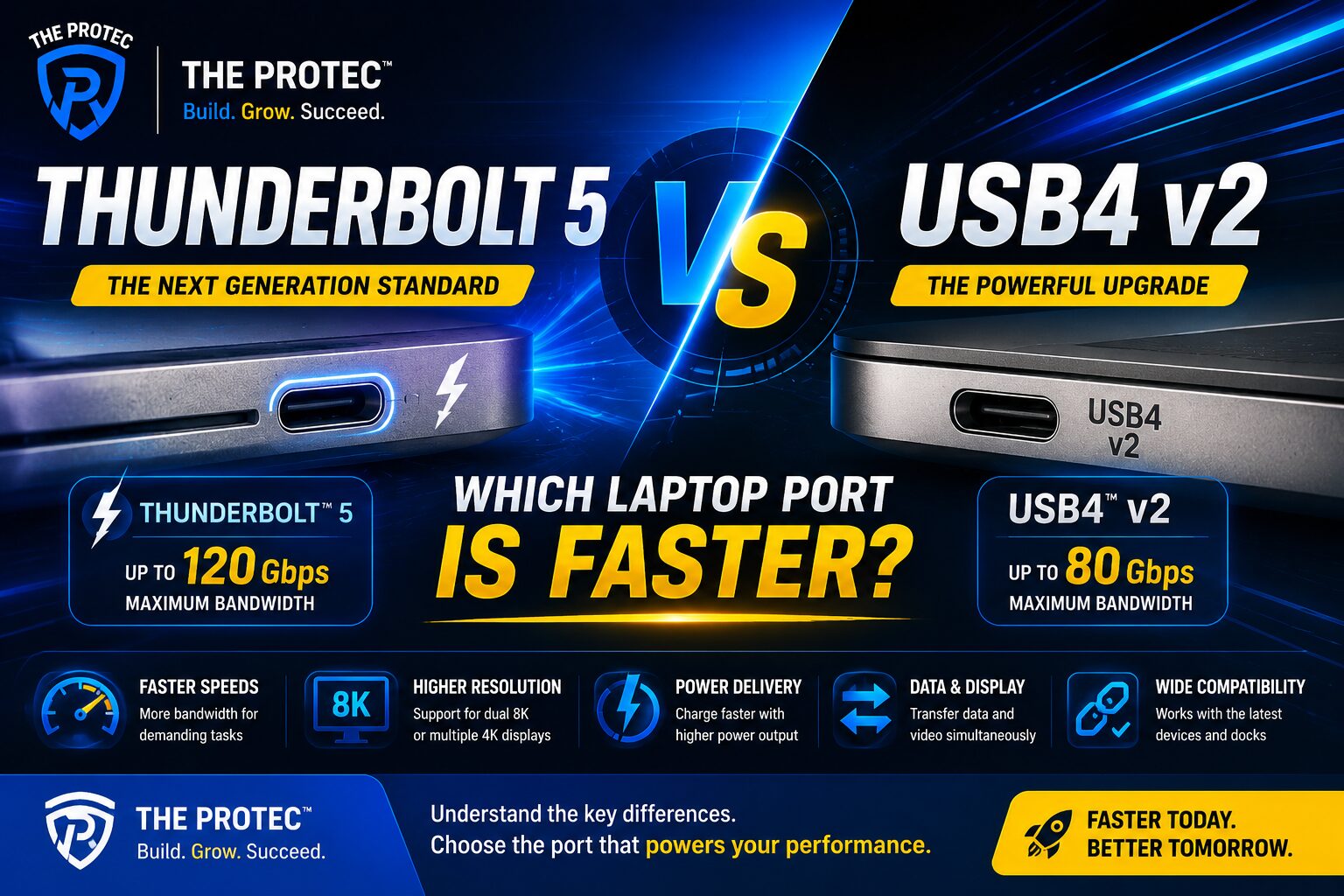
Thunderbolt 5 and USB4 v2 are not separate physical connectors. They are high-speed protocol standards that usually run over the USB-C port shape. That means the port may look identical on a laptop, yet support very different performance tiers depending on the underlying controller, certification, and implementation.
USB4 v2 is the newer revision of the USB4 standard and is built around a much faster signaling method than earlier generations. It is designed to push the USB-C ecosystem forward with higher bandwidth, improved tunneling, and better support for advanced peripherals. Thunderbolt 5, meanwhile, is Intel’s newest premium connectivity standard and is based on USB4 v2 technology but adds stricter requirements, specific branding, and a more complete feature set for high-end laptop users.
In practical terms, USB4 v2 is the broader standard, while Thunderbolt 5 is the more fully defined premium implementation. That distinction matters because it affects performance consistency, accessory support, and what you can expect when you connect demanding devices.
USB4 v2 Speed: What the New Bandwidth Numbers Mean
The biggest reason people are paying attention to USB4 v2 speed is the jump in peak bandwidth. USB4 v2 supports up to 80 Gbps in standard operation, and in some implementations can achieve asymmetric modes that prioritize one direction of traffic for display-heavy use cases. That is a major step up from earlier USB4 and Thunderbolt 4-era systems.
What does 80 Gbps mean in real life? It opens the door to faster external SSDs, higher refresh rate displays, and more capable docks without saturating the link as quickly. In plain English, a laptop with USB4 v2 is better equipped for serious multitasking on a single port than an older USB4 or Thunderbolt 4 machine.
Still, the raw number is only part of the story. Devices also need compatible controllers, cables rated for the right speeds, and peripherals that can actually benefit from the extra bandwidth. A slow external drive will not magically become faster just because the port supports more throughput. But with the right accessories, USB4 v2 can deliver a noticeable improvement over older standards.
Thunderbolt 5 Laptops: Why the Premium Standard Matters
Thunderbolt 5 laptops are positioned as the premium choice for users who want the most complete high-speed I/O package available in a consumer notebook. Thunderbolt 5 builds on USB4 v2 and typically supports higher overall performance ceilings, more reliable accessory behavior, and stronger feature guarantees across the ecosystem.
One of Thunderbolt 5’s most important advantages is how it packages the standard for real users. Rather than leaving too much up to the manufacturer, Thunderbolt certification helps ensure a laptop meets specific performance and interoperability requirements. For buyers, that often translates to fewer surprises when connecting docks, displays, and storage devices.
Thunderbolt 5 also tends to show up first in premium creator laptops, workstation-class machines, and high-end thin-and-light models. If you want the most future-proof laptop port, Thunderbolt 5 is often the safer bet because the ecosystem around it is usually more mature and more tightly validated.
Real-World Bandwidth: What You Actually Feel Day to Day
When comparing Thunderbolt 5 vs USB4 v2, it is tempting to focus only on maximum transfer rates. But a laptop buyer feels bandwidth in specific tasks: loading large files from an external SSD, pushing a monitor at high refresh rates, transferring footage from a capture device, or using a dock with multiple peripherals at once.
Here is where Thunderbolt 5 often pulls ahead in practice. While both standards offer very fast pipes, Thunderbolt 5 is designed to handle more demanding combinations of workloads with less compromise. For example, you might connect a 6K or dual high-refresh display setup, a fast external SSD, and a dock with networking and USB accessories all through one port. Thunderbolt 5 is more likely to maintain stronger headroom in that kind of mixed-use scenario.
USB4 v2 can also handle a lot, especially for users who mainly want one fast SSD or a single high-resolution external monitor. If your setup is lighter, USB4 v2 speed may feel nearly indistinguishable from Thunderbolt 5 in casual day-to-day use. The biggest differences appear when multiple high-bandwidth devices are active at the same time.
External Displays: Which Standard Handles Monitors Better?
Displays are one of the clearest battlegrounds in Thunderbolt 5 vs USB4 v2. Modern laptops increasingly need to support multiple external monitors, high refresh rates, and high resolutions without forcing users to choose between display quality and peripheral bandwidth.
Thunderbolt 5 has a strong advantage for display-heavy workflows. It is designed to support more robust monitor configurations, including high-resolution panels and multi-display setups with less compromise. That makes it especially appealing for creators, traders, programmers, and power users who rely on multiple screens.
USB4 v2 also improves display capabilities significantly over older USB standards, and it can be enough for many users who only need one high-resolution monitor or a modest dual-monitor desk setup. But when the display chain becomes more complex, Thunderbolt 5’s higher ceiling and stricter implementation standards make it the more dependable option.
If your next laptop will routinely drive a 4K or 5K monitor, or you want the flexibility to upgrade to more demanding displays later, Thunderbolt 5 laptops are easier to recommend. If your monitor needs are simpler, USB4 v2 remains very capable.
High-Speed SSDs: Will USB4 v2 or Thunderbolt 5 Be Faster?
External SSD performance is one of the most common reasons people care about these standards. Content creators, photographers, videographers, and developers often move huge files every day, and port speed can make a real difference in workflow efficiency.
With a properly designed enclosure and a fast NVMe drive, both Thunderbolt 5 and USB4 v2 can deliver excellent external storage performance. However, Thunderbolt 5 is more likely to sustain top-tier speeds under demanding workloads, especially when the same port is also handling other peripherals.
In many situations, the drive itself becomes the bottleneck before the port does. That means a good USB4 v2 enclosure can already feel extremely fast. But if you regularly edit large video projects directly from external storage, or you want the best chance of maximizing next-generation SSD enclosures, Thunderbolt 5 offers more long-term headroom.
Another practical consideration is consistency. Thunderbolt-certified accessories generally go through a tighter validation process, which can reduce the odds of odd compatibility issues, cable limitations, or underperforming enclosures. USB4 v2 devices can be excellent, but the quality range may be broader across the market.
eGPUs and Creative Workloads: Is Thunderbolt 5 Better?
External GPUs remain a niche but important use case for users who want desktop-class graphics power attached to a portable laptop. In this category, bandwidth matters a lot because the GPU and the laptop constantly exchange large amounts of data.
Thunderbolt 5 is the more attractive option for eGPU users because it offers more bandwidth headroom and is positioned to reduce the performance penalty associated with external graphics. While no external connection can fully match an internal PCIe slot, Thunderbolt 5 gives eGPU setups a better chance of performing well, especially for demanding creative and 3D workflows.
USB4 v2 can theoretically support advanced external graphics scenarios, but the practical ecosystem for eGPUs is still more closely associated with Thunderbolt-class implementations. If your buying decision depends heavily on external GPU support, Thunderbolt 5 laptops are the safer choice.
That said, eGPUs are still a specialized investment. Most buyers should prioritize display support, SSD speed, and dock reliability before assuming they need an external graphics enclosure. For mainstream shoppers, the more relevant question is whether the port handles their monitor and storage setup smoothly.
Docks and One-Cable Desks: Which Standard Is More Reliable?
For many laptop buyers, the biggest quality-of-life upgrade is a single cable that powers the laptop, connects the monitor, handles Ethernet, and links everything else through a dock. This is where Thunderbolt 5 vs USB4 v2 becomes especially important.
Thunderbolt 5 tends to shine in premium docking scenarios because it offers more consistent behavior across a wide range of accessories. That matters when a dock is trying to carry video, storage, peripherals, and charging all at once. With more bandwidth available, there is less risk of bottlenecks when the dock is fully loaded.
USB4 v2 docks can also be excellent, especially for users who want a modern one-cable workstation without paying for the highest-end ecosystem. But because USB4 has more flexibility in how features are implemented, buying a USB4 v2 laptop and dock requires a little more attention to specs. Not all ports or docks will behave identically.
If you care about a plug-and-play desk setup with maximum confidence, Thunderbolt 5 is the more straightforward recommendation. If you are comfortable checking the details and your dock demands are moderate, USB4 v2 can still be a smart choice.
Compatibility: Can You Use Old USB-C Accessories?
One of the best things about both standards is backward compatibility. Since Thunderbolt 5 and USB4 v2 use the USB-C connector, they can usually work with a wide range of older USB-C devices, hubs, and cables. In many cases, your existing peripherals will still function, though not always at their highest possible speed.
The key issue is that compatibility does not mean full performance. A basic USB-C cable may charge your laptop but fail to support top-end data rates. Likewise, an older dock may work but not unlock all the bandwidth a new laptop offers. To get the full benefit of Thunderbolt 5 or USB4 v2, you need the right certified cable and peripheral combination.
Thunderbolt accessories generally offer stronger cross-device consistency, especially in mixed professional environments. USB4 v2 expands the ecosystem and should improve over time, but Thunderbolt 5 currently has the advantage in terms of maturity and premium accessory support.
Which Standard Is Better for Future Laptop Buyers?
If you are buying a laptop today and want the most future-proof port, Thunderbolt 5 is usually the better choice. It provides the stronger overall package for power users, multiple displays, fast external storage, docks, and eGPU scenarios. It is especially compelling for people who keep laptops for many years and expect their accessory needs to grow.
USB4 v2 is still highly relevant and may be the better value option for many buyers. If you want a fast modern USB-C port for a single high-end monitor, a speedy SSD, and everyday docking, USB4 v2 speed is more than enough. It brings much of the next-generation connectivity story to a broader range of laptops and may appear more widely across mid-range and premium systems.
So which port will make your next laptop faster? The honest answer is that Thunderbolt 5 is the better performer on paper and in demanding real-world setups, while USB4 v2 is the more accessible high-speed standard that will satisfy many users without the premium tax. If you care about maximum headroom and the best chance of top-tier accessory performance, choose Thunderbolt 5 laptops. If you want modern speed with broad practicality and potentially better value, USB4 v2 is a strong contender.
Buying Advice: Which Port Should You Prioritize?
Choose Thunderbolt 5 if you:
- Use multiple external monitors
- Edit large video or photo files from external SSDs
- Want the best dock performance and reliability
- Plan to use an eGPU
- Prefer the most future-proof premium laptop port
Choose USB4 v2 if you:
- Want excellent performance at a lower price
- Use one monitor and one fast external drive
- Need strong general-purpose USB-C connectivity
- Do not need an eGPU or a highly complex dock setup
- Want a modern laptop port without paying for top-tier branding
In short, Thunderbolt 5 is the performance leader, but USB4 v2 may be the smarter purchase for many everyday users. The best choice depends on how much of that extra bandwidth you will actually use.
FAQ
Is Thunderbolt 5 faster than USB4 v2?
In most premium laptop scenarios, yes. Thunderbolt 5 is designed as the more complete high-performance implementation and typically offers more consistent headroom for displays, docks, storage, and advanced peripherals.
Will USB4 v2 be enough for gaming or creative work?
For many users, absolutely. USB4 v2 speed is strong enough for fast external SSDs, high-resolution monitors, and general productivity. If your workflow is especially demanding or you want an eGPU, Thunderbolt 5 is the better fit.
Do I need Thunderbolt 5 for a fast external SSD?
Not necessarily. A good USB4 v2 enclosure and NVMe drive can already deliver excellent performance. Thunderbolt 5 becomes more valuable if you want maximum sustained bandwidth or plan to run several high-speed devices from the same port.
Are Thunderbolt 5 laptops worth it?
If you care about future-proofing, advanced docking, multi-monitor setups, or creator workloads, yes. Thunderbolt 5 laptops are worth it for users who want the most capable USB-C-based connectivity available right now.
Can Thunderbolt 5 and USB4 v2 use the same cables?
Sometimes, but not always at full speed. To get the best performance, use certified cables rated for the specific bandwidth you need. A cable that works for charging or basic data may not support the highest speeds.
Thunderbolt 5 vs USB4 v2 is not just a spec-sheet battle. It is a question of how much connectivity headroom you want built into your next laptop. For buyers who want the fastest and most flexible port, Thunderbolt 5 is the clear leader. For those who want next-generation USB-C speed with strong value, USB4 v2 is still a compelling and highly capable option.