








Contents
Introduction
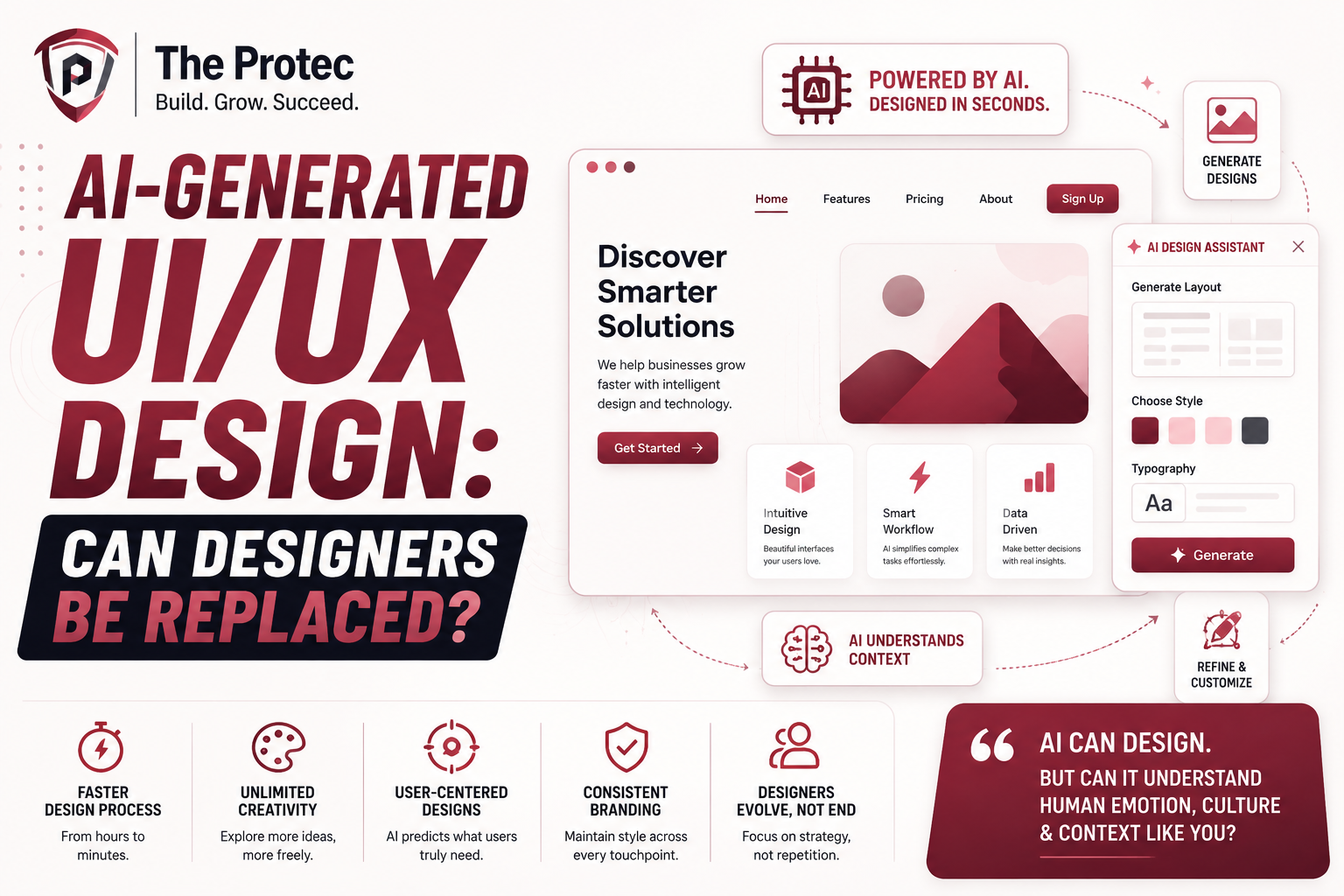
The surge of artificial intelligence in creative industries is reshaping how products are designed and experienced. Among these advances, AI-generated UI/UX design is capturing significant attention, promising faster, smarter, and more efficient development processes. But the central question remains: can AI truly replace human designers in crafting engaging user interfaces and seamless experiences?
As AI UI design and AI UX tools mature, they automate routine design tasks, generate layouts, and even suggest usability improvements. However, the nuanced nature of human-centered design raises questions about the limits of automation in a field grounded in empathy, creativity, and intuition.
The Rise of AI in UI/UX Design
AI-generated UI/UX design leverages machine learning models and generative algorithms to produce design assets and entire layouts, accelerating workflows that traditionally required weeks or months. Popular AI UX tools like Figma’s AI plugins, Adobe Firefly, and Uizard have introduced design automation features that enable teams to visualize concepts rapidly, iterate designs based on data, and customize templates on the fly.
These tools analyze vast amounts of data from user behavior patterns to color theory and typography best practices to create interfaces that are not only aesthetically pleasing but potentially more effective at meeting user needs. For example, AI can automatically adjust button placements or color schemes for better accessibility or conversion rates according to the analyzed context.
Key AI UI Design Tools and Capabilities
- Generative Layouts: AI-powered frameworks that produce multiple UI layout options quickly tailored for different devices or user personas.
- Content-aware Design: Tools that autopopulate UI components with context-driven content and adjust design elements dynamically to improve clarity and usability.
- Accessibility Enhancement: Automated checks and fixes for contrast, font sizes, and interactive element sizing to ensure compliance with accessibility standards.
- Feedback Integration: AI systems that process user feedback and behavior tracking to suggest iterative design improvements without manual intervention.
How Design Automation is Reshaping the Workflow
Design automation powered by AI transforms the traditional iterative model by offering speed and data-driven decision-making. Routine and tedious tasks such as wireframing, prototyping, and style guide enforcement are increasingly handled by AI, freeing human designers to focus on higher-level creative and strategic work.
This shift enables designers to test more ideas rapidly, reduce the turnaround time for product releases, and enhance collaboration between designers, developers, and product managers. For businesses, this could translate into significant cost savings and agility in competitive markets.
Moreover, AI UI design tools bring new democratization possibilities. Non-designers can leverage intuitive AI-powered interfaces to create decent UI prototypes, expanding innovation and lowering the barrier to entry in product design.
Limitations of AI in Replacing Designers
Despite rapid developments, AI remains limited in several critical aspects of UI/UX design:
- Creativity and Emotional Intelligence: Human designers interpret subtle emotional and cultural cues that AI cannot fully replicate. Great user experiences often rely on nuanced storytelling and context awareness beyond data patterns.
- Ethical Design Considerations: Decisions involving user privacy, inclusivity, and moral responsibility require a human-centered approach that AI alone cannot assure.
- Contextual Problem-Solving: Designers apply intuition and empathy to solve complex UX problems that are unique to brands, platforms, or evolving user needs.
- Overreliance on Training Data: AI models generate outputs based on historical and existing data, which can perpetuate biases or limit innovation when untouched by human insight.
Consequently, the role of the designer is evolving rather than becoming obsolete. Human experts are increasingly curators, evaluators, and collaborators with AI, guiding automated processes to align with creative visions and ethical frameworks.
The Future Collaboration Between AI and Designers
The promising future of UI/UX design involves a synergy where AI tools enhance human creativity and productivity instead of replacing it. Designers who can adeptly harness AI UI design and AI UX tools will be better positioned to deliver innovative, user-centered products.
Examples of this collaboration include:
- Co-Creation: Using AI to generate initial drafts or multiple design variants for human review and refinement.
- Personalized UX: Employing AI to create adaptive interfaces based on real-time user data, with designers setting the parameters for customization.
- Automated Testing: Combining AI-driven usability testing with human analysis to improve accessibility and emotional impact.
Ultimately, designers become creative strategists and decision-makers who leverage AI as an augmentative tool rather than a replacement.
Real-World Impact: Case Studies and Industry Insights
Major tech companies and startups are already implementing AI UI design to improve efficiency and innovation:
- Airbnb: Uses AI-powered design systems to rapidly prototype and test multiple UI variations, enhancing guest and host experiences.
- Spotify: Employs AI-driven personalization interfaces to dynamically tailor playlists and recommendations while UX designers guide the overall user journey.
- Uizard: Provides startups and agencies with AI tools that convert sketches and wireframes into working UI prototypes, accelerating early-stage design.
However, surveys of design professionals consistently reveal a preference for AI as a collaborative assistant rather than a substitute. This sentiment underscores the irreplaceable value of human insight and creativity.
FAQs About AI-Generated UI/UX Design
Can AI fully design a complete user interface without human input?
Currently, AI can generate robust layouts and components, but human input remains essential to ensure designs align with brand identity, user needs, and ethical standards.
What are the best AI UI design tools available today?
Popular tools include Figma’s AI plugins, Adobe Firefly for generative graphics, Uizard for wireframe automation, and tools integrating AI-based accessibility improvements like Stark.
Will AI replace UX designers in the near future?
AI is unlikely to replace UX designers entirely. Instead, it will continue to automate repetitive tasks and augment designers’ capabilities, enabling them to focus on creativity and strategy.
Conclusion
The rise of AI UI design and AI UX tools marks a transformative era in digital product creation. While design automation streamlines processes and enhances productivity, it cannot replicate the creativity, empathy, and complex judgment of human designers. Rather than replacement, the future lies in collaboration designers empowered by intelligent tools to push the boundaries of user experience.
As these technologies evolve, professionals who embrace AI-driven workflows will unlock new opportunities, crafting innovative, accessible, and personalized digital experiences that resonate deeply with users.
For more insights on AI and design innovations, visit UX Collective’s deep dive on AI in UI/UX.