








AI Browsing Memory Explained: Why Personal AI Assistants Are Getting Smarter
Personal AI assistants are no longer limited to answering one-off questions or drafting a quick email. A major shift is underway: many assistants can now remember your preferences, working style, and recurring tasks across sessions. This is the rise of AI memory, a capability that allows an assistant to learn from past interactions and behave more like a long-term digital partner than a temporary chatbot.
That change matters because it moves AI personalization from a nice-to-have feature into a core product expectation. People do not want to repeat the same instructions every time they open a tool. They want software that understands their tone, preferred formats, projects, and habits. In practice, AI browsing memory and persistent assistant memory are helping users save time, reduce friction, and get more relevant results with less effort.
At the same time, memory introduces new concerns. If an assistant remembers your work routines, document styles, or even sensitive context from prior sessions, how is that information stored, used, and protected? The promise of personalized AI assistants is compelling, but it is inseparable from privacy, consent, and control.
In this article, we will break down how AI memory works, why it is becoming such an important technology trend, the productivity benefits it offers, and the risks organizations and individuals should understand before relying on it.
What Is AI Memory in a Personal AI Assistant?
AI memory refers to the ability of a system to retain useful information from previous interactions and use that information later to shape responses. In a personal AI assistant, this can include preferences such as your writing tone, meeting schedule, favorite tools, project names, communication style, or how you like information organized.
There are generally two broad forms of memory:
- Short-term memory: The assistant remembers context during the current conversation or task.
- Persistent memory: The assistant stores selected details so it can recall them in future sessions.
Persistent memory is what makes an assistant feel personalized over time. Instead of treating every interaction like a blank slate, the system can adapt to your patterns. If you often ask for concise summaries, the assistant can default to that style. If you work in marketing and regularly request campaign outlines, it may prioritize that structure. If you prefer bullet points over long paragraphs, the assistant can adjust accordingly.
This is a major step beyond standard chatbot behavior. Traditional AI models generate responses based on the current prompt and recent context. Memory-enabled assistants combine that with stored user-specific signals, making them better at anticipating needs and preserving continuity.
How AI Browsing Memory Actually Works
AI browsing memory is most useful when the assistant interacts with content you consume online. It can track patterns such as the types of articles you read, the topics you revisit, the tools you use, and the formats that help you work faster. In some products, memory may also connect with browser activity, saved preferences, connected accounts, or manually provided instructions.
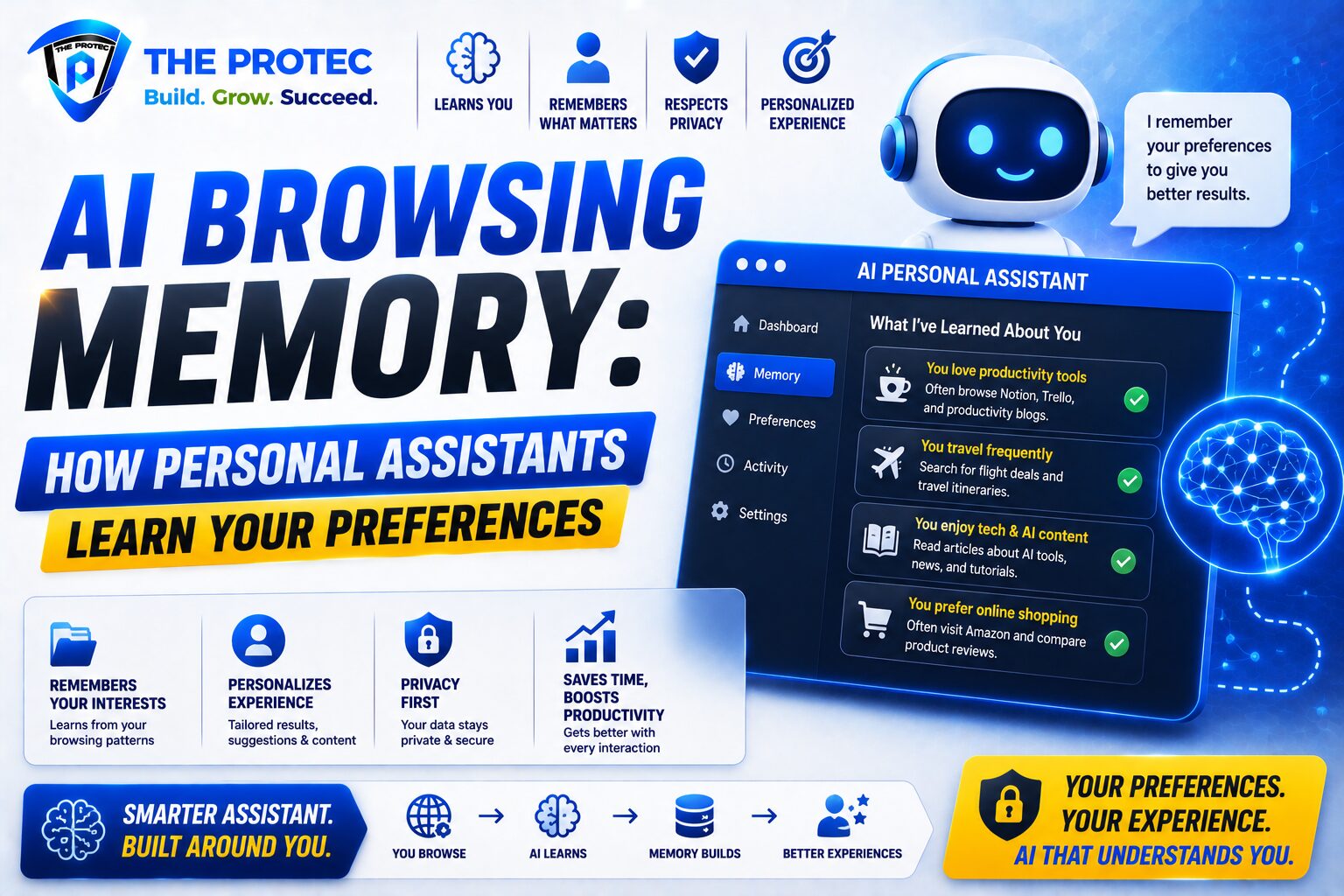
While implementations vary, a common memory workflow looks like this:
- The assistant observes repeated behavior or receives explicit preference input.
- It identifies information that is likely to be useful later.
- Selected memories are stored in a structured way, often as preference notes or semantic profile data.
- When a future request is made, the assistant retrieves relevant memories to personalize the response.
The key idea is selective retention. Good AI memory is not about storing everything. It is about remembering the information that helps the assistant be more helpful without overwhelming the user or creating unnecessary risk. That may include a preferred writing voice, recurring clients, time zone, software stack, or current goals.
Some systems also use retrieval methods that search past interactions for relevance before generating an answer. Others allow users to explicitly save memories, approve suggestions, or edit the profile the assistant uses. The best designs make memory visible and manageable, rather than hidden inside a black box.
For a deeper technical perspective on how memory and retrieval are changing AI systems, OpenAI’s model and product documentation offers useful background on current assistant capabilities and memory controls: OpenAI Platform Documentation. Another useful resource for understanding broader privacy principles around personalized systems is the NIST AI Risk Management Framework.
Why AI Personalization Is Becoming a Major Trend
AI personalization is one of the clearest drivers of adoption in consumer and workplace AI. Users are rapidly moving from curiosity to expectation. They want assistants that adapt to them, not generic tools that force constant re-explaining.
There are several reasons this trend is accelerating:
- Work has become more context-heavy: People manage multiple projects, tools, and communication channels. Memory helps reduce repetitive setup.
- AI is moving into daily workflows: Assistants are being used for writing, research, scheduling, shopping, planning, and analysis.
- Competition is pushing differentiation: Many AI products can generate similar outputs, so personalization becomes a key product advantage.
- Users expect software to learn: Modern apps already remember settings and behavior. AI assistants are now expected to do the same, but more intelligently.
The result is a shift from “prompt engineering” to “preference engineering.” Instead of writing perfect instructions every time, users are teaching systems how they like to work. That makes the experience faster and more natural, especially for repeat tasks.
For businesses, AI personalization also creates retention value. An assistant that knows your workflows becomes harder to replace. It can become embedded in calendars, documents, meetings, research habits, and support processes. That stickiness is one reason personalized AI assistants are emerging as a defining technology trend across consumer apps, productivity platforms, and enterprise software.
Productivity Benefits of Persistent AI Memory
The clearest value of AI memory is productivity. When a personal AI assistant remembers your preferences, it removes friction from ordinary tasks and makes each interaction more efficient.
1. Less Repetition
One of the biggest frustrations with AI tools is repeating the same instruction over and over. Persistent memory can eliminate that. If you always want executive summaries, a specific tone, or a certain format for meeting notes, the assistant can default to that without being reminded.
2. Better First Drafts
Memory helps the assistant produce more relevant first drafts. A writer may prefer a direct, professional tone. A product manager may want structured bullet points. A designer may want visual inspiration with concise framing. The more the assistant learns, the closer its first output is to what you actually need.
3. Faster Decision-Making
Personalized assistants can surface relevant context before you ask for it. That can include reminders about pending tasks, overlooked follow-ups, or prior choices related to a project. When an AI system remembers your priorities, it can reduce the mental load of switching between contexts.
4. More Consistent Workflows
Memory can standardize recurring routines. For example, a user may ask the assistant to prepare weekly status updates, summarize research in the same structure, or extract key action items from meetings. Over time, the assistant learns the exact pattern and becomes a dependable workflow tool.
5. Better Multitasking Support
Many people now juggle personal, professional, and side-project tasks in the same assistant. Memory can help the system distinguish between them and keep context organized. That makes it easier to move between projects without losing continuity.
These gains are especially valuable because they compound. Saving even a few minutes per interaction can add up across dozens of daily uses. For teams, the benefit can be much larger, especially when assistants are embedded into email, docs, CRM, support, and research workflows.
Common Use Cases for AI Memory
AI memory is becoming useful in many practical settings, not just high-level brainstorming. Here are some of the most common use cases where persistent memory adds value:
- Writing support: Remembering tone, audience, and formatting preferences for blogs, emails, reports, and social content.
- Meeting assistance: Tracking recurring projects, names, and follow-up actions across calls.
- Research help: Remembering topics you follow and the level of detail you prefer.
- Task management: Learning how you prioritize, organize, and sequence work.
- Learning and tutoring: Adapting explanations to your knowledge level and pacing.
- Shopping and planning: Remembering size, style, dietary preferences, travel habits, or budget constraints.
In professional environments, memory can be especially useful when assistants support repeated operational tasks. A sales team might benefit from remembering account context. A recruitment team might want candidate summaries in a consistent format. A customer support team might use memory to keep style and escalation preferences aligned.
In each case, the goal is the same: reduce effort while improving quality. The best assistants do not simply remember facts. They remember how to be useful.
Privacy Concerns and the Risks of AI Memory
Despite the benefits, persistent memory creates real privacy questions. If a personal AI assistant remembers sensitive details, users need confidence that the information is protected, limited, and under their control.
Some of the most important concerns include:
- Data sensitivity: The assistant may store personal, financial, health-related, or work-confidential information.
- Unclear retention: Users may not know how long memories are kept or where they are stored.
- Overcollection: A system may remember more than is actually useful, increasing exposure.
- Cross-context leakage: Personal and professional details could blend in ways that are confusing or risky.
- Third-party access: Connected tools, plugins, or integrations may expand the attack surface.
There is also a psychological issue: when an assistant feels familiar, people may trust it more than they should. That trust can lead users to share more than they would with a conventional app. If memory is enabled, every detail entered into the system deserves scrutiny.
Good AI memory design should therefore include strong safeguards. These may include user-visible memory lists, easy deletion controls, opt-in settings, memory scopes, and clear explanations of what is stored. Organizations should also review whether memory is appropriate for sensitive workflows and whether certain categories of data should be excluded by default.
The privacy debate is not a reason to avoid personalization altogether. It is a reason to demand better design. The most successful assistants will be those that pair convenience with clear user control.
How to Use Personalized AI Assistants Safely
If you use a personal AI assistant with memory features, a few practical habits can help you stay in control:
- Review stored memories regularly: Delete anything outdated, inaccurate, or unnecessary.
- Avoid sharing highly sensitive data: Be careful with passwords, confidential business data, and private identifiers.
- Use explicit instructions when possible: Tell the assistant what it should remember and what it should not.
- Separate contexts: Keep work and personal usage distinct if the product supports multiple profiles or spaces.
- Check connected apps: Review which services can access your assistant and what permissions they have.
For organizations, safe adoption usually means establishing internal guidelines. Teams should define which data can be used with memory-enabled tools, how memory settings are managed, and who is responsible for reviewing vendor privacy practices. If the assistant is used for customer-facing or regulated work, governance becomes even more important.
The right balance is not “memory at any cost” or “memory never.” It is selective memory with visibility, consent, and control.
What the Future of AI Memory Looks Like
The next wave of personal AI assistants will likely go beyond simple preference recall. We are moving toward systems that understand goals, routines, and context in richer ways. That may include memory tied to projects, knowledge graphs that organize your ongoing work, and assistants that adapt across devices and environments.
Several trends are likely to shape the future:
- More user control: People will expect clearer dashboards for memory management.
- Smarter memory selection: Assistants will get better at deciding what is worth remembering.
- Context-aware retrieval: Systems will surface the right memory at the right moment without being intrusive.
- Enterprise governance: Companies will demand stronger policies for memory use in workplace AI.
- Multimodal memory: Assistants may remember not only text, but also voice patterns, image preferences, and workflow behavior.
This evolution suggests that AI memory will become a standard feature, not a premium add-on. Just as apps learned to save passwords, preferences, and histories, AI assistants are learning to save meaning. The difference is that the stakes are much higher. A memory-enabled assistant can feel remarkably helpful, but only if it respects the boundaries of trust.
Conclusion: Personal AI Assistants Are Becoming Long-Term Digital Partners
AI browsing memory is changing what people expect from software. Instead of starting over with every interaction, users are beginning to work with personal AI assistants that remember context, adapt to preferences, and improve over time. That makes AI personalization one of the most important product shifts in modern technology.
The productivity upside is clear: less repetition, better drafts, faster decisions, and more consistent workflows. But the privacy tradeoff is equally real. Memory can only be a durable advantage if users understand what is stored, can edit it, and trust the system to protect it.
In the end, the best personalized AI assistants will not be the ones that remember everything. They will be the ones that remember the right things, for the right reasons, with the right controls.
FAQ
What is AI memory in a personal AI assistant?
AI memory is the ability of an assistant to retain useful information from past interactions and use it in future sessions. It can remember preferences, recurring tasks, tone, formats, and other context that improves personalization.
Is AI browsing memory the same as chat history?
No. Chat history stores previous conversations, while AI memory is designed to extract and preserve useful preferences or facts from those interactions. Memory is meant to personalize future responses, not just archive past chats.
Can I delete what a personal AI assistant remembers?
In most modern systems, yes. Good memory-enabled assistants provide settings to review, edit, or delete stored memories. Users should check the product’s privacy controls and memory management options regularly.
Is AI personalization safe for sensitive information?
It depends on the product, the safeguards in place, and the type of data involved. Sensitive business, financial, or health information should be handled carefully, and many users and organizations choose to limit what memory-enabled tools can retain.
Why are personalized AI assistants becoming so popular?
They reduce repetitive work, improve the quality of outputs, and make AI feel more useful in daily life. As more people rely on AI for writing, research, planning, and task management, memory becomes a major differentiator.