








Connecting an AI assistant to a database, code repository, file system, or cloud platform can turn it from a conversational interface into an operational agent. It also creates a security boundary that many teams have not fully modeled. MCP server security matters because Model Context Protocol servers sit between probabilistic AI agents and tools capable of reading data, executing code, or changing production systems.
MCP provides a standard way for AI applications to discover and use tools, resources, and prompts. The protocol is not inherently insecure, and not every implementation is vulnerable. Risk depends on how a server is built, authenticated, deployed, and monitored. The central problem is that an MCP connection may combine powerful credentials, dynamic tool selection, untrusted content, and third-party code in one workflow.
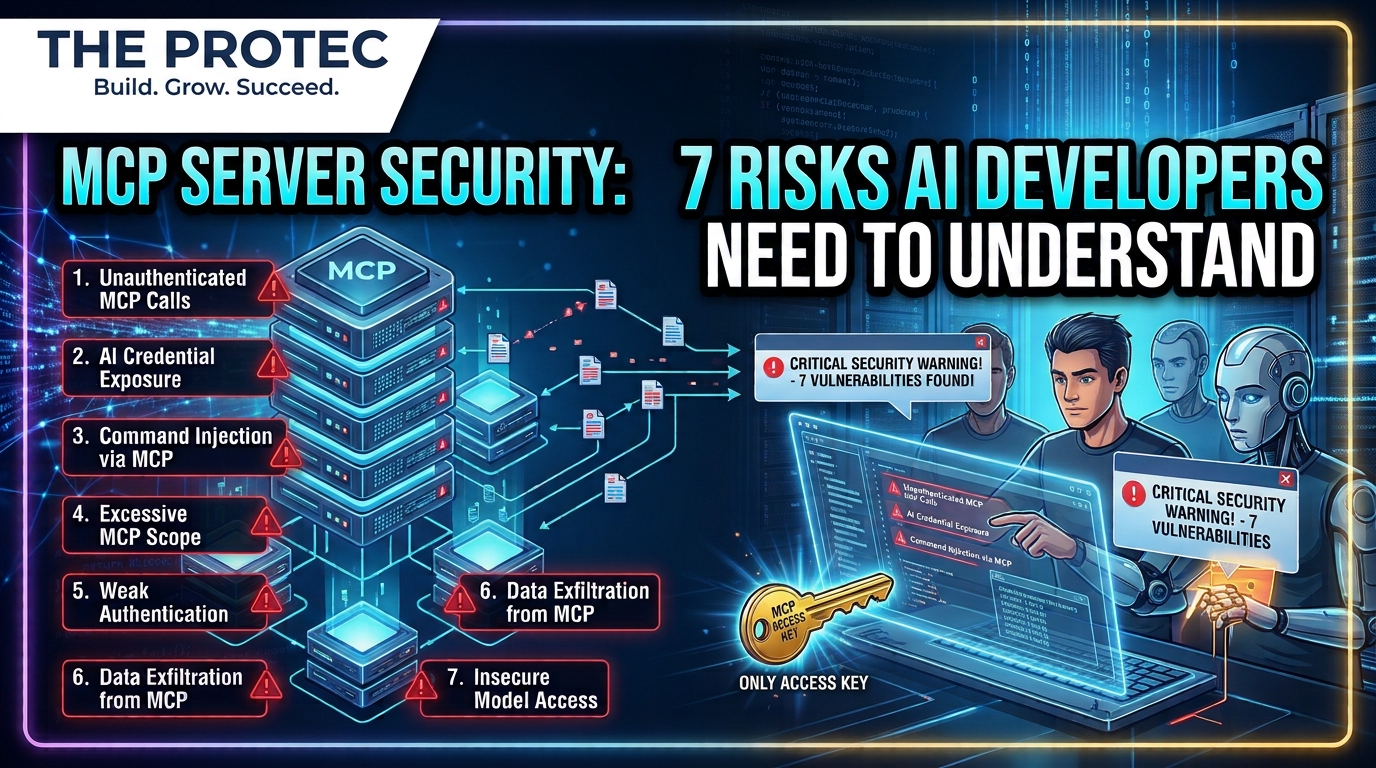
Developers therefore need to treat every MCP server as a new trust boundary—not simply as a convenient plugin. Here are the seven risks that deserve particular attention, followed by a practical defense checklist.
Why MCP changes familiar API security assumptions
Traditional applications usually call predetermined API endpoints through code written and reviewed in advance. An AI agent can instead inspect available tools, interpret their descriptions, choose one dynamically, construct arguments, evaluate the result, and use that result to decide what happens next.
This flexibility changes the threat model. An API response that would normally be treated as data may become instructions influencing an agent’s next action. Tool metadata can affect which capability the model selects. A compromised intermediary can also expose multiple connected systems rather than a single API.
An MCP tool ultimately acts with the authority available to its server. A local server may inherit the operating-system permissions, working directory, and environment variables of its host process. A remote server may act through OAuth tokens, service accounts, database credentials, or API keys. MCP does not automatically make those permissions safe or appropriately narrow.
Current Model Context Protocol security guidance emphasizes explicit authorization, secure token handling, audience validation, and protection against confused-deputy behavior. For HTTP-based deployments, developers should follow the specification’s OAuth-oriented authorization model rather than inventing informal token exchange mechanisms. Local transports require a different control model centered on process isolation and operating-system boundaries.
Seven MCP server security risks
1. Unauthenticated or poorly protected MCP endpoints
An exposed MCP endpoint can become a direct path to its advertised tools. Common failures include missing authentication, static shared secrets, tokens accepted over unencrypted connections, permissive cross-origin behavior, and authorization checks applied to the user interface but not the underlying server.
MCP authentication must establish who is calling, which resource the token targets, and what that caller may do. A server should not accept any otherwise valid bearer token regardless of audience. It should also avoid passing a client’s token through to unrelated downstream services, which can create token theft and confused-deputy risks.
Internet exposure is not the only concern. An endpoint reachable from a corporate network may still be accessed by compromised workloads, malicious insiders, or agents operating outside their intended environment.
2. Excessive tool permissions
A tool named manage_database may appear simple to an agent while hiding broad read, write, export, and administrative privileges. If its backing account can access every schema, the tool can do the same unless the server adds stricter controls.
Excessive AI agent permissions amplify mistakes as well as attacks. A model may misunderstand intent, select the wrong tool, or generate overly broad arguments without any malicious input. Separate read operations from destructive actions, restrict accessible records, and give each server only the minimum operating-system and downstream permissions it needs.
Do not rely solely on tool descriptions such as use only when necessary. Descriptions help guide a model, but they are not authorization controls. Enforcement must happen in deterministic code.
3. Exposed credentials and reusable secrets
Local MCP servers are often launched by desktop applications or developer tools. If they inherit the full environment of the parent process, they may receive cloud keys, repository tokens, package registry credentials, and other secrets unrelated to their function. Debug output, error messages, shell history, or tool responses can then expose those values.
Strong AI agent credential security means avoiding long-lived credentials where possible. Use narrowly scoped, short-lived tokens; retrieve secrets at runtime from an approved secret manager; prevent secrets from appearing in model context; and rotate credentials after suspected exposure.
Credentials should also be isolated by server and environment. Sharing one privileged service account across several MCP servers increases the blast radius and makes attribution difficult.
4. Malicious or compromised third-party servers
Installing an MCP server means trusting its source code, dependencies, update channel, configuration, and operator. A server can be useful and legitimate when first reviewed, then become dangerous through account takeover, a compromised package, a malicious dependency, or an unexamined update.
This is an MCP server supply chain problem. A compromised server may see prompts, tool arguments, returned data, and credentials for several connected services. It could alter responses, silently collect information, or invoke downstream APIs within its assigned authority.
Verify publisher identity, source repositories, package signatures or checksums when available, dependency history, and release changes. Pin reviewed versions for sensitive deployments and maintain an inventory showing which clients, credentials, and systems each server can reach. Reputation is useful context, but it is not a substitute for technical review.
5. Prompt injection through tool results
Prompt injection does not have to arrive through a chat message. An agent may read a poisoned support ticket, source file, web page, database record, or tool response containing instructions designed to override its task. If it treats that content as authoritative, it may disclose data or call another tool.
These AI tool injection attacks are especially dangerous when an agent can chain tools. For example, a retrieved document might tell the model to search a private repository and send the result through a messaging tool. Each individual call may be allowed, while the sequence violates the user’s intent.
Treat tool results as untrusted data. Preserve their provenance, separate data from instructions, constrain which follow-up actions are permitted, and require confirmation before sensitive cross-system operations. Content filtering can help, but it cannot reliably eliminate prompt injection by itself.
6. Unsafe local server execution
Local MCP servers may run as command-line processes under the developer’s account. That makes installation and execution security-critical. A copied configuration could invoke an unexpected binary, execute a package without a pinned version, or pass attacker-controlled values into a shell.
Because the process may inherit the user’s file access and environment, a malicious server could search SSH directories, modify project files, read browser data, or use existing developer credentials. The exact impact depends on operating-system controls and how the host launches the process.
Run local servers in containers, sandboxes, restricted user accounts, or other isolated environments where practical. Limit mounted directories, disable unnecessary network access, sanitize command arguments, and never use shell interpolation for untrusted input. Avoid launching unreviewed packages directly from public registries.
7. Insufficient activity logging
Without useful logs, teams may not know which agent discovered a tool, what arguments it submitted, which identity authorized the action, or what downstream service changed. Conventional application logs often omit the model-to-tool decision chain needed for investigation.
Audit records should capture the authenticated principal, client, server, tool name, timestamp, authorization outcome, approval event, relevant resource, and result status. Sensitive arguments and outputs should be redacted or hashed rather than copied indiscriminately into logs.
Logging also supports behavioral detection. Unexpected tool discovery, repeated denied calls, unusual export volumes, new destinations, or destructive actions outside normal hours can indicate compromised credentials, prompt injection, or misuse.
What recent security research says
A DigitalOcean security overview published November 5, 2026 frames MCP risk around authentication, authorization, prompt injection, credential exposure, and the trust placed in third-party servers. Its practical message is that teams should apply established security engineering to the full agent-and-tool workflow rather than viewing MCP as an isolated protocol feature.
Microsoft’s MCP security analysis similarly examines the expanding attack surface created when agents connect to external capabilities. Both sources reinforce an important distinction: identified attack patterns and insecure deployments do not mean that every MCP server is compromised. Configuration, identity design, tool authority, isolation, and monitoring determine much of the real-world exposure.
Developer checklist for securing MCP deployments
- Authenticate every remote connection: Use standards-based authorization, TLS, secure client registration practices, and strict token audience validation.
- Use narrow OAuth scopes: Define scopes around specific resources and actions instead of broad labels that unlock an entire service.
- Enforce least privilege: Restrict operating-system accounts, file paths, databases, API methods, network destinations, and accessible records.
- Separate sensitive tools: Do not combine harmless lookups and destructive administration behind one broadly authorized operation.
- Isolate execution: Sandbox local servers and constrain containers, mounts, subprocesses, environment variables, and outbound traffic.
- Check server provenance: Review publishers, source code, dependencies, release history, signatures, and configuration before deployment.
- Protect and rotate secrets: Prefer ephemeral credentials, use a secret manager, prevent model exposure, and rotate after incidents or access changes.
- Require human approval: Add explicit confirmation for payments, deployments, deletions, permission changes, bulk exports, and external communications.
- Validate tool inputs and outputs: Apply schemas, length limits, destination allowlists, parameter checks, and output sanitization in deterministic code.
- Design for prompt injection: Label external content as untrusted, preserve provenance, constrain tool chaining, and prevent retrieved text from silently authorizing actions.
- Maintain audit logging: Record identities, tool calls, approval decisions, authorization failures, and downstream effects while minimizing sensitive log content.
- Test revocation and response: Confirm that teams can disable a server, revoke its tokens, rotate secrets, preserve evidence, and identify affected services quickly.
Build controls around actions, not model intentions
The safest architecture assumes that an agent may misunderstand a request or encounter hostile content. Security should not depend on the model consistently recognizing danger. Authentication, authorization, isolation, validation, approval gates, and logging must remain effective even when the model makes a poor decision.
MCP can provide enormous development value by standardizing tool access. Used carefully, it can also make capabilities easier to inventory and govern. The goal is not to reject MCP, but to ensure that convenience does not quietly create an overprivileged bridge across critical systems.
Frequently asked questions
Is the Model Context Protocol itself insecure?
No. Model Context Protocol security depends on the implementation and deployment. The protocol defines interoperability, while developers and operators remain responsible for authentication, authorization, credential handling, tool design, server isolation, and monitoring. A narrowly scoped, well-audited server presents a very different risk from an unauthenticated, overprivileged one.
Can an MCP server access everything on a developer’s computer?
Not automatically. A local server can generally access what its operating-system process and supplied credentials permit. If it runs under a powerful user account with broad file access and inherited secrets, however, the practical reach may be extensive. Sandboxing and restricted service accounts reduce that exposure.
How does prompt injection affect MCP tools?
Untrusted content returned by one tool can contain instructions that influence an agent’s next decision. The agent might then call another tool, reveal information, or perform an unintended action. Developers should treat results as data, restrict tool chains, and require approval for high-impact operations.
What should teams review before installing a third-party MCP server?
Review its publisher, code provenance, dependencies, requested permissions, credential requirements, update process, network access, and data handling. Test it in isolation, pin an approved version where appropriate, and document every system it can reach before connecting production accounts.