








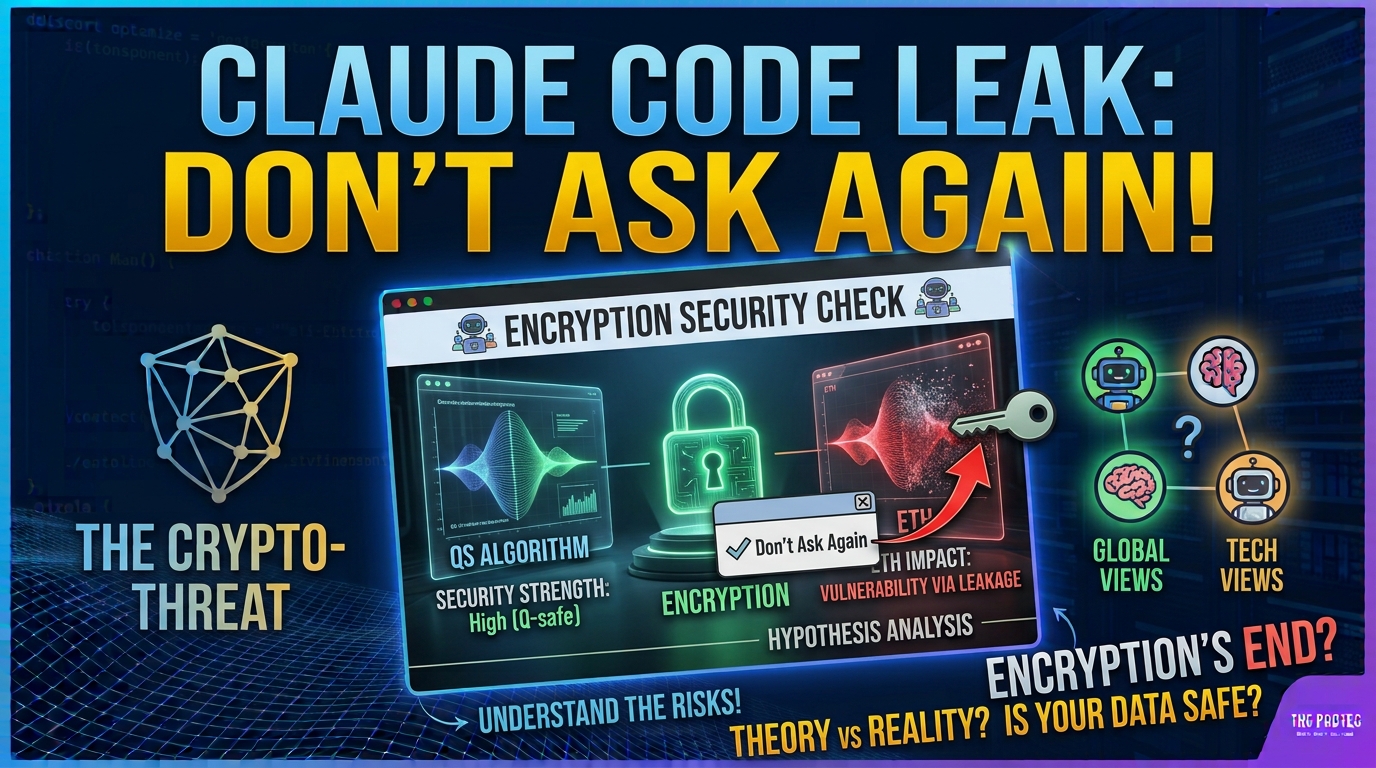
A convenience option intended to reduce repetitive permission prompts created an unexpected path for credentials to reach public repositories. The Claude Code secrets exposure, documented by commercial application-security company Apiiro, centers on the agent’s “Yes, and don’t ask again” approval choice. When a developer approves a shell command containing a password, token, or API key, Claude Code can preserve the full command as an allow rule in .claude/settings.local.json—including any literal secret embedded in it.
Apiiro reported finding 104,185 publicly accessible copies of that file across 103,617 GitHub repositories. According to the company’s classification, 1,122 files contained 1,379 distinct secrets. Its broader investigation of local and shared settings, repository history, and agent transcripts identified 2,539 secrets across 1,994 repositories. Those figures describe publicly exposed data detected by Apiiro, not verified malicious use.
How “Don’t Ask Again” can preserve a secret
Claude Code is an agentic command-line development tool. Because it can run shell commands, modify files, and interact with development infrastructure, it asks for permission before performing operations that fall outside previously approved rules. A developer can approve a command once or choose an option that prevents the same prompt from appearing again.
The problematic sequence works as follows:
- A developer asks Claude Code to perform a task. The task may require a shell command that connects to a database, deploys an application, calls an API, or authenticates with another service.
- The proposed command contains a literal credential. For example, a command might include a database connection string with a password, an authorization header, or a command-line flag carrying an access token.
- Claude Code requests approval. The developer selects “Yes, and don’t ask again” to avoid receiving the same permission prompt later.
- The command becomes an allow rule. Claude Code may write the approved command pattern into the project’s
.claude/settings.local.jsonfile. - The credential remains in plain text. If the saved rule includes the complete command, the embedded password, API key, or token can be preserved with it.
- The settings file reaches GitHub. A later
git add, environment change, repository migration, or clone can cause the file to be committed and pushed, potentially to a public repository.
This is not a claim that the underlying Claude AI model independently publishes passwords. The behavior involves the Claude Code application’s permission and settings system: the client stores an approval rule, and Git subsequently tracks and publishes the file. That distinction matters when assigning responsibility and designing controls.
Why the local exclusion does not guarantee protection
Claude Code attempts to keep .claude/settings.local.json out of version control by adding it to the user’s global Git exclusion configuration, according to Apiiro’s analysis. That is a useful safeguard, but it is not equivalent to a repository-level policy.
A global exclusion is machine-specific. It may protect the file on one workstation while offering no protection in a fresh development container, CI runner, replacement laptop, cloud IDE, or another contributor’s clone. It may also be absent if Git’s global configuration is reset or not transferred to a new environment.
Ignore rules also do not automatically untrack a file that Git already knows about. If .claude/settings.local.json was committed before the exclusion took effect, Git can continue including later changes. Existing repositories and unusual ignore configurations create additional opportunities for the local file to slip through.
Anthropic’s Claude Code settings documentation distinguishes personal local settings from project settings that teams can share. The documented scopes help developers understand where rules are stored, but labeling a file “local” does not technically prevent a Git commit. A project-level .gitignore rule is portable with the repository and should be treated as a baseline defense, not the only one.
What Apiiro found on public GitHub
Apiiro, a commercial security vendor that researches application and software supply-chain risk, searched public GitHub data for Claude Code settings and related artifacts. The company reported:
- 104,185 public copies of
.claude/settings.local.jsonacross 103,617 repositories. - 1,122 files containing credentials, with 1,379 distinct secrets under Apiiro’s classification.
- A broader total of 2,539 secrets across 1,994 repositories after including findings from repository history, shared settings files, and agent transcripts.
The reported material included database passwords, Supabase service-role keys, SSH credentials, cloud-provider keys, and tokens for developer platforms. Service-role keys and infrastructure credentials are particularly sensitive because they may grant elevated access beyond an individual developer account.
These numbers require careful interpretation. Apiiro did not attempt to authenticate with the exposed credentials, so it did not establish how many remained valid. The company said one affected organization confirmed that a discovered key was live. That confirmation demonstrates that at least one finding represented an active risk, but it does not prove the validity of every classified secret.
The research also did not establish that attackers found, accessed, or exploited the credentials. A secret visible in a public repository is a confirmed exposure; unauthorized use would be a confirmed compromise. The former creates an urgent incident-response obligation, but it is not evidence of the latter.
Why secret scanners missed some command-line passwords
Apiiro reported that 215 of the 1,122 secret-containing files were not flagged by either Gitleaks or TruffleHog. This gap highlights a difficult aspect of detecting GitHub exposed credentials: not every secret looks like a conventional API key.
Many scanners are highly effective at finding known prefixes, provider-specific formats, private-key headers, or high-entropy strings. A cloud key with a recognizable structure is easier to classify than a password buried in a long shell command. Database passwords may resemble ordinary words, configuration values, hostnames, flags, or test data. A command can also combine quoting, escaping, URLs, and environment syntax in ways that reduce a scanner’s confidence.
Context is therefore essential. A value following --password, appearing inside a database URI, or assigned to an authorization header may be sensitive even when its character pattern is unremarkable. Organizations should combine signature-based scanning with contextual rules, entropy analysis, repository policy, and human review. Passing a scanner does not prove that an AI-generated or agent-approved command is safe to commit.
Deleting the current file is not enough
Removing a settings file from the latest branch closes only one visible copy. Earlier commits, tags, cached clones, pull-request refs, forks, archived builds, and mirrors may retain the data. Public Git activity can also be indexed or copied quickly, so there is no reliable way to make an exposed credential secret again.
The correct first move is to revoke or rotate the credential. Cleanup should follow, but it cannot substitute for invalidation. If sensitive data must be removed from past commits, repository owners can follow GitHub’s guidance for removing sensitive data from repository history. History rewriting is disruptive: collaborators must rebase or reclone, and an old branch can accidentally reintroduce the removed commits.
Forks and third-party copies may remain outside the original owner’s control. That is another reason to treat every publicly committed credential as permanently disclosed and rotate it before spending time on cosmetic removal.
Practical remediation for development teams
Search every repository for both .claude/settings.local.json and the shareable .claude/settings.json. Review allow rules for passwords, connection strings, access tokens, private-key material, authentication headers, and commands that pass secrets through command-line arguments.
Check all branches, tags, pull requests, and Git history rather than only the working tree. Include Claude Code or other agent transcripts, generated logs, shell history captured in project files, CI artifacts, and documentation examples. Search organization-wide because the same credential may have been copied into multiple repositories.
3. Revoke and rotate before cleanup
Disable potentially exposed credentials first, then issue replacements with the narrowest practical permissions. Review service audit logs for suspicious access, taking into account the credential’s exposure window. Do not wait for proof of exploitation before rotating a public secret.
4. Add repository-level ignore rules
Add .claude/settings.local.json to each project’s committed .gitignore. Consider a CI policy that rejects local agent-settings files even if a contributor force-adds one. Remember that adding an ignore rule does not remove an already tracked file.
5. Keep literal secrets out of commands
Use environment-variable references, short-lived credentials, workload identity, operating-system keychains, or a dedicated secrets manager. Avoid pasting a secret into a prompt or shell command merely because the command is temporary; an agent’s permission record, transcript, process list, or log may preserve it.
6. Apply least privilege to AI coding agents
Review persistent approvals regularly and scope them narrowly. High-impact commands should continue requiring confirmation. Teams should treat agent configuration as security-sensitive code, with documented ownership, review requirements, and automated checks.
Broader implications for AI coding agent security
This incident illustrates how a small workflow optimization can become a software supply-chain issue. Persistent approval reduces friction, but it also turns an ephemeral interaction into durable configuration. When that configuration sits inside a repository, it can cross boundaries between a developer’s workstation, source control, CI, open-source consumers, and production infrastructure.
AI coding agent security therefore requires more than evaluating model output. Organizations must examine permission storage, command execution, transcript retention, default ignore behavior, secret redaction, and what happens when a repository moves to another machine. Safe defaults should travel with the project whenever possible, while sensitive state should remain outside it.
As of November 7, 2026, no public Anthropic statement specifically confirming Apiiro’s reported findings was identified in the materials reviewed for this article. Anthropic’s settings documentation explains configuration scopes, but documentation is not a vendor acknowledgment of this research. Apiiro reported the findings from its own investigation; the counts and secret classifications should accordingly be attributed to Apiiro rather than treated as independently verified measurements.
Frequently asked questions
Does Claude Code deliberately upload secrets to GitHub?
No. The reported mechanism involves Claude Code saving an approved command to a local project settings file, after which Git may track and publish that file. The risk arises from persistent command approvals, embedded credentials, and version-control behavior—not an intentional secret-upload feature.
Which Claude Code files should teams inspect?
Inspect .claude/settings.local.json and the shared .claude/settings.json, including every historical version. Teams should also examine agent transcripts, logs, generated files, and other artifacts that may contain commands or credentials.
Is adding the file to .gitignore sufficient?
No. A project-level ignore rule helps prevent future accidental additions, but it does not protect files already tracked or remove secrets from history, forks, and clones. Exposed credentials must be revoked or rotated.
Were the exposed credentials used by attackers?
Apiiro’s research did not establish attacker access or exploitation. The company did not test the credentials, so the number still valid is unknown, although one organization reportedly confirmed a live key. Exposure should be handled urgently without being misrepresented as confirmed compromise.