








Introduction
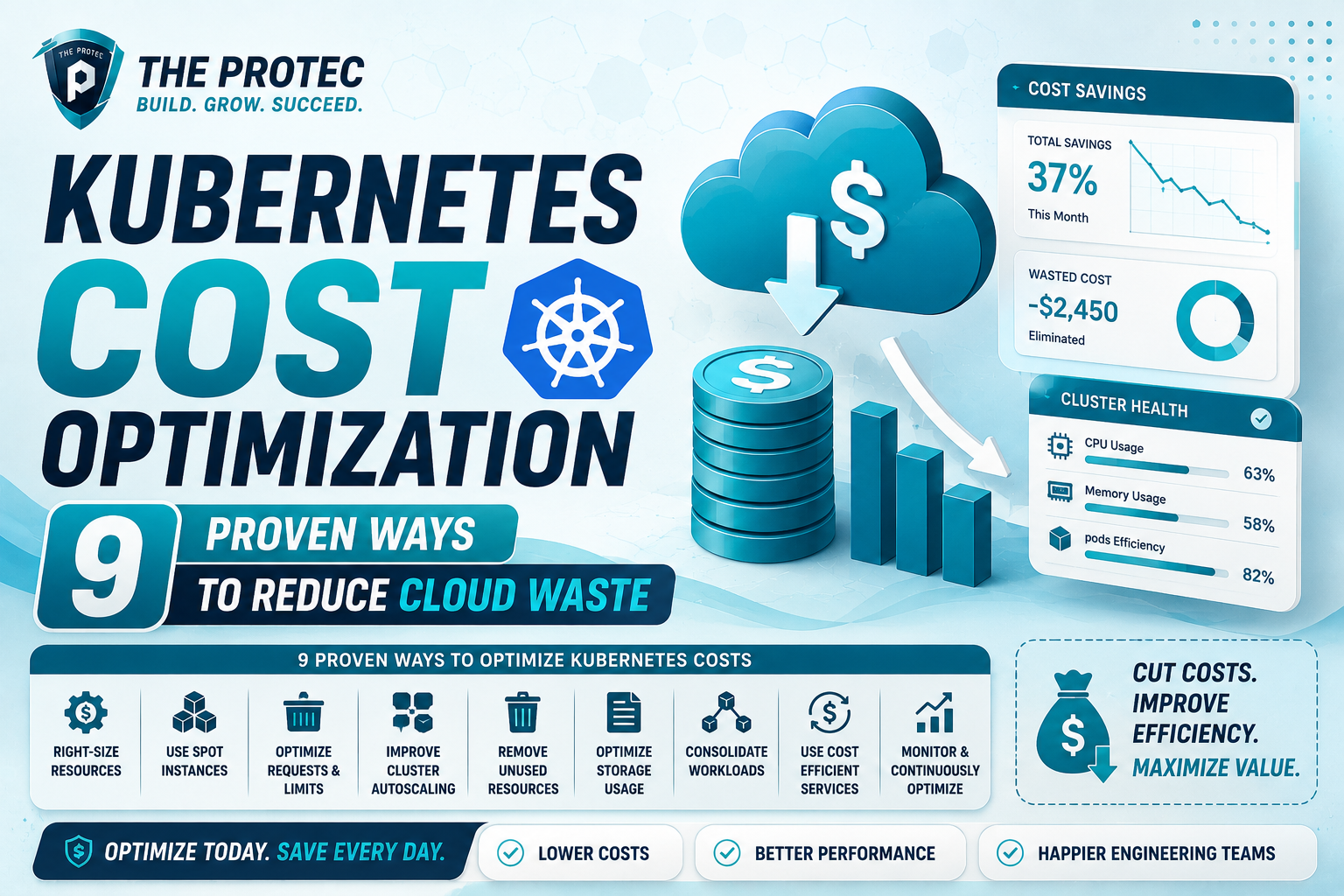
Kubernetes has revolutionized how organizations deploy and manage containerized applications at scale. However, with its dynamic and complex infrastructure, many enterprises face challenges controlling cloud costs. Inefficient resource allocation, overprovisioning, and idle workloads often lead to unnecessary cloud waste. This article provides a practical guide to Kubernetes cost optimization by sharing nine proven strategies to reduce cloud costs effectively. Additionally, we’ll highlight powerful K8s cost tools to help you gain visibility, automate optimization, and maintain control over your Kubernetes spending.
1. Right-Size Your Kubernetes Resources
One of the primary drivers of inflated cloud bills is overprovisioning CPU, memory, and persistent storage in Kubernetes pods. Right-sizing ensures applications receive the resources they genuinely need without excessive overhead.
- Resource Requests and Limits: Set precise
requestsandlimitson pod specifications to prevent over-allocation. - Continuous Monitoring: Use monitoring tools to analyze actual resource utilization over time.
- Auto-Tuning: Consider automated tools that recommend or adjust resources based on historic consumption.
By right-sizing, you reduce wasted CPU and memory that translate directly into cost savings.
2. Leverage Cluster Autoscaling Wisely
Kubernetes offers powerful autoscaling capabilities to dynamically adjust cluster size and pod replication based on demand. However, inefficient autoscaling can cause spikes in cost or undersized environments leading to performance issues.
- Cluster Autoscaler: Configure it to scale nodes up and down strictly as needed.
- Horizontal Pod Autoscaler (HPA): Automatically adjusts the number of pod replicas based on CPU or custom metrics.
- Vertical Pod Autoscaler (VPA): Adjusts pod resource requests for more optimal resource usage.
Fine-tuning autoscaling parameters ensures resources align closely with actual workload demands, preventing unnecessary cloud spend.
3. Implement Efficient Workload Scheduling
Effective scheduling improves cluster utilization by packing workloads optimally. Kubernetes scheduler policies can be customized for better cost efficiency.
- Node Affinity & Anti-Affinity: Ensure pods are placed on nodes that reduce overhead and promote resource balance.
- Taints and Tolerations: Schedule workloads on specialized nodes only if required, avoiding waste.
- Bin Packing Strategies: Concentrate smaller workloads to fewer nodes, allowing unused nodes to be scaled down.
Customized scheduling policies help maximize resource usage and cut down cloud waste.
4. Utilize Spot Instances and Preemptible Nodes
Cloud providers offer cost-effective options like spot instances or preemptible nodes servers that can be interrupted but provided at a fraction of normal prices.
- Workload Suitability: Use spot instances for non-critical, fault-tolerant workloads such as batch jobs or dev/test environments.
- Mixed Node Pools: Combine spot and on-demand nodes in your cluster to balance cost and reliability.
- Auto-Recovery: Integrate mechanisms to gracefully handle spot instance interruptions.
Leveraging these discounted resources can substantially lower Kubernetes operational costs.
5. Implement Resource Quotas and Limits Namespace-Wide
Resource quotas restrict how much CPU, memory, and storage a namespace can consume, preventing runaway deployments that exceed expectations.
- Namespace-Level Controls: Set quotas to enforce boundaries for teams operating within the cluster.
- Enforce Request and Limit Ranges: Avoid poorly configured pods requesting excessive resources.
- Regular Audits: Continuously review quota usage to identify potential waste.
Resource quotas help maintain predictable cluster resource consumption to reduce cost leakage.
6. Clean Up Unused Resources Proactively
Idle or orphaned Kubernetes objects like unused Persistent Volume Claims (PVCs), abandoned LoadBalancers, and shadow namespaces contribute to cloud waste.
- Automated Cleanup: Schedule scripts or tools to detect and delete unused objects.
- Retention Policies: Define policies for temporary resources with expiration rules.
- Continuous Inventory: Monitor resource usage trends to identify abandonment early.
Regular cleanup prevents unintended charges from forgotten resources lingering in your environment.
7. Adopt Efficient Container Image Management
Large or redundant container images add storage costs and increase deployment times, indirectly increasing resource consumption.
- Image Size Optimization: Build minimal container images and remove unnecessary layers.
- Image Caching & Registry Cleanup: Delete untagged or old images from container registries.
- Automated Scans: Use tools to identify bloat and vulnerabilities that might require unnecessary patches.
Streamlined container images result in faster deployments and lower storage bills.
8. Monitor Costs with Dedicated K8s Cost Tools
Gaining visibility into Kubernetes spending is critical for ongoing optimization. Numerous specialized tools provide this functionality.
- Open Source Tools: Tools like Kubecost offer real-time cost monitoring and allocation for Kubernetes workloads.
- Cloud Provider Solutions: AWS Cost Explorer, Google Cloud’s Billing Reports, and Azure Cost Management provide Kubernetes-aware cost insights.
- Cost Anomaly Detection: Set up alerts for sudden cost spikes or unusual resource utilization.
Using K8s cost tools empowers teams to identify inefficiencies and validate optimization efforts.
9. Optimize Persistent Storage Usage
Storage costs, especially for persistent volumes, can escalate quickly in Kubernetes environments if left unchecked.
- Choose the Right Storage Class: Use cost-effective storage tiers based on performance requirements.
- Dynamic Provisioning: Automate volume management with reclaim policies to delete unused volumes.
- Data Compression and Deduplication: Use solutions supporting compression to reduce storage footprint.
Smart persistent storage management minimizes unnecessary expenditure.
Frequently Asked Questions
What is the best K8s cost tool for beginners?
Kubecost is widely recommended for teams starting with Kubernetes cost optimization. It provides real-time cost allocation, actionable recommendations, and integrates seamlessly across cloud providers.
How can autoscaling help reduce cloud costs in Kubernetes?
Autoscaling dynamically adjusts workloads and cluster size to current demand, ensuring resources are not wasted during idle periods, thereby lowering overall cloud expenditure.
Can spot instances be used safely in production Kubernetes clusters?
Yes, but only for workloads tolerant to interruptions, such as batch processing or stateless services. Proper orchestration and fallback strategies are crucial to manage spot instance preemptions.
Conclusion
Optimizing Kubernetes costs requires disciplined resource management, efficient workload scheduling, and continuous monitoring. By applying these nine proven strategies right-sizing, autoscaling, workload scheduling, leveraging discounted compute options, resource quotas, proactive cleanup, container image optimization, cost monitoring tools, and storage management you can significantly reduce cloud waste while maintaining performance and scalability.
Investing in robust Kubernetes cost optimization practices not only trims your cloud bill but also drives better operational efficiency and predictability. Start implementing these techniques today to ensure your K8s infrastructure delivers optimal business value.