







Contents
- 1 Introduction
- 2 Understanding AI Coding IDEs vs. Traditional Code Editors
- 3 How AI Coding IDEs Enhance Developer Productivity
- 4 Traditional Code Editors Adapting to AI: Can They Keep Up?
- 5 Key Players Driving AI Coding IDE Innovation
- 6 Challenges and Considerations in Adopting AI Coding IDEs
- 7 The Future Outlook: Complementary or Replacement?
- 8 FAQ
- 9 Conclusion
Introduction
The landscape of software development is undergoing a seismic shift fueled by the rapid advancements in artificial intelligence. AI coding IDEs integrated development environments embedded with sophisticated AI capabilities are gaining traction among developers worldwide. These AI-native editors promise to revolutionize how code is written, debugged, and optimized. But this begs the question: Are traditional code editors such as Visual Studio Code becoming obsolete in this new paradigm? In this article, we’ll explore the rise of AI coding IDEs, juxtapose them with conventional editors, and assess the future of developer tools infused with AI.
Understanding AI Coding IDEs vs. Traditional Code Editors
What Defines an AI Coding IDE?
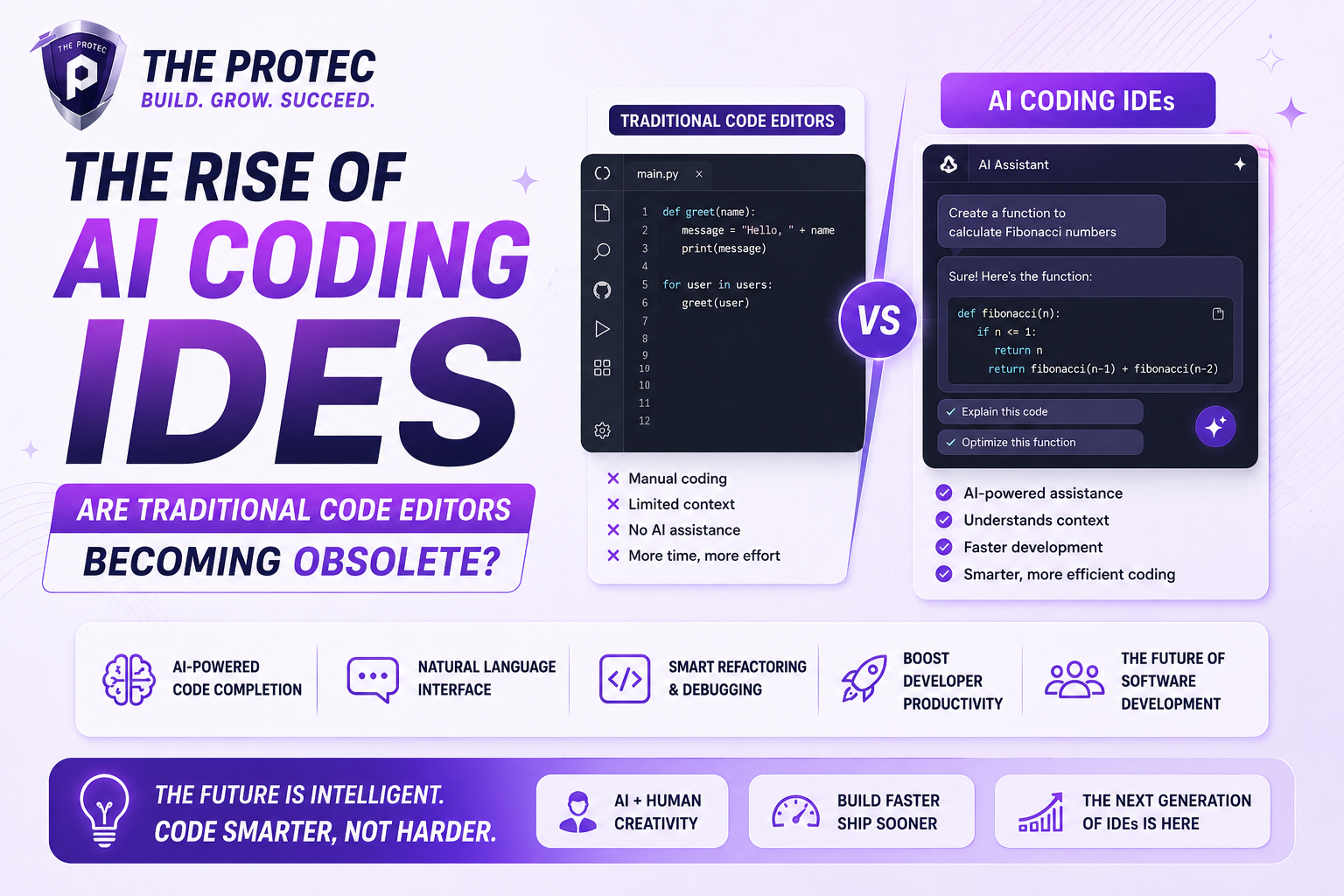
AI coding IDEs integrate machine learning models and natural language processing directly into the developer’s workflow. Beyond syntax highlighting and code completion, these environments offer:
- Context-aware code suggestions: More than simple autocomplete, they understand the project structure, coding style, and even developer intent.
- Automated code generation: From small functions to complex modules, AI can generate correct and optimized code snippets based on minimal prompts.
- Intelligent debugging and error detection: AI can predict potential bugs and suggest fixes before code execution.
- Documentation assistance: Creating comprehensive inline documentation or summarizing code blocks with ease.
- Learning and adaptation: Some tools personalize recommendations based on how developers write and respond.
The Traditional Code Editor Landscape
Traditional code editors like VS Code, Sublime Text, and Atom have dominated developer workflows for years. They focus on core editing features such as syntax highlighting, extensible plugins, debugging, and version control integration. While extremely versatile and lightweight, these editors largely rely on third-party extensions for AI-like functionalities, if any. Their inherently manual approach to coding means developers are responsible for most logic creation, error checking, and optimization.
How AI Coding IDEs Enhance Developer Productivity
Accelerating Code Writing
AI native editors drastically reduce the boilerplate and repetitive nature of programming by generating meaningful code from simple descriptions. Developers can focus on high-level architecture rather than writing every line, saving time and minimizing errors.
Improved Code Quality and Consistency
AI-powered suggestions often enforce best practices automatically, reducing technical debt. Consistent styling, efficient algorithms, and security checks embedded in AI models help maintain clean, professional codebases with less effort.
Smarter Debugging and Testing
Integrating AI into debugging means catching hard-to-find bugs early and suggesting fixes based on vast amounts of coding data. This predictive insight accelerates troubleshooting processes and yields more reliable software.
Seamless Learning and Onboarding
New developers benefit from AI’s ability to explain code, recommend improvements, and reduce the learning curve. Teams can onboard faster with AI-assisted collaboration and guidance embedded within the IDE.
Traditional Code Editors Adapting to AI: Can They Keep Up?
Extensions and Integrations
Editors like VS Code have embraced AI features primarily through plugins such as GitHub Copilot, TabNine, and IntelliCode. This plugin-based approach allows a modular adoption of AI capabilities without changing the core editor architecture.
Strengths of Traditional Editors
- Lightweight and fast: Traditional editors startup quickly with minimal resource usage, ideal for lightweight coding tasks.
- Highly customizable: Developers can tailor their environments with countless extensions, fitting niche workflows.
- Large community and ecosystem: Extensive support and regular updates keep these editors competitive.
Limitations Compared to AI-Native IDEs
Despite AI plugins, traditional editors don’t inherently understand project context on a deep level as integrated AI IDEs do. Their fragmented AI features often lack seamless interaction and holistic integration, sometimes leading to disrupted developer flow or inconsistent suggestions.
Key Players Driving AI Coding IDE Innovation
Several next-gen IDEs are pioneering AI-native development environments. Examples include:
- GitHub Copilot X: An evolution of Copilot offering conversational AI directly in code context.
- Replit Ghostwriter: AI-powered code assistant embedded into an online IDE for rapid prototyping and collaboration.
- Tabnine Studio: Focusing on AI-driven whole-project code understanding, enabling more intelligent suggestions.
These platforms showcase how tighter AI integration can streamline workflows far beyond what traditional editors can deliver through plugins.
Challenges and Considerations in Adopting AI Coding IDEs
Data Privacy and Security Concerns
Many AI coding IDEs rely on cloud processing, raising questions about proprietary code exposure. Enterprises remain cautious about sending sensitive IP to external servers despite encryption and compliance measures.
Dependence on AI and Skill Atrophy
There are concerns that excessive reliance on AI suggestions may erode foundational coding skills. Maintaining a balance where developers remain engaged and critically evaluate AI output is crucial.
Cost and Accessibility
Many AI coding IDEs operate on subscription models, which could be a barrier for individual developers or small teams. Also, robust AI functionality requires significant computational resources.
The Future Outlook: Complementary or Replacement?
While AI coding IDEs introduce revolutionary capabilities, it’s unlikely that traditional editors will vanish overnight. Instead, we may see a hybrid ecosystem where traditional editors continue to evolve, incorporating tighter AI integration, while AI-native platforms push the envelope in automation and intelligence.
Developer preferences, team needs, and project types will govern the choice of tools. Developers may toggle between environments depending on the task complexity or desired flexibility.
FAQ
1. What distinguishes AI coding IDEs from traditional code editors?
AI coding IDEs have built-in AI models that understand code context deeply, enabling advanced features like automated code generation, intelligent debugging, and natural language queries. Traditional editors usually rely on manual coding and add AI features via plugins with limited integration.
2. Are AI coding IDEs suitable for all programming languages?
While many AI coding IDEs support popular languages like Python, JavaScript, and Java, their efficiency varies by language based on training data and community support. Ongoing development is expanding language support rapidly.
3. Can AI coding IDEs fully replace human developers?
No. AI coding IDEs enhance productivity by automating routine tasks, but human creativity, architectural decisions, and problem-solving remain indispensable in software development.
Conclusion
The rise of AI coding IDEs signals a transformative chapter in software development. Their sophisticated AI-driven features promise unprecedented productivity gains and smarter workflows. However, traditional editors like VS Code continue to hold significant value through their speed, flexibility, and extensibility, especially as they progressively integrate AI capabilities.
Ultimately, AI coding IDEs will complement rather than completely replace traditional code editors, empowering developers with more choices and smarter tools. Staying informed and open to these evolving developer tools AI trends will be vital for programmers striving to remain competitive in this fast-evolving technology landscape.
For further reading on AI-driven developer tools and trends, visit InfoQ’s AI code generation insights.