








Introduction
In today’s digitally driven workspace, managing passwords across teams is more critical than ever. As companies grow, so does the complexity of securing access to multiple applications and platforms. Using personal passwords or unsecured methods no longer suffices team-oriented password managers have become essential business password manager solutions that bolster team security tools effectively. Choosing the best password manager for teams means balancing robust security, affordability, and user-friendly features that ensure seamless collaboration across departments.
This comprehensive guide examines the top password managers for teams, highlighting their pricing structures, key features, and how well they cater to team usability. Whether you’re a small startup or a large enterprise, understanding these options will help you make an informed decision that fits your organizational needs.
Why Your Team Needs a Business Password Manager
Before diving into the comparisons, it’s essential to understand why a business password manager is indispensable for any team-oriented environment:
- Centralized Credential Management: Managing passwords via a centralized platform minimizes risks associated with password sprawl and weak password reuse.
- Improved Team Security Tools: Enterprise-grade encryption and multi-factor authentication (MFA) help safeguard sensitive information and reduce vulnerability points.
- Efficient Collaboration: Passwords and sensitive notes can be shared securely among team members without exposing credentials in unsecured channels.
- Compliance and Auditing: Business password managers often include logging and reporting features that help with compliance requirements and forensic analysis.
- Streamlined Access Control: Admins can easily manage user permissions, onboarding, and offboarding to ensure only authorized personnel have the access they need.
Top Business Password Managers for Teams: Detailed Comparison
1. 1Password Teams
Pricing: Starts at $3.99 per user/month (billed annually) with a 14-day free trial.
Features:
- End-to-end encryption with zero-knowledge architecture
- Advanced access controls and custom roles
- Secure password sharing and vaults tailored by team or project
- Robust reporting and activity logs for admins
- Integrated multi-factor authentication options
- Browser extensions and mobile apps with autofill support
Team Usability: 1Password Teams excels with its intuitive user interface, making adoption fast. Its ability to segment data by teams, projects, or departments simplifies collaboration, especially in distributed work environments.
2. LastPass Business
Pricing: Plans begin at $4 per user/month with a 30-day free trial.
Features:
- Secure password vault and emergency access
- Single sign-on (SSO) integration with major providers
- Granular administrative controls including policy enforcement
- Dark web monitoring and security dashboard
- Password auditing and customizable sharing options
- Cross-platform support and browser plugins
Team Usability: LastPass is widely recognized for its accessibility and comprehensive admin control panel, catering well to teams that require detailed auditing and security visibility.
3. Dashlane Business
Pricing: Starts at $5.99 per user/month with a business-focused 14-day trial.
Features:
- Next-generation AES-256 encryption and zero-knowledge security
- Automated password changer for supported websites
- Dark web monitoring and VPN included in higher tiers
- Team management dashboard and activity logs
- SSO, MFA, and custom policies for teams
- Easy onboarding with Active Directory and LDAP integration
Team Usability: Dashlane’s premium security features make it attractive to organizations focused on comprehensive threat detection alongside strong password management capabilities.
4. Bitwarden Teams
Pricing: Offers a highly affordable $3.33 per user/month plan with open-source transparency.
Features:
- End-to-end encryption with open-source codebase
- Shared collections for team organization
- Customizable user roles and detailed admin controls
- Cross-platform support including browser extensions and mobile apps
- Two-step login and SSO options
- Self-hosting option for advanced security needs
Team Usability: Bitwarden’s flexibility and affordability are its strongest selling points, making it ideal for small to medium teams who want robust security without breaking the bank.
5. Keeper Business
Pricing: Starting at $3.75 per user/month with a two-week trial.
Features:
- Military-grade encryption and zero-knowledge architecture
- Built-in secure file storage and dark web monitoring
- Role-based access control and detailed reporting
- MFA support including biometric and hardware tokens
- Easy integration with SSO providers
- User-friendly interface designed for minimal training
Team Usability: Keeper is lauded for its straightforward setup and excellent customer support, serving teams that prioritize usability with strong security compliance features.
Pricing Comparison Summary
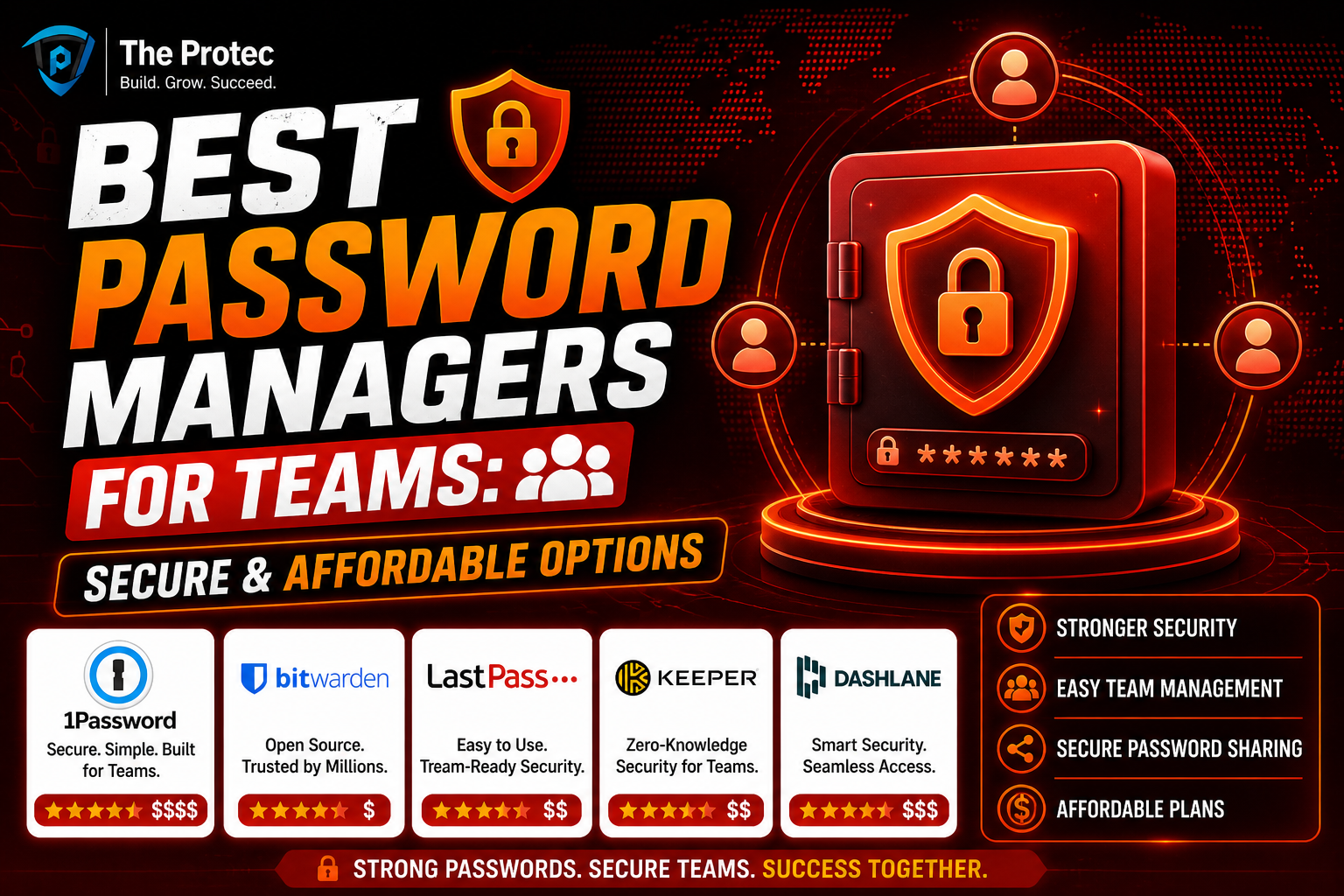
| Manager | Starting Price (per user/month) | Free Trial Length |
|---|---|---|
| Bitwarden Teams | $3.33 | 14 days |
| 1Password Teams | $3.99 | 14 days |
| Keeper Business | $3.75 | 14 days |
| LastPass Business | $4.00 | 30 days |
| Dashlane Business | $5.99 | 14 days |
Which Password Manager Suits Your Team Best?
Choosing the optimal password manager comes down to the specific needs of your team:
- Small to Medium Teams on a Budget: Bitwarden Teams offers strong open-source security and low cost, perfect for tech-savvy teams who may want self-hosting capabilities.
- Businesses Wanting High Usability: 1Password Teams and Keeper Business balance security with user-friendly onboarding and collaboration features.
- Enterprises Requiring Advanced Compliance: LastPass and Dashlane bring advanced security dashboards, auditing, and integrations that larger teams benefit from.
All the managers listed support essential team security tools such as SSO, multi-factor authentication, and shared vaults. When evaluating, consider trialing a few options alongside your IT team to gauge usability and integration with existing workflows.
Frequently Asked Questions
What makes a password manager suitable for teams versus individuals?
Team password managers include features such as shared vaults, administrative controls, user roles, auditing, and centralized management that individual plans typically lack. These features ensure both security and ease of collaboration across multiple users.
How secure are business password managers?
Reputable password managers use strong encryption standards like AES-256, zero-knowledge architectures, and multi-factor authentication. Many also undergo third-party security audits and certifications, providing strong assurances against data breaches.
Can password managers integrate with our existing IT infrastructure?
Most top password managers support integrations with Single Sign-On (SSO) providers such as Okta, Azure AD, or Google Workspace. They also offer API access and SAML support to fit into existing authentication workflows seamlessly.
Conclusion
Effective team password management is a cornerstone of robust cybersecurity posture. The best password manager for teams balances tight security with affordable pricing and easy usability. The options explored in this guide reflect the latest trends in team security tools, offering a variety of features and pricing tiers suited to diverse business needs.
For businesses committed to enhancing operational security without compromising on collaboration or budget, investing in a business password manager is no longer optional it’s essential. Evaluate the above options and leverage free trials to identify the best fit to safeguard your team’s digital assets.
For further insights on securing digital workflows, visit CISA’s security guidelines.