








What WebGPU Is and Why It Matters
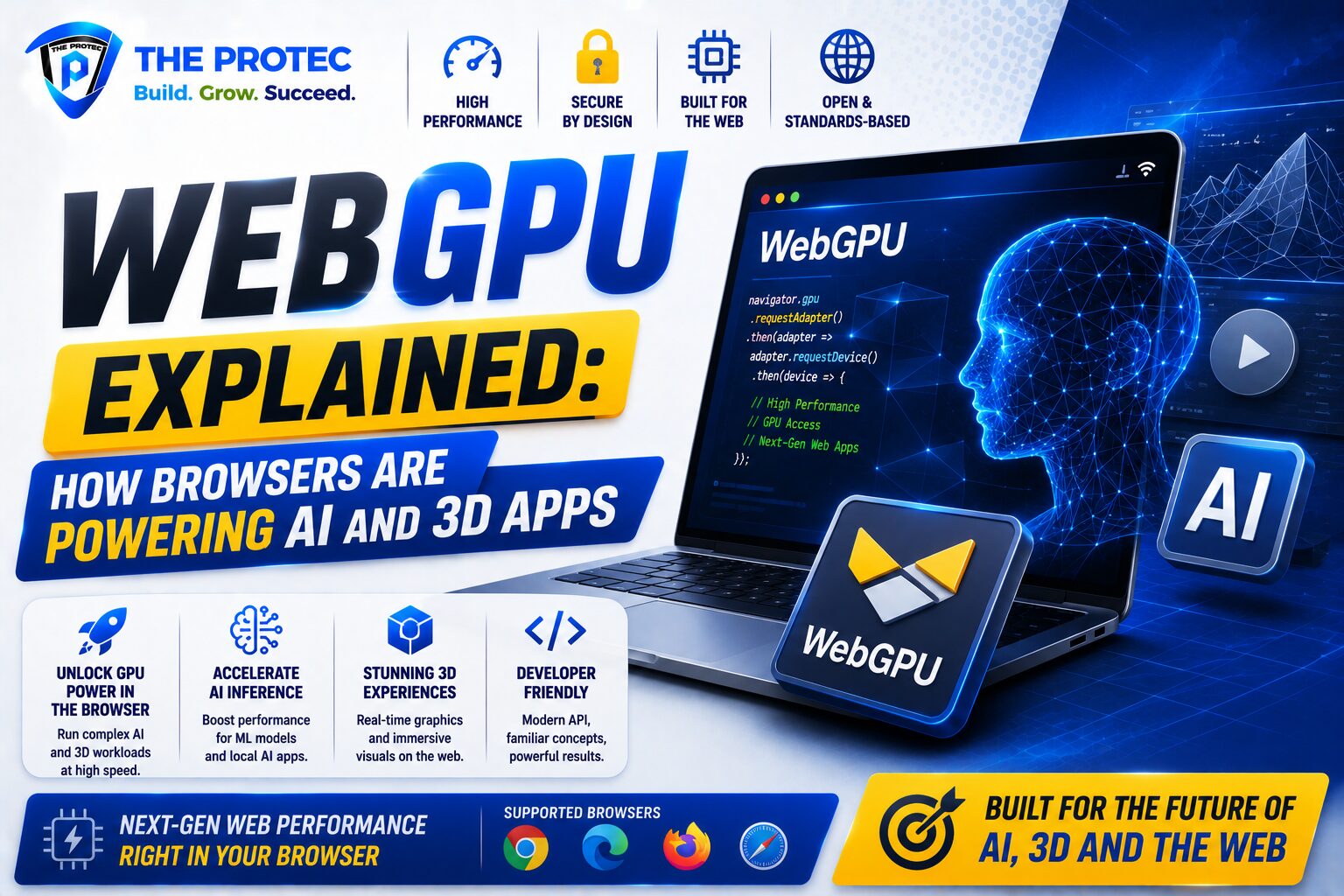
WebGPU is the modern graphics and compute API that is reshaping what browsers can do. It gives web applications low-level access to the GPU, allowing them to render complex 3D scenes, run parallel compute workloads, and accelerate browser-based AI tasks far more efficiently than older browser graphics layers. In practical terms, WebGPU makes the browser feel less like a document viewer and more like a high-performance application platform.
For years, web apps relied on technologies such as Canvas, WebGL, and WebAssembly to push performance forward. Those tools were valuable, but they were also constrained by the browser abstractions built around them. WebGPU changes that by exposing a more modern GPU programming model designed for today’s hardware and workloads. That means better control, lower overhead, and more consistent performance across devices.
The significance goes beyond graphics. WebGPU AI workloads can now run directly in the browser with impressive speed because the GPU can handle the massive matrix operations that power inference and other compute-heavy tasks. This is one reason browser GPU acceleration has become such a major topic across machine learning, creative software, scientific visualization, and interactive product experiences.
How WebGPU Works Inside the Browser
At a high level, WebGPU lets JavaScript and WebAssembly applications send work to the GPU using command buffers, shader pipelines, and compute passes. Instead of asking the browser to interpret every pixel or operation in a high-overhead way, developers can submit structured workloads that map more closely to how modern GPUs actually work.
That matters because GPUs are built for parallelism. A CPU is excellent at handling a few complex tasks one at a time, while a GPU is designed to process thousands of simpler operations simultaneously. That is exactly why WebGPU is so valuable for rendering 3D scenes, processing large datasets, and accelerating neural network inference. The browser becomes a thin layer above the hardware rather than a bottleneck in front of it.
WebGPU also introduces a cleaner model for resource management. Textures, buffers, bind groups, and pipelines are organized in a way that gives developers more predictable performance. While the API is more advanced than WebGL, it is also much closer to the needs of modern applications that combine graphics and compute in the same interface.
Why WebGPU Is a Big Deal for WebGPU AI
One of the most important uses of WebGPU is browser-based AI. Many AI experiences depend on matrix multiplication, tensor operations, and other workloads that scale beautifully on the GPU. With WebGPU, these operations can run directly in the browser without sending sensitive data to a server or requiring a native desktop app.
This is especially important for applications such as local inference, real-time transcription, image generation previews, document analysis, semantic search, and interactive assistants. Instead of waiting for a remote model endpoint, the browser can perform key parts of the workflow locally. That often means lower latency, better privacy, and a more responsive experience.
WebGPU AI also supports more flexible deployment. Teams can ship intelligent features through the web without forcing users to install specialized software or manage hardware-specific drivers. That lowers friction for onboarding and makes it easier to reach users on Windows, macOS, Linux, ChromeOS, and increasingly mobile devices that support modern browser GPU acceleration.
Framework support has also matured. Major machine learning libraries and inference runtimes have been rapidly optimizing for WebGPU, which has pushed browser-based AI from experimental demos into real product workflows. If you want to understand the trend, the key idea is simple: the browser is becoming a viable place to run useful AI workloads, not just display the results.
WebGPU vs WebGL vs WebAssembly
To understand the leap WebGPU represents, it helps to compare it with the tools that came before it.
- WebGL was designed primarily for graphics. It brought GPU-powered 2D and 3D rendering to the browser, but it was based on an older graphics model and was not built for general-purpose compute.
- WebAssembly is excellent for running performance-critical code in the browser, especially when porting native logic. However, it does not by itself provide direct GPU compute or modern graphics capabilities.
- WebGPU combines modern rendering and compute access in a way that better matches current hardware and application needs.
In many cases, WebAssembly and WebGPU work best together. WebAssembly can handle application logic, parsing, compression, or simulation code, while WebGPU takes over the heavy lifting for rendering and parallel compute. That pairing is one of the main reasons browser-based software has become so much more capable.
For developers, the biggest difference is control. WebGPU removes many of the limitations that made browser graphics feel like a compromise. It is not just a replacement for WebGL; it is a broader platform for high-performance interactive computing.
Why Browser GPU Acceleration Is Changing Product Design
Browser GPU acceleration changes what teams can build and how they can ship it. Traditionally, if a product needed serious visual performance or machine learning inference, the default assumption was that it had to be native. That usually meant separate installers, platform-specific builds, driver issues, and a heavier maintenance burden.
With WebGPU, a team can deliver advanced capabilities directly through a URL. That is a major advantage for software distribution. Users can try an application instantly, and developers can iterate faster because deployment is tied to the web rather than the release cycle of a native app store or desktop package.
This shift is especially visible in products that combine multiple real-time experiences. Think of an analytics dashboard that renders large datasets, a CAD-like viewer that displays complex geometry, a collaborative whiteboard with visual effects, or an AI assistant that also previews generated assets. In each case, browser GPU acceleration helps the interface feel smooth and immediate.
It also improves accessibility. A browser-based experience lowers the barrier to entry for users who do not want to install software or who are working on managed devices where installs are restricted. That makes WebGPU attractive not only for startups, but also for enterprise teams, education platforms, and internal tools.
WebGPU in 3D Applications and Interactive Graphics
WebGPU is a major breakthrough for 3D applications because it supports modern rendering techniques with far less overhead than older browser graphics paths. Developers can build more sophisticated scenes, use higher-quality shading, and handle larger numbers of objects with better performance and predictability.
This is important for game-like experiences, product configurators, architecture viewers, digital twins, simulation tools, and spatial interfaces. When the browser can render complex scenes smoothly, teams can deliver rich visual applications without forcing users into native software.
Another advantage is that WebGPU makes it easier to combine rendering and compute in the same application. For example, a visualization tool might use GPU compute to preprocess point clouds while also rendering the scene in real time. A training interface might run small inference models while animating charts or overlays. This convergence is one of the most exciting parts of the current web platform evolution.
For creative developers, the result is a broader design space. Effects that once demanded heavy native engines can now be prototyped and deployed on the web with a more streamlined stack.
Performance, Privacy, and Deployment Advantages
WebGPU is not just about raw speed. It also changes the economics and operational model of software delivery.
- Lower latency: Local GPU execution can reduce round-trip delays compared with cloud-only inference or rendering.
- Better privacy: Sensitive inputs can stay on-device when tasks are handled in the browser.
- Wider reach: A web app can run across platforms without separate native builds.
- Faster iteration: Teams can ship updates instantly through the browser.
- Reduced install friction: Users can access advanced tools without downloading software.
These advantages matter most when an application needs to feel immediate. A creative tool that lags during interaction, an AI assistant that responds slowly, or a visualization app that stutters when data changes will lose user trust quickly. WebGPU helps close that gap by making the browser capable of more demanding workloads.
It is also worth noting that modern browsers continue to improve memory management, isolation, and security around GPU access. That balance of performance and safety is one reason browser GPU acceleration has become a reliable foundation for more ambitious applications.
Current Trends Driving WebGPU Adoption
Several trends are pushing WebGPU forward at the same time. The first is the rise of on-device AI, where users and organizations want faster results without sending everything to the cloud. The second is the continued growth of immersive, interactive web experiences that need stronger graphics performance. The third is developer demand for a single distribution channel that can reach users everywhere.
There is also growing momentum around hybrid architectures. Many applications now split workloads between the client and server. In that model, WebGPU can handle local preprocessing, rendering, inference, or filtering, while the server focuses on larger models and orchestration. That makes the browser an active compute environment rather than a passive front end.
Another notable trend is the expansion of toolchains and frameworks that abstract WebGPU for developers who do not want to write low-level GPU code directly. This lowers the barrier to adoption and helps product teams bring browser GPU acceleration into existing codebases more quickly.
As hardware support improves and browser implementations mature, WebGPU is becoming less of a niche technology and more of a practical default for performance-sensitive web experiences.
Where WebGPU Still Has Limits
Despite its momentum, WebGPU is not a silver bullet. Developers still need to think carefully about compatibility, memory usage, browser support, and fallback strategies. Not every device will perform equally well, and some workloads remain better suited to native applications or dedicated server-side processing.
Complex GPU programming also introduces new engineering considerations. Debugging can be more involved, shader logic requires specialized knowledge, and performance tuning often demands testing across multiple hardware combinations. In addition, developers need to design graceful degradation paths for environments where WebGPU is unavailable or disabled.
Even so, these limits are becoming less restrictive as the ecosystem evolves. The key is to treat WebGPU as a powerful tool in a broader architecture, not as a universal replacement for every native or server-side solution.
Practical Use Cases for WebGPU AI and 3D Experiences
WebGPU is already making a difference in real-world product categories:
- AI copilots: Faster local inference for text, vision, and multimodal interactions.
- Image and video tools: GPU-accelerated filters, previews, and enhancement workflows.
- 3D product configurators: Smooth rendering of complex models in e-commerce and manufacturing.
- Data visualization: Large charts, maps, and scientific plots that remain interactive at scale.
- Games and simulations: Browser-based gameplay and physics-heavy experiences with better frame rates.
- Design tools: Real-time editing interfaces that blend graphics, compute, and AI assistance.
These use cases share a common theme: they benefit from fast, parallel processing and from the convenience of web delivery. WebGPU makes both possible.
FAQs About WebGPU
Is WebGPU replacing WebGL?
Not immediately, but it is becoming the preferred path for new high-performance graphics and compute work. WebGL still exists and remains useful, but WebGPU is better aligned with modern hardware and more advanced use cases.
Can WebGPU really run AI in the browser?
Yes. WebGPU AI workloads such as inference and tensor operations can run in the browser with strong performance, especially when the model is optimized for GPU execution. It is particularly effective for local, latency-sensitive experiences.
Do users need special hardware for browser GPU acceleration?
Most modern devices with updated browsers and compatible GPUs can support WebGPU. Performance will vary by hardware, but the goal is broad compatibility across mainstream desktops and many laptops.
Is WebGPU safe for enterprise applications?
WebGPU is designed with browser security boundaries in mind. Like any advanced capability, it still requires careful implementation, but it is well suited to enterprise web apps that need performance without sacrificing deployment simplicity.
The Bottom Line
WebGPU is transforming the browser from a presentation layer into a serious computing platform. By delivering browser GPU acceleration for graphics and compute, it enables faster AI experiences, richer 3D applications, better visualizations, and more responsive interactive software without forcing users into native installs.
For product teams, the opportunity is substantial. WebGPU AI workflows can be shipped through the web with lower friction, and 3D or data-heavy applications can feel much closer to native performance. As browser support, tooling, and developer adoption continue to improve, WebGPU is becoming one of the most important technologies shaping the future of web applications.
If your product depends on speed, interactivity, or intelligent client-side processing, WebGPU is no longer something to watch from the sidelines. It is quickly becoming part of the standard toolkit for building the next generation of browser-based software.
For a deeper technical overview, you can also review the MDN WebGPU API documentation and the W3C WebGPU specification.