








Browser-Based AI Agents Are Moving From Demo to Daily Utility
For years, the promise of AI web automation sounded bigger than the reality. Tools could summarize pages, draft messages, or click through a few steps, but they often broke the moment a website changed layout or asked for a login, a captcha, or a multi-step form. That gap is closing fast. Browser-based AI agents are emerging as a practical layer between people and the web, able to observe pages, reason about tasks, and execute actions inside the browser itself.
This shift matters because so much of modern work still happens in tabs. Research, procurement, travel booking, lead generation, CRM updates, job applications, customer support triage, and internal admin tasks all involve repetitive web workflows. A capable AI browser assistant can reduce the time spent on those chores without forcing teams to rebuild systems from scratch. In other words, browser AI agents are not just another chatbot feature. They are becoming a new interface for navigating the web.
What makes the current wave different is the combination of stronger multimodal models, better browser control, and improved task planning. Instead of simply suggesting what to do next, these agents can interpret page content, understand context across tabs, and carry out sequences of actions. The result is a more useful form of AI web automation that fits directly into everyday browsing behavior.
What Browser AI Agents Actually Do
Browser-based AI agents are software tools that operate inside a browser environment, usually through an extension, embedded sidebar, or managed browser workspace. They can inspect the DOM, read page text, interact with buttons and fields, and sometimes navigate between sites with minimal human intervention. In practice, this allows them to perform tasks that would otherwise require manual clicking and copying.
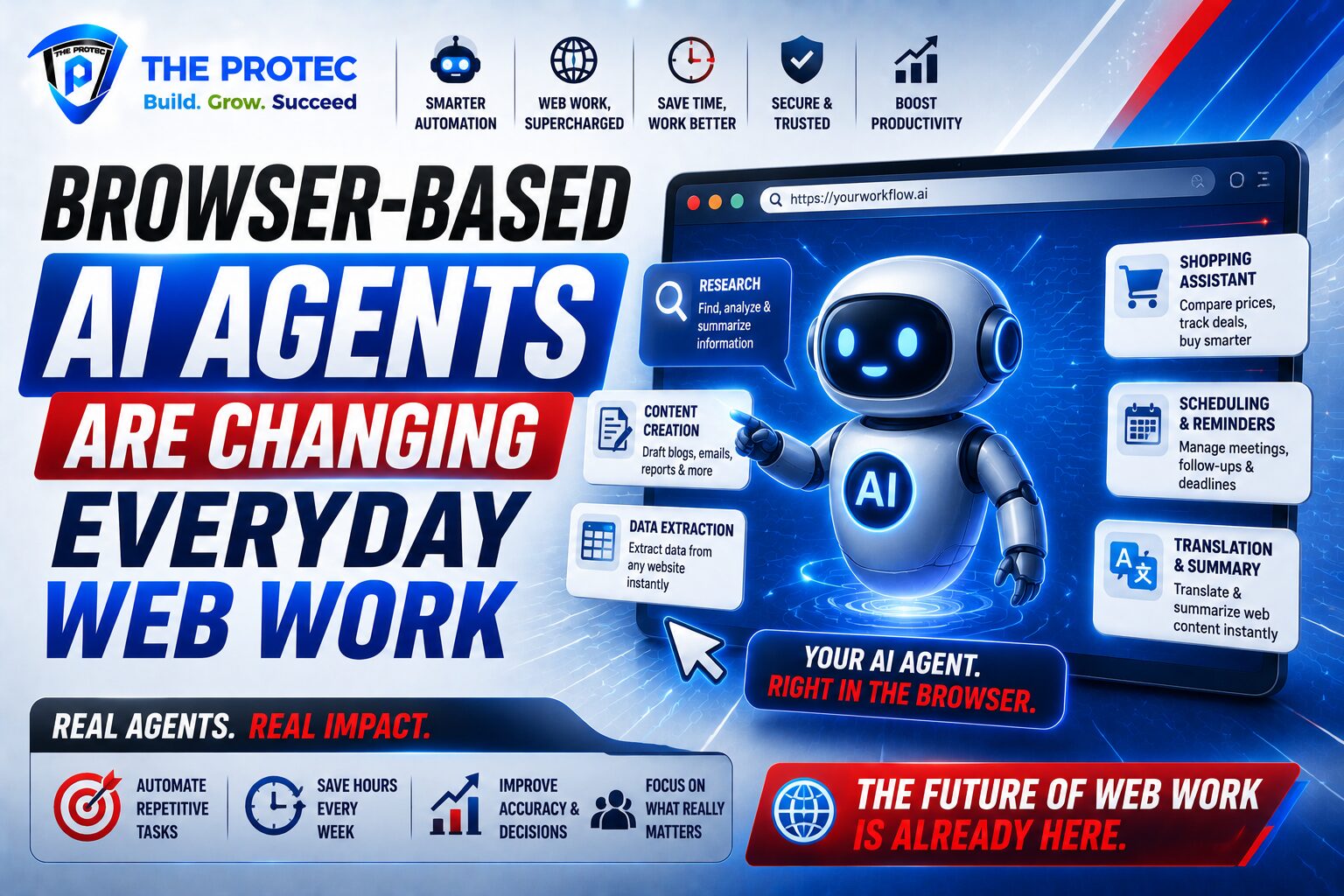
The most common use cases include:
- Research assistance: gathering information from multiple sources, summarizing findings, comparing products or vendors, and extracting key details from articles, reports, or docs.
- Form filling: entering repetitive data into applications, onboarding forms, expense portals, hiring systems, or compliance workflows.
- Shopping support: comparing prices, checking availability, applying filters, and building a shortlist before purchase.
- Routine web operations: updating dashboards, transferring data between systems, preparing reports, and handling recurring online tasks.
The value is not that the browser AI agent replaces every human decision. It is that it removes the low-value steps that slow people down. The best systems still keep a person in the loop for confirmation, especially when money, legal issues, or personal data are involved.
Why This Wave of AI Web Automation Is Taking Off
Several trends are converging to make browser-based automation more practical than before. First, language models have improved at long-horizon reasoning and tool use. That means they are better at breaking a goal into subtasks and recovering when the page does not look exactly as expected. Second, browser vendors and startups have invested in real interaction layers, not just text generation. Third, businesses are under pressure to do more with leaner teams, which makes automation with a fast payback especially attractive.
Another reason adoption is accelerating is that browser tasks are highly universal. Nearly every business uses the web as an operating surface, even if its core software is elsewhere. That gives browser AI agents a broad target market. A single assistant can help a recruiter screen candidates, a sales rep research accounts, a marketer gather competitive data, or an operations team update records across tools.
Finally, the user experience has improved. Early automation required brittle scripts or RPA setups that were hard to maintain. Modern AI browser assistant tools can often be launched with natural language prompts, making them easier for non-technical users to adopt. That accessibility is a major reason the category is now moving from experimentation to real use.
How Browser-Based AI Agents Automate Everyday Web Tasks
1. Research and information gathering
One of the strongest use cases for browser AI agents is research. A user can ask the agent to compare software vendors, pull pricing data from several websites, summarize policy pages, or collect product specifications. Instead of manually opening ten tabs and copying notes into a spreadsheet, the agent can browse, extract the relevant details, and present a structured summary.
This is especially useful when the task is repetitive but still requires judgment. For example, an analyst may need to review multiple sources for a report. A browser-based agent can do the first pass, flag discrepancies, and highlight the sections worth a human review. That combination of speed and oversight is more valuable than simple search automation.
2. Form filling and repetitive data entry
Form filling is one of the clearest wins for AI web automation. Many teams spend hours entering similar information into portals, vendor systems, job boards, onboarding tools, and internal forms. A browser AI assistant can remember context from prior steps, pull data from documents or emails, and fill fields more consistently than a tired operator.
In high-friction workflows, even small gains matter. Reducing the time needed to complete a form from ten minutes to two can save substantial labor across dozens or hundreds of submissions. The best tools also validate fields before submission, which helps prevent avoidable errors.
3. Shopping and price comparison
Browser-based AI agents are increasingly useful for consumer and business purchasing. They can scan product pages, compare configurations, check shipping conditions, and identify the best option based on user preferences. This matters because online shopping often involves too many tabs, inconsistent descriptions, and hidden differences in bundles or add-ons.
For B2B procurement, the benefit is even larger. A browser AI agent can build side-by-side comparisons across suppliers, pull key terms, and surface likely tradeoffs. Instead of replacing procurement judgment, it shortens the path to a more informed decision.
4. Repetitive workflow automation
Everyday web work often includes the same sequence repeated over and over: open a system, search a record, copy data, update a field, send a follow-up, and move to the next item. Browser AI agents are well suited to these workflows because they can combine navigation, extraction, and action.
This is where the category starts to look less like a novelty and more like a productivity layer. A capable agent can handle a support queue, update CRM records after a call, post information into a portal, or prepare a draft workflow for human approval. The more standardized the process, the higher the automation potential.
What Makes a Good AI Browser Assistant
Not all browser-based AI agents are equal. The strongest products share a few important characteristics. They are reliable across websites, transparent about what they are doing, and careful about when they require user approval. They also handle context well, especially when a task spans multiple tabs or depends on information found earlier in the workflow.
- Accuracy: The agent should complete tasks with minimal correction and recover gracefully from layout changes.
- Explainability: Users should understand what the agent is doing and why it is taking a step.
- Control: Good tools offer pause, review, and approval points for sensitive actions.
- Security: The assistant should protect credentials, data, and session boundaries.
- Integration: The best solutions work with common web apps, documents, and business systems.
In short, the best AI browser assistant is not the one that sounds smartest. It is the one that completes useful tasks safely and predictably.
Leading Browser AI Agent Solutions Entering the Market
The market is still evolving, but a few categories of solutions are clearly shaping expectations. Some are general-purpose browser agents, while others focus on enterprise automation or research workflows.
Perplexity Comet
Perplexity’s browser-forward approach has helped normalize the idea of an AI-native browsing experience. Comet and similar experiences emphasize web search, synthesis, and task execution in a single interface. The strength here is convenience: users can ask questions, compare sources, and move through web tasks without leaving the browser flow. For research-heavy users, this is one of the most natural fits.
OpenAI-powered browsing experiences
OpenAI has helped push the market toward more capable agentic browsing by showing how models can operate across tools and webpages. In practice, OpenAI-style browsing workflows are often strongest when they combine reasoning, summarization, and action. They are especially attractive for users who want a broad assistant that can handle both content understanding and browser operations. For more on the broader concept of autonomous agents, see Anthropic’s research and product updates and related model-safety discussions.
Arc-style AI browsing tools
Browser products built around AI-assisted navigation have made it easier to ask questions about open tabs, summarize pages, and jump between tasks. These tools are often popular with knowledge workers because they blend search, reading, and action into one interface. Their strength is workflow fluidity rather than deep enterprise orchestration.
Enterprise automation platforms
Some teams are adopting browser automation through platforms that combine AI with RPA-style controls. These systems are usually better suited for repeatable business processes, compliance-sensitive environments, and logged approvals. They may not feel as lightweight as consumer tools, but they often offer stronger governance, auditability, and admin controls. For organizations, that matters more than a flashy interface.
Specialized agent builders
Another fast-growing segment includes frameworks and low-code tools that let teams build custom browser AI agents for specific workflows. These solutions are especially useful when the task is unique, such as pulling data from a niche portal or handling a proprietary internal process. They require more setup, but they can deliver excellent ROI when the workflow is stable and repetitive.
Where Browser-Based AI Agents Still Struggle
Despite the momentum, browser AI agents are not magic. They still face important limitations. Websites vary widely in structure, and some deliberately resist automation. Logins, MFA, captchas, anti-bot systems, and dynamic interfaces can interrupt tasks. Even when the agent can see the page, it may misunderstand ambiguous instructions or choose the wrong path if the workflow has many branching possibilities.
There are also governance concerns. If an AI browser assistant has access to sensitive accounts or private data, organizations need strong permission management and logging. Users should know what data is being accessed and where it is stored. In regulated environments, this is not optional.
Finally, over-automation is a risk. Not every task should be handed over completely. For high-stakes activities like payments, legal submissions, or customer-facing changes, the best practice is to use the agent as an accelerator, not a substitute for oversight.
How Businesses Should Evaluate Browser AI Agents
Teams considering AI web automation should start with the workflows that are repetitive, time-consuming, and low-risk. Good candidates include internal research, basic data entry, content gathering, and routine updates across web apps. Once those are stable, organizations can expand into more complex tasks.
Evaluation should focus on outcomes, not hype. Ask whether the agent saves time, reduces errors, and fits existing processes. Test it on real pages, not idealized demos. Measure how often it needs human correction, how it handles failures, and whether it respects security requirements. If a tool claims to automate browsing but cannot handle ordinary exceptions, it is not ready for production use.
It is also wise to assess total cost. A browser-based AI agent may look inexpensive at first, but the real value depends on the volume of tasks it can complete reliably. The right benchmark is not whether it can perform one impressive demo. It is whether it can eliminate hours of routine work every week.
The Future of Everyday Web Work
The rise of browser-based AI agents suggests a future where the browser becomes less of a manual control panel and more of an execution surface. People will still make the decisions, but they will spend less time on mechanical clicking and more time on judgment, review, and strategy. That is the real promise of browser AI agents: not to replace the human user, but to remove the friction around the web tasks that drain attention.
As models improve and browser control gets more robust, these assistants will likely become default features in many workflows. Research tasks will get faster. Form filling will be less tedious. Shopping will be more informed. Repetitive work will move from a manual burden to a supervised automation layer. The companies that benefit most will be the ones that identify the right tasks, apply the right controls, and treat AI web automation as a business process tool rather than a gimmick.
The category is still early, but the direction is clear. Browser-based AI agents are becoming one of the most practical applications of modern AI, and the web is about to feel a lot less manual.
FAQ
What is a browser-based AI agent?
A browser-based AI agent is a tool that operates inside a web browser to understand pages, navigate sites, and complete tasks such as research, form filling, shopping comparisons, and repetitive workflows.
How is an AI browser assistant different from a chatbot?
A chatbot mainly responds with text. An AI browser assistant can take action in the browser, such as clicking buttons, entering data, opening tabs, and moving through multi-step web tasks.
Are browser AI agents safe for business use?
They can be, if they include strong permissions, logging, human approval for sensitive steps, and clear data handling policies. Businesses should test them carefully before using them on critical workflows.
What tasks are best suited for AI web automation?
The best tasks are repetitive, structured, and low-risk, such as research summaries, data entry, comparison shopping, lead enrichment, and routine portal updates.
Will browser-based AI agents replace RPA?
Not entirely. They are more likely to complement traditional automation by handling flexible, text-heavy, or exception-prone browser workflows that are hard to script with classic RPA.