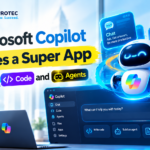






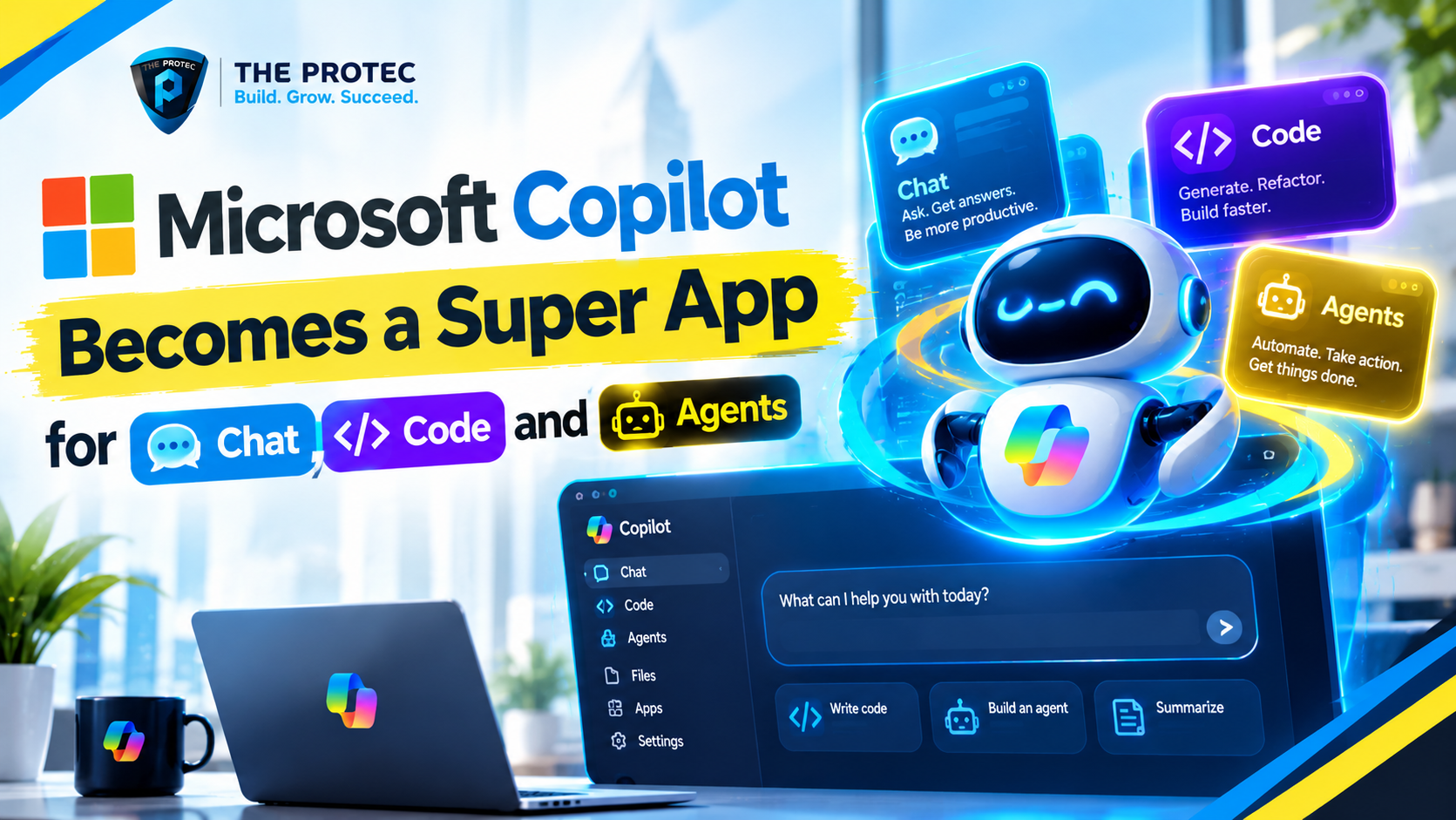
Microsoft Copilot is no longer being positioned as a chatbot that happens to appear across Windows, Microsoft 365 and the web. Microsoft’s September announcement points to something much broader: the Microsoft Copilot Super App, a unified AI workspace where conversation, software development, and autonomous agents share one application.
The new Microsoft Copilot super app is organized around three primary experiences: Home for everyday chat and productivity, Code for software development, and Autopilot for agents that can continue working on a user’s behalf. Microsoft has confirmed that it is bringing Copilot experiences together, including Code, across consumer and commercial use, with the new application being introduced through its Frontier program.
This consolidation is more significant than a redesigned navigation bar. By placing Copilot chat, coding tools and autonomous agents in the same environment, Microsoft can preserve context across tasks, coordinate specialized models and let users move from asking a question to delegating an entire workflow. Copilot is becoming less like a standalone AI assistant and more like an operating layer for knowledge work.
What Microsoft’s Copilot Super App Changes
Until now, Copilot’s capabilities have often felt distributed across separate products, panels and subscription tiers. A user might chat with Copilot in one interface, invoke an assistant inside a Microsoft 365 application, open a different environment for coding and manage agents somewhere else.
The unified Microsoft Copilot app is designed to reduce that fragmentation. Its three-part structure gives each type of work a clear destination while keeping it connected to the same broader system:
- Copilot Home handles conversational assistance, research, content creation, file-based tasks and general productivity.
- Copilot Code provides a focused environment for planning, writing, reviewing and maintaining software.
- Copilot Autopilot is the home for longer-running agents that can execute multistep tasks within approved limits.
The result is an AI super app that can support both quick interactions and sustained work. A conversation in Home could develop into an application specification, move into Code for implementation and then become an automated process managed by an agent in Autopilot.
Copilot Home: The Conversational Starting Point
Home remains the most familiar part of the experience. It is where users interact with the Copilot AI assistant through natural language, upload material, generate content and work with information available through connected Microsoft services.
Its role changes inside the super-app model, however. Copilot Home is not merely a chat window. It becomes the front door to Microsoft’s wider agentic system. The assistant can identify when a request needs a coding workflow, an enterprise data connection or an autonomous agent rather than trying to complete everything inside a single conversation.
For commercial users, the value depends heavily on access to organizational context. With appropriate permissions, Copilot can reason over documents, messages, meetings and business data without requiring users to manually paste everything into a prompt. Consumer and enterprise experiences will not necessarily offer identical connectors, controls or data access, even when they share the same application shell.
Copilot Code Brings AI Coding Into the Main App
The Copilot Code tab gives software development a dedicated space inside the unified application. This reflects a broader shift in AI coding tools: developers increasingly expect an assistant to understand repositories, propose implementation plans, edit multiple files, run checks and explain its decisions rather than simply complete the next line of code.
Microsoft Copilot Code can serve as the bridge between an idea and an executable project. A developer might begin by describing a feature, ask the coding agent to inspect a codebase, review its plan and then authorize changes. The same environment can support debugging, refactoring, test generation and documentation.
This also creates a more direct connection between general knowledge work and Microsoft AI coding. Product requirements written in Home can become context for Copilot Code, reducing the need to restate goals. Business users may be able to move from a process description to a prototype, while professional developers retain control over architecture, source control and deployment.
The Copilot coding agent should still be treated as a collaborator rather than an unquestioned author. Generated changes require review, especially when they affect authentication, infrastructure, dependencies or sensitive data. Repository permissions and execution boundaries matter as much as model capability.
Copilot Autopilot Is Where Agents Keep Working
Copilot Autopilot introduces a different interaction model. Chat is synchronous: a user asks, and the assistant responds. An AI coding agent may work for several minutes on a defined change. An autopilot can continue through a longer process, monitor progress and act when conditions are met.
These Copilot autonomous agents could handle workflows such as collecting information, preparing recurring reports, updating approved systems or coordinating tasks across applications. The user defines the goal, permissions and policies, while the agent determines how to complete the authorized steps.
Microsoft Autopilot in this context should not be confused with Windows Autopilot, Microsoft’s established device deployment and provisioning service. Copilot Autopilot refers to the agent-focused area of the new Copilot experience.
The distinction matters because autonomy introduces persistent responsibility. An agent may operate after the original conversation ends, so users need visibility into what it is doing, which tools it can access and when it requires approval.
How Scout and Autopilots Fit the Strategy
Microsoft laid the groundwork for this direction with its earlier introduction of Autopilots and Scout. Scout is described as an always-on agent capable of working across cloud services, the desktop and the web within defined permissions and organizational policies.
That cross-environment reach is central to Microsoft agentic AI. Many valuable workflows do not live in one browser tab or application. Completing a task may require retrieving a file, reading enterprise data, interacting with a website and updating another system. Scout illustrates Microsoft’s goal of giving an agent enough reach to execute that chain without giving it unlimited authority.
In the unified app, the Copilot Autopilot tab provides a logical place to create, supervise and revisit such work. Users need more than a list of active agents: they need status, action histories, approval requests, error handling and controls for pausing or terminating execution.
Where Copilot Cowork Fits
Copilot Cowork extends the same strategy toward collaborative task execution. Instead of only producing an answer, it is intended to work alongside a person on outcomes that may involve enterprise information, multiple applications and generated software.
Copilot Cowork can be understood as an orchestration layer within Microsoft’s broader agentic portfolio. A request may require one agent to retrieve authorized business data, another to analyze it and a coding capability to create a small application or automation. Cowork brings those capabilities together around the user’s objective.
Its app-creation potential is particularly important. Not every employee needs to become a software engineer, but many can describe a workflow, review a proposed solution and validate its output. Copilot Code supplies development capability, while Cowork and Microsoft AI agents connect the resulting application to a real business process.
The biggest technical advantage of the Microsoft AI super app is shared context. Home, Code and Autopilot can potentially operate from a common understanding of the user’s objective instead of treating every transition as a new session.
That does not mean every surface should receive all available data. A secure context system must filter information according to identity, role, application and task. An agent should receive the minimum context and permissions necessary to do its job.
Model selection is another important layer. Fast models may handle routine chat, while deeper reasoning models plan complex work. Coding models can inspect repositories, and specialized models may process documents, images or structured enterprise data. The Copilot super app can hide much of this routing while still giving advanced users and administrators control where risk, cost or performance requires it.
Agent orchestration determines how the pieces cooperate. Microsoft Copilot may divide a request into subtasks, send them to different agents, validate their outputs and return to the user for approval before a consequential action. Effective orchestration also requires recovery mechanisms when a tool fails or an agent produces uncertain results.
Security Becomes the Defining Challenge
Combining chat, code execution and autonomous action creates a larger security boundary. A chatbot that drafts text has limited operational power. A Microsoft coding agent with repository access can alter software, while an agent connected to business applications can change real records.
Organizations evaluating Microsoft AI agents should focus on several controls:
- Least-privilege access: Agents should only use the data, applications and actions required for a specific assignment.
- Approval gates: High-impact actions such as deploying code, sending external communications or modifying financial records should require confirmation.
- Auditability: Administrators need logs showing what an agent accessed, which model or tool it used and what changes it made.
- Context isolation: Information from one project, customer or security domain must not leak into another workflow.
- Prompt-injection defenses: Agents browsing websites or reading untrusted files must not automatically follow malicious embedded instructions.
- Lifecycle controls: Teams need a way to pause, revoke or remove agents and their credentials when a project ends.
Microsoft’s advantage is its existing identity, compliance and enterprise management infrastructure. Its challenge is applying those controls consistently as Copilot becomes more autonomous and crosses boundaries between cloud, desktop and web.
Why Microsoft Is Pursuing an AI Super-App Strategy
The AI market is moving from isolated chatbots toward platforms that can complete work. Microsoft’s unified approach gives users one recognizable destination and gives the company a way to connect consumer assistance, enterprise data, development tools and agent management.
It also strengthens continuity. Users are less likely to abandon a workflow when ideation, implementation and automation live in one place. For Microsoft, that can make Copilot the interface through which people access models, applications and organizational knowledge rather than another tab competing for attention.
In comparisons such as Microsoft Copilot vs ChatGPT or Microsoft Copilot vs Claude, model quality remains important, but it is no longer the entire contest. Copilot’s differentiator is increasingly its integration with Microsoft’s software ecosystem, identity layer, developer tooling and enterprise controls. The super-app design makes that argument more visible.
What Is Available and What Remains in Frontier
As of September 2026, Microsoft has confirmed its direction toward a unified Copilot experience and the inclusion of Code, but users should distinguish the announced application structure from capabilities still being introduced through Frontier.
Frontier functions as an early-access path for experimental or developing AI experiences. Availability can vary by account type, region, organization, subscription and administrator policy. Some agent functions, Cowork capabilities, connectors or autonomous actions may remain in preview or roll out gradually rather than appearing for every user at once.
Microsoft maintains current product information through its official Copilot website and publishes technical guidance through Microsoft Learn. Businesses should verify release status, licensing and data protections before designing production workflows around preview features.
Copilot Is Becoming a Workspace, Not Just an Assistant
Bringing Copilot Home, the Copilot Code tab and the Copilot Autopilot tab together changes the basic relationship between the user and Microsoft AI. Home helps people think and communicate. Code turns plans into software. Autopilot allows approved work to continue beyond the immediate conversation.
The opportunity is a smoother path from intent to execution. The risk is concentrating powerful capabilities inside one interface without sufficient oversight. Microsoft’s success will depend not only on how intelligently its agents work, but also on whether users can understand, constrain and trust them.
Frequently Asked Questions
What is the Microsoft Copilot super app?
The Microsoft Copilot super app is a unified AI experience organized around Home, Code and Autopilot. It combines conversational assistance, software development and autonomous agent workflows within one application spanning consumer and commercial scenarios.
What is the difference between Copilot Code and Copilot Autopilot?
Copilot Code focuses on software development tasks such as planning features, editing repositories, debugging and generating tests. Copilot Autopilot is designed for agents that execute longer-running, multistep work within defined permissions and policies.
Is Copilot Autopilot the same as Windows Autopilot?
No. Windows Autopilot is Microsoft’s device provisioning technology. Copilot Autopilot refers to autonomous AI agents and delegated workflows inside the unified Microsoft Copilot app.
Is the new Copilot app available to everyone?
Microsoft is introducing the new experience through Frontier, and availability may depend on region, account, license and administrative settings. Some elements of Code, Cowork, Scout and autonomous agents may remain in preview or roll out in stages.
Why does combining chat, code and agents matter?
A shared application can preserve task context as users move from discussing an idea to building software and delegating ongoing work. It also centralizes model routing, permissions and agent supervision, turning Copilot from a chatbot into a broader AI workspace.